
Product category
Desktop audio recorder for saving computer playback as local audio files on Windows and macOS.
Use this page when preparing a tutorial, software review, resource listing, comparison article, or support-style walkthrough about recording and organizing desktop audio.
These lines are intentionally factual and conservative. Rewrite them for your audience, but keep the distinction between recording, cleanup, metadata, and legal use clear.
Keep review copy specific. Avoid promising universal compatibility, quality improvement beyond the source, or a workaround for protected playback. For question-and-answer copy, use the Reviewer FAQ.
Desktop audio recorder for saving computer playback as local audio files on Windows and macOS.
Streaming music, browser audio, online radio, webinars, lessons, podcasts, and library cleanup after capture.
Record playback, review saved files, choose a format, check metadata, edit tags, and keep a cleaner offline library.
Cinch is a recording and organization tool. It should be used only for audio the user has the right to record or keep.
These are existing site screenshots used across the product pages. Link to this page or the source page when you need readers to verify context.
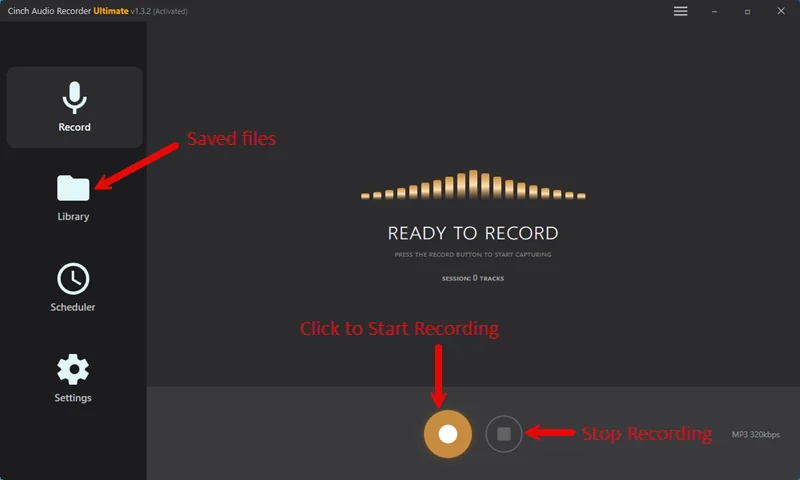
Use this image when explaining the one-click desktop recording workflow.
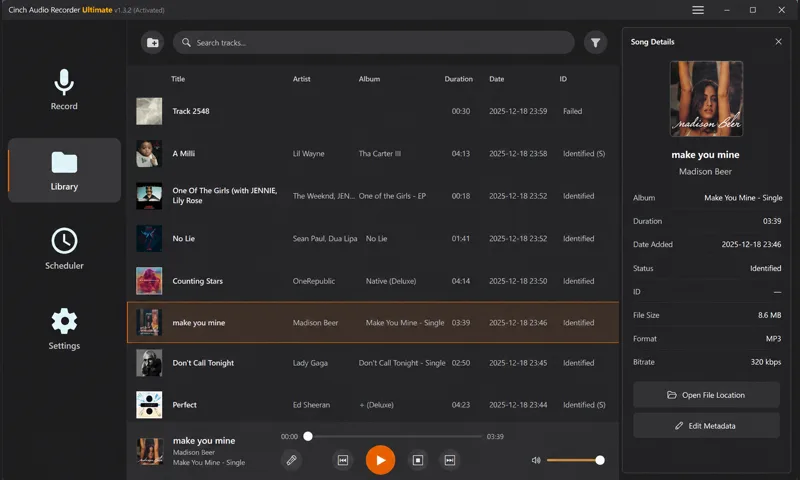
Use this image when discussing saved files, title checks, artwork, lyrics, and library review.
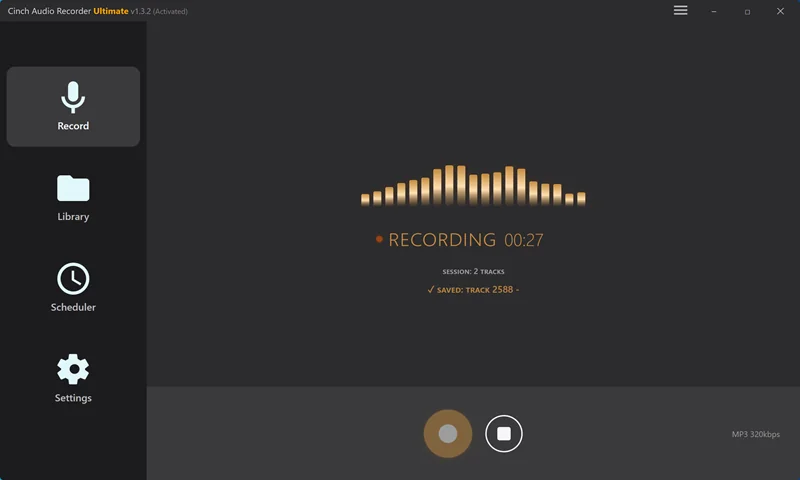
Use this image when showing how Cinch detects and saves playback audio.
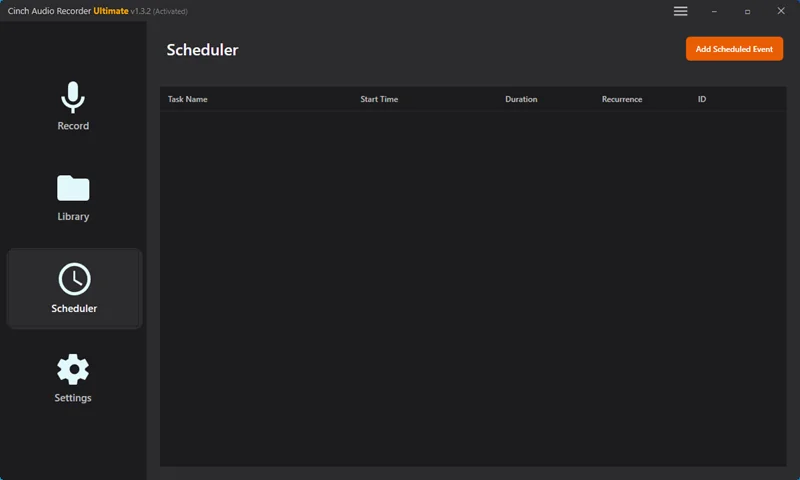
Use this image when covering radio, long streams, or unattended recording sessions.
These topics are stronger than generic software-listing copy because each one answers a specific user decision or support problem.
Compare the short-test convenience of an online recorder with the repeatable workflow of a desktop recorder.
Open source guideExplain the difference between capture, playback testing, cleanup, format choice, and metadata review.
Open source guideShow why title, artist, cover art, lyrics, filenames, and folder habits matter after recording.
Open source guideCover sleep prevention, notifications, output-device stability, storage, and post-session review.
Open source guideCompare MP3, M4A, WAV, and FLAC without implying that larger files improve a compressed source.
Open source guideWalk through silent files, wrong-device capture, notification bleed, and what support needs to diagnose issues.
Open source guideUse current product pages instead of copying old screenshots, version numbers, or pricing from third-party listings.
For review questions, screenshots, activation help, or product-fact checks, contact support and include the page, video, or listing you are preparing.