
Share Private Audio Without Extra Exposure
 By HenrikUpdated Aug 7, 20266 min read
Make a safer private audio sharing copy with minimum context, checked playback, clean labels, and preserved source.
Private audio needs a slower workflow than ordinary sharing. A meeting clip, family message, interview, classroom recording, or support example may contain names, side conversations, or unrelated sections the recipient does not need.
This guide helps you make a safer sharing copy while preserving the original source.
Make the Review Copy Easy to Trust
| Stage | Free tool | What it helps you decide |
|---|---|---|
| 1 | Audio Metadata Viewer | Check file details, duration, and existing labels before sharing. |
| 2 | Audio Trimmer | Cut only the section the recipient needs to hear. |
| 3 | Recording Quality Checker | Confirm the sharing copy is audible and not missing the useful section. |
| 4 | Audio Normalizer | Make speech easier to hear when the private copy is too quiet. |
| 5 | Audio Compressor | Create a smaller sharing copy after review. |
| 6 | Audio Metadata Editor | Add clear purpose labels and remove confusing old labels when appropriate. |
This is not a legal redaction process. It is a practical safety check before ordinary sharing.
Step 1: Decide the Minimum Useful Section
Ask what the recipient actually needs:
- One support problem.
- One quote.
- One family story.
- One lesson section.
- One meeting decision.
- One playback example.
If the useful part is 30 seconds, do not share the full hour.
Step 2: Preserve the Original
Keep the source in a safe folder:
private-audio-source
private-audio-sharing-copy
Do not edit the only original. If you later discover the shared copy is too short, you can return to the source.
Step 3: Trim Unrelated Sections
Use Audio Trimmer on a copy.
Remove sections that are not needed, such as:
- Setup chatter.
- Unrelated names.
- Long waiting time.
- Side conversations.
- Accidental recording before or after the useful section.
Listen through the final sharing copy from start to finish before sending.
Step 4: Check That the Useful Part Still Works
Use Recording Quality Checker.
Confirm:
- The useful section is still present.
- The file is not mostly silence.
- Speech is understandable.
- The ending was not cut too early.
- The copy is not harshly clipped.
If the copy is too quiet but complete, use Audio Normalizer gently.
Step 5: Use Labels That Explain Purpose
Use filenames or Audio Metadata Editor to clarify the copy:
support-example-private-copy.mp3
family-story-share-with-aunt.mp3
meeting-decision-short-copy.mp3
interview-quote-approved-sample.mp3
Avoid labels that imply the file is the full source if it is only a shared excerpt.
Step 6: Compress Only After Review
Use Audio Compressor when the file needs to be smaller.
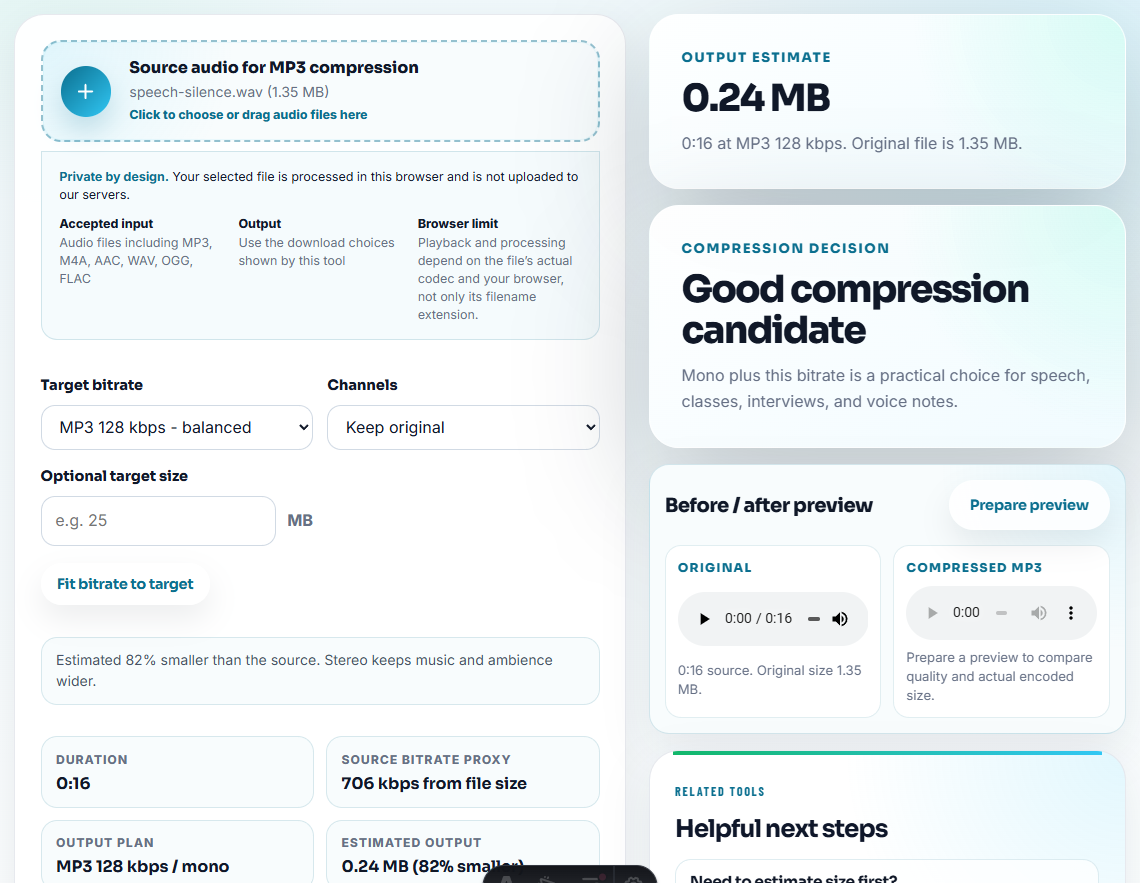
Do this after trimming and listening. Compression is a delivery step, not a privacy step.
Decide What Must Stay Private
Before sharing, listen for information that may be outside the recipient’s need. The goal is not to make the file vague; it is to share the useful moment without carrying unrelated exposure.
| Content in the source | Share as-is? | Safer handling | Final check |
|---|---|---|---|
| The exact requested quote or sound | Usually yes | Keep only enough context to understand it | The clip still answers the request. |
| Names, account details, or contact info | Usually no | Trim out or use a different excerpt | No private details remain in audio or labels. |
| Long lead-in or side conversation | No | Remove from the sharing copy | The first seconds start on purpose. |
| Internal troubleshooting comments | Only for internal recipients | Keep in a labeled internal copy | Public or customer copy has clean metadata. |
If you cannot confidently separate useful audio from private context, treat the file as review-only and do not send it as a general sharing copy.
What Trimming Does Not Protect
- Trimming does not remove private details that remain in the spoken section.
- Trimming does not clean filenames, tags, folder names, or cloud permissions.
- Trimming does not prove the copy is legally redacted.
- Trimming does not stop someone from forwarding the file.
- Trimming does not replace a second listen before sharing.
Private Audio Checks Before Sharing
- Do not share the only original when a copy is enough.
- Do not assume trimming one side of a conversation removes every sensitive detail.
- Do not send a long recording when a short section solves the task.
- Do not compress before listening for private or unrelated content.
- Do not call the copy fully redacted unless you have a proper review process.
- Do not leave misleading metadata on a shared excerpt.
When Free Browser Tools Are Enough
For private sharing, browser tools are enough when you need one smaller, clearer copy for a known recipient. Remove unrelated sections, keep the original in private storage, and choose a sharing method that matches the sensitivity of the audio.
Use a formal redaction, legal, or compliance workflow when audio contains regulated data, confidential customer information, legal evidence, medical details, or anything that must be audited.
Helpful Next Steps
- Audio Trimmer
- Audio Metadata Viewer
- Recording Quality Checker
- Audio Metadata Editor
- Make Audio Small Enough to Email Safely
- Convert Voice Notes to MP3 Without Losing Context
- Make Audio Easy to Send in Messaging Apps
- Record a Clear Audio Message Before Sending
- Prepare Team Audio Review Without Version Confusion
- Share Cloud Audio Without Confusing Recipients
- How to Email Audio That Shows One Clear Problem
- Show Support the Exact Audio Problem
Before You Share the File
How do I prepare private audio before sharing?
Keep the source safe, make a sharing copy, trim unrelated private sections, check the clip, use clear labels, and send only what the recipient needs.
Can a browser workflow remove private information from audio?
They can help you trim sections and prepare a separate copy, but they are not a full legal redaction workflow. Listen carefully before sharing.
Which tools help make a safer sharing copy?
Share a copy, not the source, and check names, private speech, metadata, and access rules before sending the link.