
Share Cloud Audio Without Confusing Recipients
 By HenrikUpdated Aug 7, 20266 min read
Prepare cloud-shared audio with source, review, delivery, and final folders so recipients open the right file safely.

Cloud drive sharing sounds simple until the other person opens the folder and sees five similar files, no context, one huge source recording, and a compressed copy that may or may not be the right one.
Cloud sharing works best when the recipient can preview the file without asking follow-up questions. Check size, format, naming, and privacy before placing audio in a shared folder.
Check the File Before You Share the Link
| Decision point | Tool | Evidence to collect |
|---|---|---|
| 1 | Audio Metadata Viewer | Check duration, format, file size, channels, and existing tags. |
| 2 | Recording Quality Checker | Catch silence, clipping, low level, or broken sections before sharing. |
| 3 | Audio Trimmer | Create a shorter review copy or remove obvious waste. |
| 4 | Audio Normalizer | Make the review copy easier to hear. |
| 5 | Audio Metadata Editor | Add title, project, date, speaker, version, or notes. |
| 6 | Audio Compressor | Create a smaller copy for review, preview, or quick download. |
Treat the cloud folder as a shared workspace. The next person should know what to open first.
Decide Who Should See Each Copy
Cloud folders often become confusing because every recipient gets the same link. Separate files by role before you share, especially when one folder contains originals, drafts, and public-ready copies.
| Recipient | Should see | Should not see |
|---|---|---|
| Reviewer | One review copy and the decision question | Source archives, old drafts, unrelated clips |
| Editor | Source file, notes, and current working copy | Final-only folder with no source context |
| Client or customer | Approved delivery copy | Internal comments, private filenames, rough exports |
| Support teammate | Short evidence clip with context | Full private recording if the issue is narrower |
| Public page owner | Final web copy and source pointer | Unapproved audio or mixed draft versions |
Step 1: Separate the Folder by Purpose
Before uploading, create a simple folder layout:
Audio-Share
01-original-source
02-review-copy
03-short-samples
04-final-delivery
notes.txt
This avoids the most common confusion: someone edits a compressed review file because they thought it was the source.
Step 2: Inspect the Source File
Use Audio Metadata Viewer to capture the basics.
Write down:
- Filename.
- Duration.
- Format.
- File size.
- Channels.
- What the file is for.
If the source is large, this also helps you decide whether the recipient needs the original or only a smaller listening copy.
Step 3: Check Playback Before Uploading
Use Recording Quality Checker before sharing. A broken file is still broken after it reaches the cloud.
Check for:
- Long silence.
- Missing audio.
- Clipping.
- Very low speech.
- Unexpected duration.
If you know there is a problem, mention it in the notes instead of making the next person discover it.
Step 4: Make a Review Copy When Needed
Use Audio Trimmer when the full source is too long for quick review. Use Audio Normalizer when the review copy is too quiet.
Good review filenames:
meeting-review-copy.mp3
interview-sample-03m20s.mp3
lesson-audio-review-v1.mp3
Keep review copies honest. If a file is trimmed, normalized, or compressed, label it that way.
Step 5: Add Metadata or Notes
Use Audio Metadata Editor for copies that may travel outside the folder.
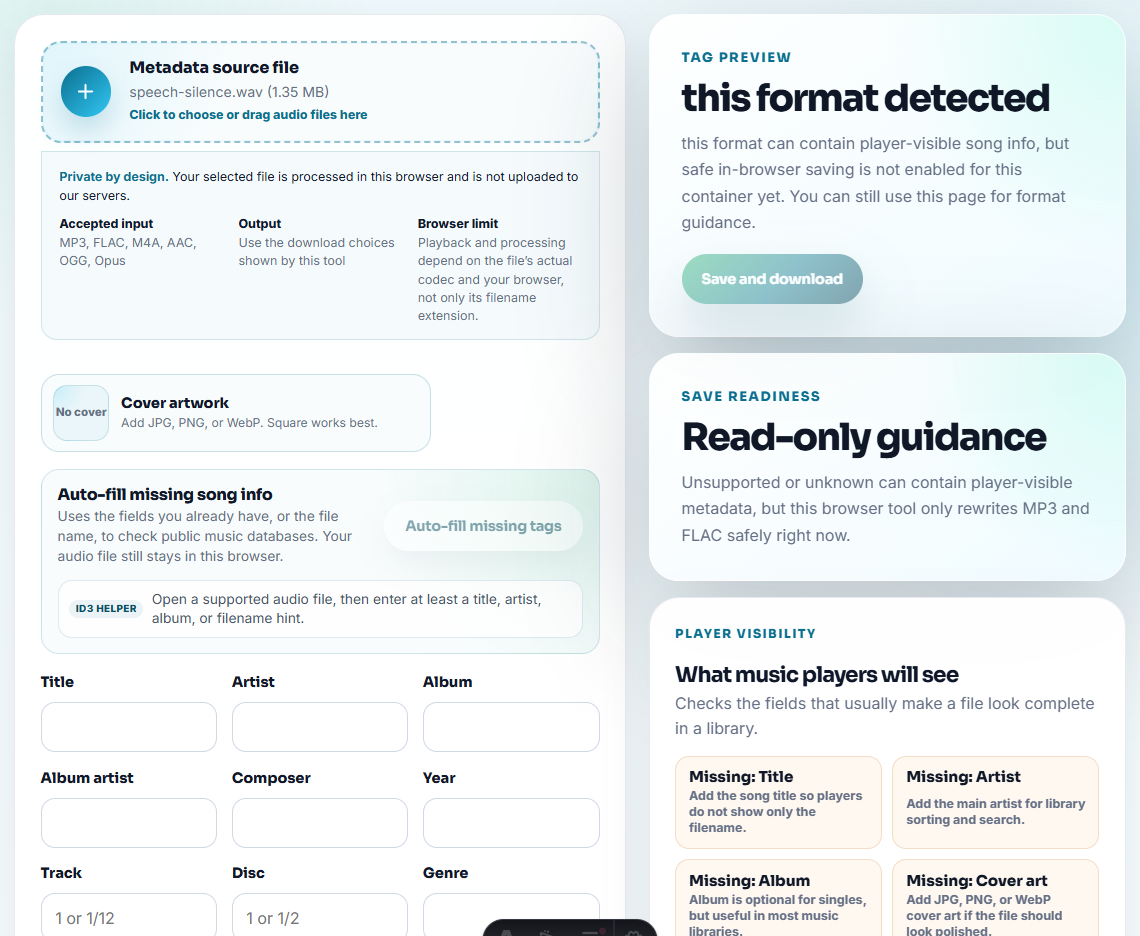
Useful fields:
- Project.
- Speaker.
- Date.
- Version.
- Status such as review, sample, final, or source.
Also include a short visible note. Some apps ignore metadata, but filenames and notes still travel well.
Step 6: Compress Only the Copy That Needs to Be Small
Use Audio Compressor when download time, preview speed, or storage size matters.
After compression, play the result and confirm:
- The key section is still audible.
- Speech is understandable.
- The file is small enough.
- The original remains available if editing is needed.
Do not delete source audio until the recipient confirms the shared folder has everything required.
Make the Folder Answer What to Open First
Cloud links often fail because the recipient sees too many similar files. Add a visible role to every file or folder before sharing the link.
| Recipient need | Share this | Do not make them guess |
|---|---|---|
| Quick listening review. | A compact review copy with a note. | Which version is short enough to open first. |
| Editing or restoration. | The original source plus source notes. | Whether the compressed copy is safe to edit. |
| Approval. | One needs-approval file and a clear decision question. | Which of five similar files is current. |
| Final delivery. | A final folder with tested playback copies only. | Whether drafts are mixed with deliverables. |
This small structure makes the shared folder useful even when the recipient opens it days later.
Cloud Sharing Checks Before Sending
- Do not mix originals, drafts, finals, and compressed copies without labels.
- Do not upload only a tiny copy when the recipient needs to edit.
- Do not use vague names like
audio-final-new2.mp3. - Do not rely on metadata alone for instructions.
- Do not upload private audio into a shared folder without checking who can access it.
- Do not assume cloud playback means the downloaded file is the right one.
When Browser Checks Are Safe to Use
Browser prep is enough when you are making one clear cloud-sharing copy and can verify the recipient, filename, and playback before sending the link. Use a stricter process when the folder includes private files, client material, permissions, or many reviewers.
Use a project-management or media-asset workflow when you need permissions, audit trails, legal review, redaction, batch metadata rules, or many contributors editing the same library.
Next Audio Checks to Try
- Audio Metadata Viewer
- Recording Quality Checker
- Audio Metadata Editor
- Audio Compressor
- How to Share Audio for Team Review Without Mixups
- Fix Audio Files That Upload Forms Reject
Small Decisions That Matter
What should I check before preparing audio for cloud drive sharing?
Check permissions, file size, preview playback, naming, and whether the shared folder exposes anything outside the intended audience.
Should I upload the original audio or a compressed copy?
Keep the original safe, then share a compressed or converted review copy only when the recipient does not need to edit the source.
What makes cloud-shared audio easier for someone else to use?
Clear filenames, short notes, predictable folders, tested playback copies, and avoiding mixed original, draft, and final files in one folder.