
How to Check Public Audio After It Goes Live
 By HenrikUpdated Aug 7, 20266 min read
Check public audio after publishing, including playback, source notes, page context, size, and replacement status.

Publishing is not the end of audio QA. The real page can still point to the wrong file, use outdated wording, expose old metadata, or keep a large download that made sense only during review.
Post-publication checks make sure the public page and the public audio still match.
Check the Live Page, Not Just the File
The audio file can be fine while the public experience is still wrong. Verify what the visitor actually sees and hears.
| Live-page check | Passes when | Fails when | Next action |
|---|---|---|---|
| Playback | Audio starts and finishes from the public page | Only the local file works | Fix the live asset or link |
| Page wording | Text matches the current audio | Page describes an old sample | Refresh surrounding copy |
| File identity | Duration and metadata match the approved copy | A draft or old file is linked | Replace the asset |
| Size | Delivery copy loads reasonably | Source file is published by mistake | Compress a public copy |
| Replacement status | Old copy is retired or documented | Old and new links conflict | Add redirect or removal note |
What to Check Before You Check Public Audio After It Goes Live
| Decision point | Tool | Evidence to collect |
|---|---|---|
| 1 | Audio Metadata Viewer | Confirm the live file identity, format, duration, and public metadata. |
| 2 | Recording Quality Checker | Check that the published copy plays completely and clearly. |
| 3 | Audio Waveform Generator | Spot silence, cutoffs, or timing mismatches after publishing. |
| 4 | Audio File Size Calculator | Recheck whether the live file is appropriate for embed or download use. |
| 5 | Audio Compressor | Prepare a smaller replacement delivery copy if the public file is too heavy. |
| 6 | Online Audio Format Converter | Prepare a compatible replacement copy when the live format is wrong. |
| 7 | Audio Metadata Editor | Add published status, page URL, source, owner, and next-review notes. |
Use this after publishing new audio, changing a page, replacing a file, moving a site, or updating a download link.
Step 1: Check the Live Page, Not Just the Source File
Record the live context:
page: /support/
live file: support-example-public-v2.mp3
expected source: source-support-example-original.wav
page text: short setup example
status: post-publication check
The source file may be correct while the page still points to an old copy. Check the page output or download itself.
Step 2: Confirm File Identity
Use Audio Metadata Viewer on the public file to confirm:
- Filename.
- Duration.
- Format.
- Size.
- Title or comment fields.
- Source and version notes.
- No private review-only labels remain.
If the public file carries private notes, create a clean delivery copy instead of editing the source record.
Step 3: Test the Public Copy
Use Recording Quality Checker to check whether the published file is complete, audible, and not clipped.
Use Audio Waveform Generator if the report or page context involves silence, a missing ending, before-and-after sections, or a specific timing cue.
Step 4: Compare Page Text With the Audio
Ask:
- Does the page describe the same clip?
- Does the button label match the file type?
- Does the audio support the example or claim nearby?
- Is the clip still current after the last page edit?
- Does the file size fit the public use?
If the page and audio do not match, decide whether to update the page copy, replace the file, or retire the audio.
Step 5: Fix Delivery Problems With Copies
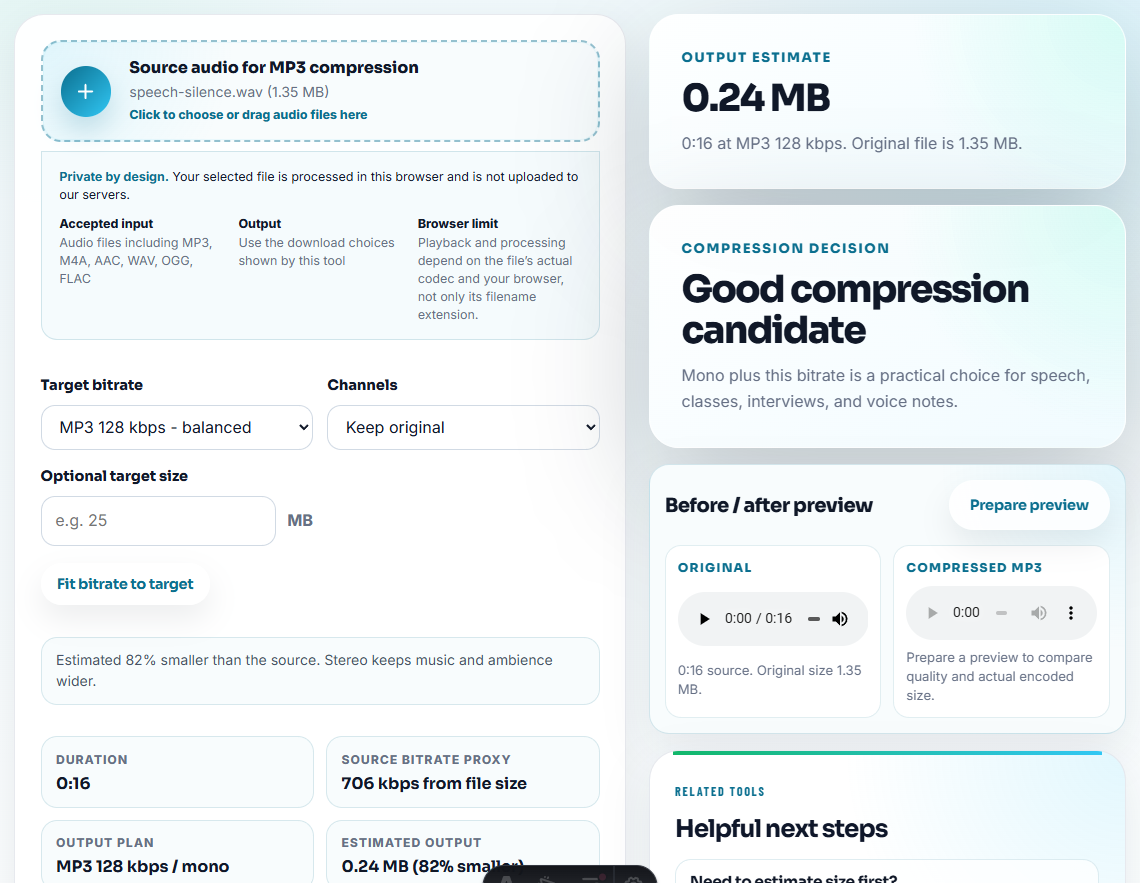
If the live file is too large, use Audio Compressor on a delivery copy. If the format is wrong for the destination, use Online Audio Format Converter on a copy.
Use names that separate fixes from sources:
published-check-support-example-v2-small.mp3
published-check-product-demo-v2-compatible.mp3
published-check-tutorial-sample-v2-public.mp3
Step 6: Mark the Published Status
Use Audio Metadata Editor to add:
Published check: passed. Page: /support/. Source: source-support-example-original.wav. Public copy: support-example-public-v2.mp3. Next review after support article refresh.If the file needs work:
Published check: replace. Reason: page points to old version. New public copy needed before next update.Step 7: Repeat After Important Changes
Run this check again after:
- Page copy changes.
- Product workflow changes.
- Download link changes.
- Site migration.
- Customer proof updates.
- Support article refreshes.
Audio can become stale even when the file itself is unchanged.
Triage Live Issues by User Impact
After publication, prioritize fixes by what the visitor experiences first.
| Live issue | Priority | First action |
|---|---|---|
| File does not play or download. | High | Restore the last known good public copy or fix the link. |
| Wrong file is linked. | High | Replace with the approved file and record the old path. |
| Metadata exposes private notes. | High | Rebuild a clean delivery copy. |
| File is too large but works. | Medium | Compress a public copy after confirming quality. |
| Page text is slightly outdated. | Medium | Refresh copy and decide whether audio still fits. |
| Better example exists. | Low | Schedule replacement instead of rushing a new file live. |
This keeps post-publication work focused on user trust, not just a checklist.
What Can Go Wrong When You Check Public Audio After It Goes Live
- Do not assume the build or upload used the intended file.
- Do not check only the source file while ignoring the live page.
- Do not leave review-only metadata in public downloads.
- Do not replace a live file without recording the old version.
- Do not compress the only source copy.
- Do not close a post-publication check before page wording is reviewed.
When Browser Checks Are Safe to Use
Browser prep is enough when one published page needs a quick playback, size, metadata, or link check after editing. Use a stronger review path when the page supports campaigns, customer proof, product claims, or many reused audio assets.
Use a formal release process when public audio supports legal claims, paid campaigns, regulated content, signed approvals, or many high-traffic pages.
Next Audio Checks to Try
- Recording Quality Checker
- Audio Metadata Viewer
- QA Public Page Audio Before Users Find Issues
- Check Staging Page Audio Before Publishing
- Check Download Audio Before Changing Public Links
- Check Live Audio Before Refreshing a Page
- Find Audio Files That Slow a Page Down
- Build Audio Samples for Manual Monitoring
Checks Worth Making First
What should I check after publishing audio on a page?
Check that the page uses the correct file, the audio plays completely, metadata is safe, file size is reasonable, source notes are traceable, and old copies are handled.
Is post-publication audio checking different from pre-publish QA?
Yes. Pre-publish QA checks the file before launch. Post-publication checks confirm the live page, links, downloads, and surrounding text still behave as intended.
What should I check for post-publication audio checks?
After publishing, test playback on the live page, confirm the right file is linked, and check that the public copy still matches the approved version.