
Build Audio Samples for Manual Monitoring
 By HenrikUpdated Aug 7, 20266 min read
Build a small audio monitoring sample set with trusted files, expected results, playback checks, labels, and review timing.

Monitoring fails when the test files are random. If each review uses a different file, the team cannot tell whether playback changed, the page changed, or the sample itself was never trustworthy.
An audio monitoring sample set gives recurring checks a stable baseline.
Pick Samples That Catch Real Failures
The best monitoring set is small but varied. Each sample should catch a different kind of regression.
| Sample type | What it catches | Keep it because | Review note |
|---|---|---|---|
| Normal speech file | Basic playback failure | It represents common use | Should sound ordinary and complete |
| Quiet example | Over-aggressive noise or volume changes | Quiet files often expose problems | Do not normalize the baseline |
| File with important ending | Cutoff or trim mistakes | Endings are easy to miss | Listen through the last seconds |
| Larger delivery file | Size or loading issues | Small samples hide delivery risk | Track expected size |
| Format-sensitive copy | Device or browser rejection | Compatibility can drift | Record where it should play |
Check the File Before Sharing
| Task | Tool | Result to verify |
|---|---|---|
| 1 | Audio Metadata Viewer | Record trusted duration, format, size, tags, and source for each sample. |
| 2 | Recording Quality Checker | Confirm each baseline sample is audible, complete, and not unexpectedly clipped. |
| 3 | Audio Waveform Generator | Save timing clues for endings, quiet sections, gaps, or before-and-after moments. |
| 4 | Audio File Size Calculator | Track expected delivery size for public pages, downloads, or email samples. |
| 5 | Audio Metadata Editor | Add safe sample-set labels, owner, review date, and allowed-use notes. |
| 6 | Audio Trimmer | Create short monitoring copies without touching the trusted source. |
The set should be boring, stable, and easy to repeat.
Step 1: Pick Representative Files
Choose samples that catch real risks:
- Normal public audio.
- File with an important ending.
- Quiet speech sample.
- Larger page or download file.
- Format-sensitive copy.
- Recently fixed file.
- Known good support example.
Do not fill the set with every file. Monitoring works better when reviewers can finish it.
Keep the Sample Set Small on Purpose
A good sample set should be small enough for someone to check under pressure. Use roles, not random examples.
| Slot | Include | Exclude |
|---|---|---|
| Baseline normal | A trusted ordinary public file | A file that is still under review |
| Timing risk | A file where the ending or exact section matters | A long file with no expected timing note |
| Quiet or low-level | A valid quiet sample | A broken file that needs repair |
| Delivery size | A known public download or embed-size example | Source masters used only for archive |
| Compatibility | A file that should play in a target browser/device context | Rare internal formats not used by visitors |
If a sample does not test a specific failure mode, leave it out.
Step 2: Record Expected Results
For each sample, write:
sample: demo-ending-check.mp3
expected: ending continues after 00:38 and finishes at 00:52
format: mp3
size: expected small public copy
owner: support
review: monthly or after replacement
The expected result is what makes the sample useful.
Step 3: Check Baseline Quality
Use Recording Quality Checker before adding a file to the set.
Confirm:
- It is not silent.
- It is not clipped.
- It includes the important section.
- It has the right ending.
- It is the intended format.
- It matches the public or support context.
If a file is already suspicious, keep it in an evidence folder instead of the trusted sample set.
Step 4: Add Timing or Size Clues
Use Audio Waveform Generator when reviewers need to check a section quickly.
Use Audio File Size Calculator when the risk is size drift, source files published as public copies, or email attachments becoming too large.
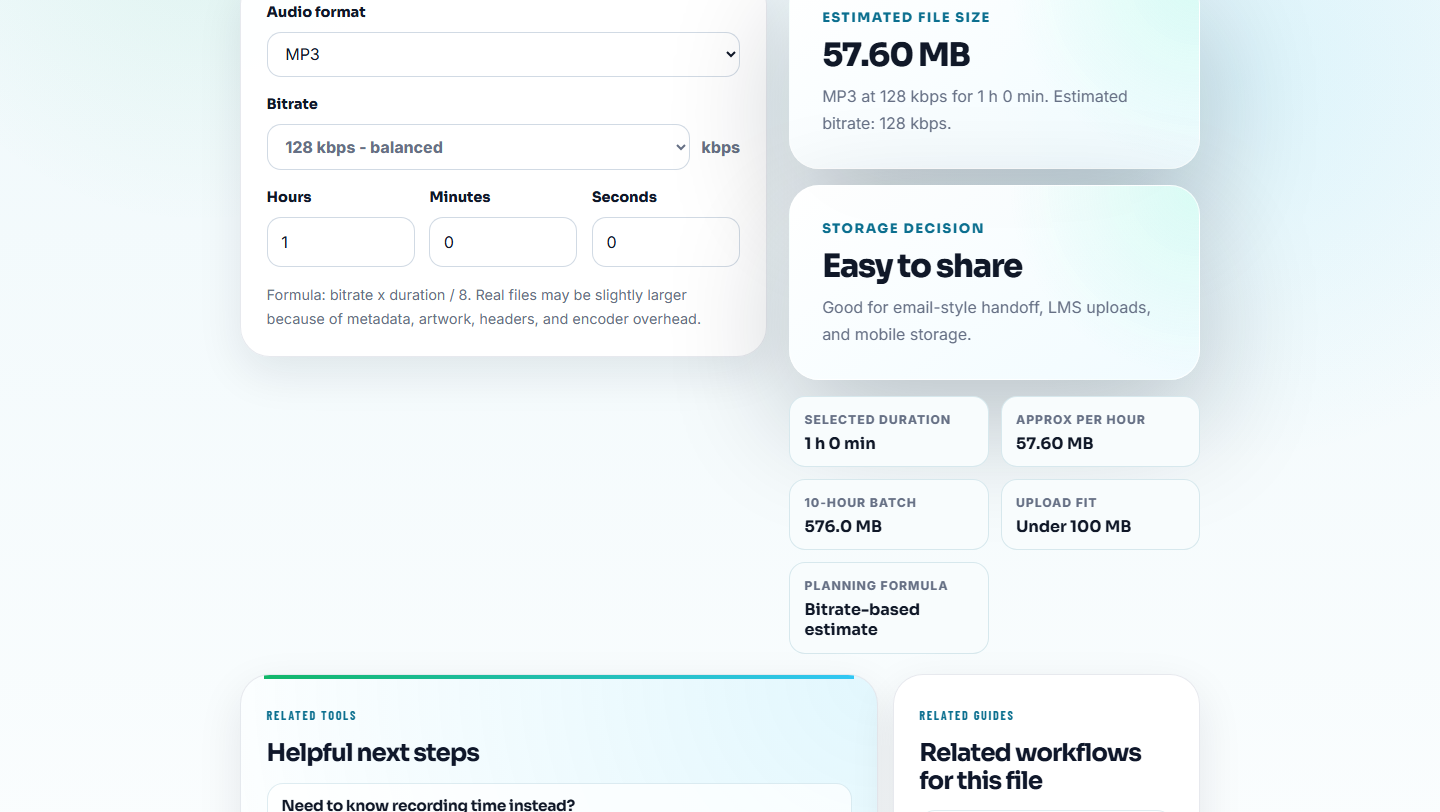
The sample set should make routine checks faster than starting from scratch.
Step 5: Label the Set Safely
Use Audio Metadata Editor for safe internal labels:
Monitoring sample. Known good. Expected ending at 00:52. Review monthly.Avoid customer names, account IDs, private case text, or sensitive support notes inside shared sample metadata.
Protect the Baseline From Accidental Edits
Monitoring samples should be treated as reference files. If they are edited during a fix, future checks lose their baseline.
| Folder | Purpose | Editing rule |
|---|---|---|
01-trusted-baseline | Known-good samples used for repeated checks | Do not edit directly |
02-current-test-run | Copies used during the current monitoring pass | Can be annotated or compared |
03-failed-evidence | Samples that failed a check | Preserve with notes |
04-replacement-candidates | Possible fixed copies | Review before promoting |
05-retired-samples | Old baselines no longer trusted | Keep out of active monitoring |
This structure prevents a repaired file from silently replacing the standard you use to judge future files.
Monitoring Sample Set Template
sample name:
role:
expected result:
format:
expected size:
source:
owner:
review trigger:
last checked:
Review triggers can be monthly, after an audio replacement, after a site migration, or after repeated support reports.
Manual Monitoring Check Before Saving the Set
- Do not use random files for recurring checks.
- Do not include files with unclear source status.
- Do not overwrite trusted samples during repair work.
- Do not let temporary workarounds become baseline samples.
- Do not keep private customer details in shared metadata.
- Do not make the sample set so large that nobody checks it.
When You Do Not Need a Desktop Recorder
For a monitoring sample set, browser tools help prepare consistent examples of normal playback and known failure sounds. Keep baseline samples stable, label each condition, and avoid modifying samples after they become part of a repeatable check.
Use formal monitoring, asset management, or automated testing when audio coverage affects many pages, paid campaigns, regulated content, or high-volume product workflows.
Related File Prep Guides
- Audio Metadata Viewer
- Recording Quality Checker
- Audio Waveform Generator
- Monitor Public Audio Playback Before Users Complain
- Prove Audio Still Works After Rollout
- Turn an Audio Fix Into Prevention Notes
Last Review Points
What is an audio monitoring sample set?
It is a small group of trusted audio files used for repeated playback checks, support examples, public page review, format testing, or post-fix monitoring.
How many files should be in a monitoring sample set?
Keep it small. A useful set may include one normal file, one file with an important ending, one quiet example, one large delivery file, and one format-sensitive copy.
What is the easiest detail to miss?
Keep a small stable set of samples, label expected behavior, and replace clips only when the monitoring goal changes.