
How to Write Root Cause Notes for Audio Issues
 By HenrikUpdated Aug 7, 20267 min read
Separate source, export, metadata, page, size, and playback causes before deciding how to fix an audio problem.
Fixing an audio problem is useful. Knowing why it happened is what prevents the same mistake from returning next month.
Root cause notes do not need to be long. They should explain whether the problem came from the source file, an export, a page link, metadata, file size, a replacement mistake, or a review gap.
Build the Root-Cause Evidence Copy in Order
| Task | Tool | Result to verify |
|---|---|---|
| 1 | Audio Metadata Viewer | Compare source, public, and replacement files by format, duration, size, tags, and notes. |
| 2 | Recording Quality Checker | Confirm whether the issue is silence, clipping, weak level, missing endings, or bad export. |
| 3 | Audio Waveform Generator | Find visible cutoffs, long silence, wrong sections, or timing differences. |
| 4 | Audio File Size Calculator | Check whether file size or delivery format contributed to upload, page, or download problems. |
| 5 | Audio Metadata Editor | Add safe source, version, status, and replacement notes to review copies. |
| 6 | Online Audio Format Converter | Test whether format compatibility explains the issue without changing the source. |
The goal is to describe the cause clearly enough that another person would avoid repeating it.
Step 1: Compare the Reported File With the Trusted Source
Use Audio Metadata Viewer on both files.
Check:
- File name.
- Duration.
- Format.
- Size.
- Channels.
- Title or comment fields.
- Source notes.
- Public status.
If the public file is shorter than the source, the issue may be export or trimming. If the metadata points to another page, the issue may be file selection.
Step 2: Classify the Cause Type
Use one cause type:
| Cause type | What it usually means |
|---|---|
| Source issue | The original file was already silent, clipped, incomplete, or wrong. |
| Edit issue | A trim, normalization, conversion, or compression step changed the file badly. |
| Export issue | The final delivery copy has the wrong format, size, duration, or quality. |
| Metadata issue | Labels, comments, version, owner, or public status were misleading. |
| Page issue | The file is OK, but the page links or describes it incorrectly. |
| Process issue | No one knew which file was approved, current, or safe to publish. |
Do not write “human error” as the root cause. It is too vague to prevent anything.
Separate Root Cause From Contributing Factors
Many audio problems have one cause and several conditions that made it easier to miss. Keep those apart so the prevention step is not confused.
| Note type | Example | What to do with it |
|---|---|---|
| Root cause | The public page linked a draft export instead of the approved copy | Fix the link source and approved-copy rule |
| Contributing factor | The draft and approved files had nearly identical names | Improve naming and folder separation |
| Detection gap | No one checked the final 10 seconds after upload | Add playback or waveform check before publishing |
| Impact note | Users heard the old demo on the public page | Update support/status wording and closeout proof |
A root cause note should usually have one main cause. Contributing factors become prevention tasks, not blame.
Step 3: Use Playback Evidence
Use Recording Quality Checker to confirm the practical listening problem:
- Silent file.
- Clipped section.
- Too quiet.
- Missing ending.
- Long blank area.
- Wrong section.
- Looks technically fine.
If the problem is visible in timing, use Audio Waveform Generator and note the clue:
Waveform shows audio stops around 00:38, but expected source continues to 00:52.Step 4: Check Whether Size Was Part of the Cause
Use Audio File Size Calculator when the problem involved slow loading, failed upload, broken download, or a suspiciously small replacement.
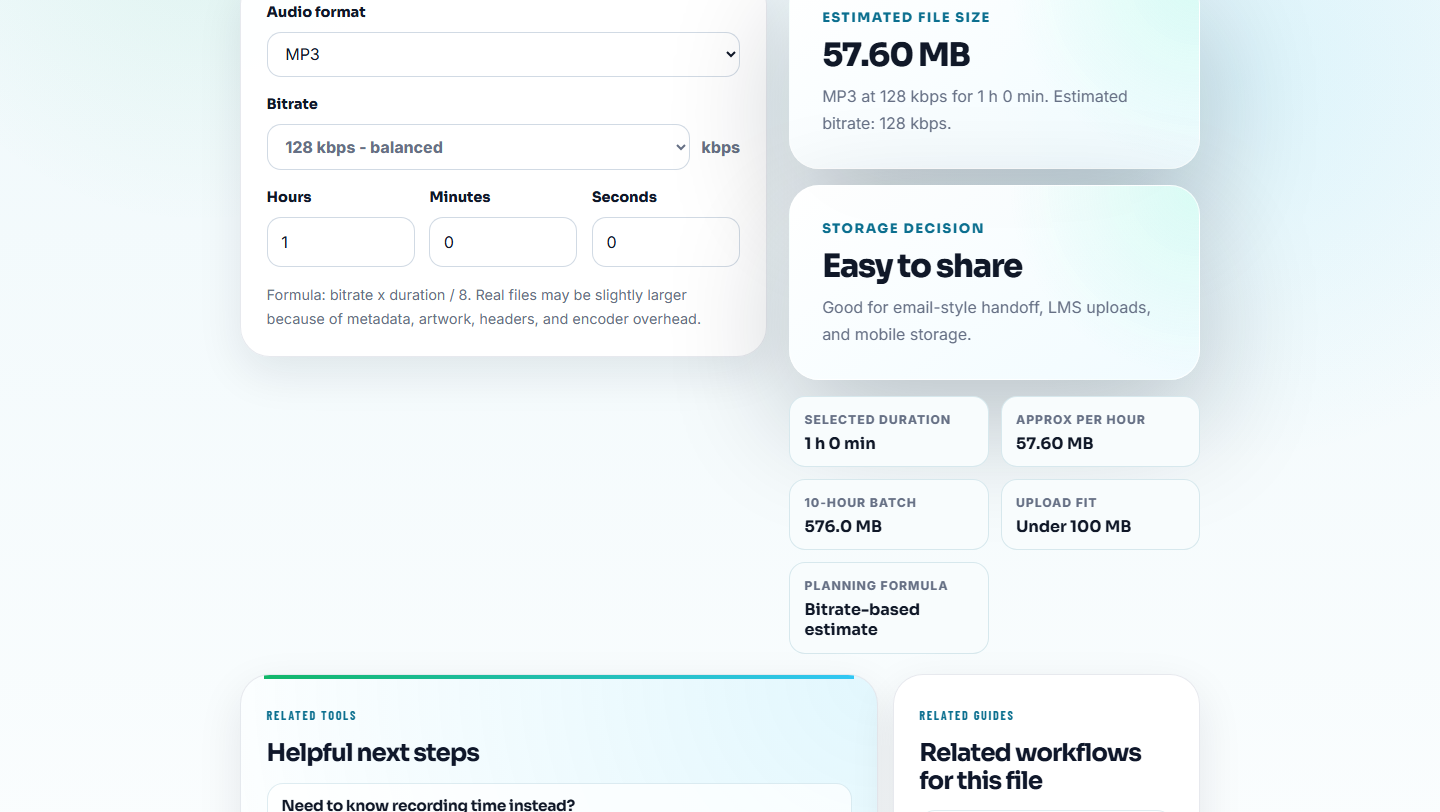
Useful notes:
- Source file was uploaded instead of delivery copy.
- Compressed preview replaced the approved file.
- Bitrate was much higher than needed for the page.
- Export was much smaller because the ending was missing.
Size does not prove root cause alone, but it often reveals the wrong copy.
Step 5: Write a Short Cause Statement
Use this format:
Root cause: public file was created from a trimmed draft, not the approved source.
Evidence: public duration 00:38, source duration 00:52, waveform shows missing ending.
Prevention: label approved source and require duration check before publishing.
Good root cause notes are specific, testable, and connected to prevention.
Step 6: Label the Review Copy
Use Audio Metadata Editor for safe internal labels on review copies:
Root cause reviewed: wrong draft source used. Approved source preserved. Replacement v2 checked.Do not put private customer messages, internal dispute notes, or sensitive support context inside a public audio file.
Use Evidence to Avoid a False Cause
A fast explanation can be wrong. Before closing the note, compare at least two signals so the cause points to something the team can prevent.
| Evidence pair | What it can prove | What it does not prove alone | Good root cause wording |
|---|---|---|---|
| Source duration vs public duration | A trim or export lost content | Who made the mistake | ”Public copy came from a shorter draft.” |
| Metadata label vs page context | Wrong version or source was selected | Whether the audio itself is broken | ”Page linked an old demo copy.” |
| Quality check vs user report | File is silent, clipped, or technically okay | Whether the user’s device is working | ”Checked file plays; delivery path needs review.” |
| File size vs expected use | Source, preview, or compressed copy may be mixed | The exact audio quality | ”Compressed preview replaced delivery copy.” |
This keeps root cause notes from becoming blame notes. The target is a better future check.
Five-Question Cause Chain
Use this short chain when the first explanation feels too shallow:
1. What did the user or reviewer experience?
2. Which file, page, or delivery path created that experience?
3. How did that file or path become public?
4. Which check should have caught it?
5. What single rule or owner change would prevent the same path?
Stop when the answer points to a repeatable check. If the answer becomes “someone should have noticed,” keep going until the workflow gap is visible.
Root Cause Note Check Before You Close the Case
- Do not write only “fixed” when the cause is unknown.
- Do not blame format before checking source and page context.
- Do not treat metadata mismatch as a minor detail.
- Do not ignore duration differences between source and public copy.
- Do not publish a replacement before recording why the old file failed.
- Do not include private support details in public metadata.
When Browser Prep Is Enough for Root-Cause Notes
For root-cause notes, use browser tools to isolate the moment that supports the explanation. Keep the raw evidence untouched, include the timestamp and observed condition, and avoid polishing the sound until the team agrees on what actually caused the issue.
Use formal incident review when audio problems affect contracts, paid campaigns, privacy-sensitive content, legal claims, or large release workflows.
Related Tools and Guides
- Audio Metadata Viewer
- Recording Quality Checker
- Audio Waveform Generator
- Document What Changed in an Audio Fix
- Turn an Audio Fix Into Prevention Notes
- Stop the Same Audio Problem From Returning
- Hand Engineers Audio Evidence They Can Reproduce
- Respond to Public Audio Problems Without Guessing
- Track What Changed in an Audio File
Quick Answers Before You Continue
What are audio root cause notes?
They are short notes that explain why an audio issue happened, such as wrong source, bad export, oversized file, risky metadata, missing ending, or page mismatch.
How do I find the root cause of an audio issue?
Compare the reported file with the trusted source, inspect metadata, check playback quality, review waveform clues, and separate file problems from page or process problems.
What should I check for audio root cause notes?
Link each note to the source clip, the observed symptom, the likely cause, and the evidence that confirms or rules it out.