
How to Turn an Audio Fix Into Prevention Notes
 By HenrikUpdated Aug 7, 20267 min read
Turn a closed fix into prevention notes, article updates, support changes, and repeatable checks.
Some audio fixes are technically closed but operationally wasted. The team fixes the file, replies to the user, and moves on. A month later, the same pattern appears because the article, support macro, file naming rule, or monitoring check never changed.
An audio fix lessons log turns one repair into a better workflow.
Make the Review Copy Easy to Trust
| Stage | Free tool | What it helps you decide |
|---|---|---|
| 1 | Audio Metadata Viewer | Compare source, old public copy, final copy, labels, duration, format, and size. |
| 2 | Recording Quality Checker | Confirm the fixed file and classify the original issue accurately. |
| 3 | Audio Waveform Generator | Keep timing evidence when silence, clipping, gaps, or missing endings explain the lesson. |
| 4 | Audio File Size Calculator | Capture delivery-size lessons when source and public copies were confused. |
| 5 | Audio Metadata Editor | Add safer labels that prevent old temporary or broken copies from being reused. |
| 6 | Audio Trimmer | Keep one short evidence copy if the lesson depends on a specific moment. |
The log should be short. The point is to change what happens next time.
Step 1: Name the Pattern
Choose one clear lesson category:
- Wrong file linked.
- Source and public copy confused.
- Temporary workaround reused as final.
- Missing ending not checked.
- File too large for page use.
- Metadata label misleading.
- Support macro outdated.
- Help article example outdated.
- Monitoring did not catch the issue.
One clear pattern is easier to prevent than a long story.
Step 2: Use Evidence, Not Memory
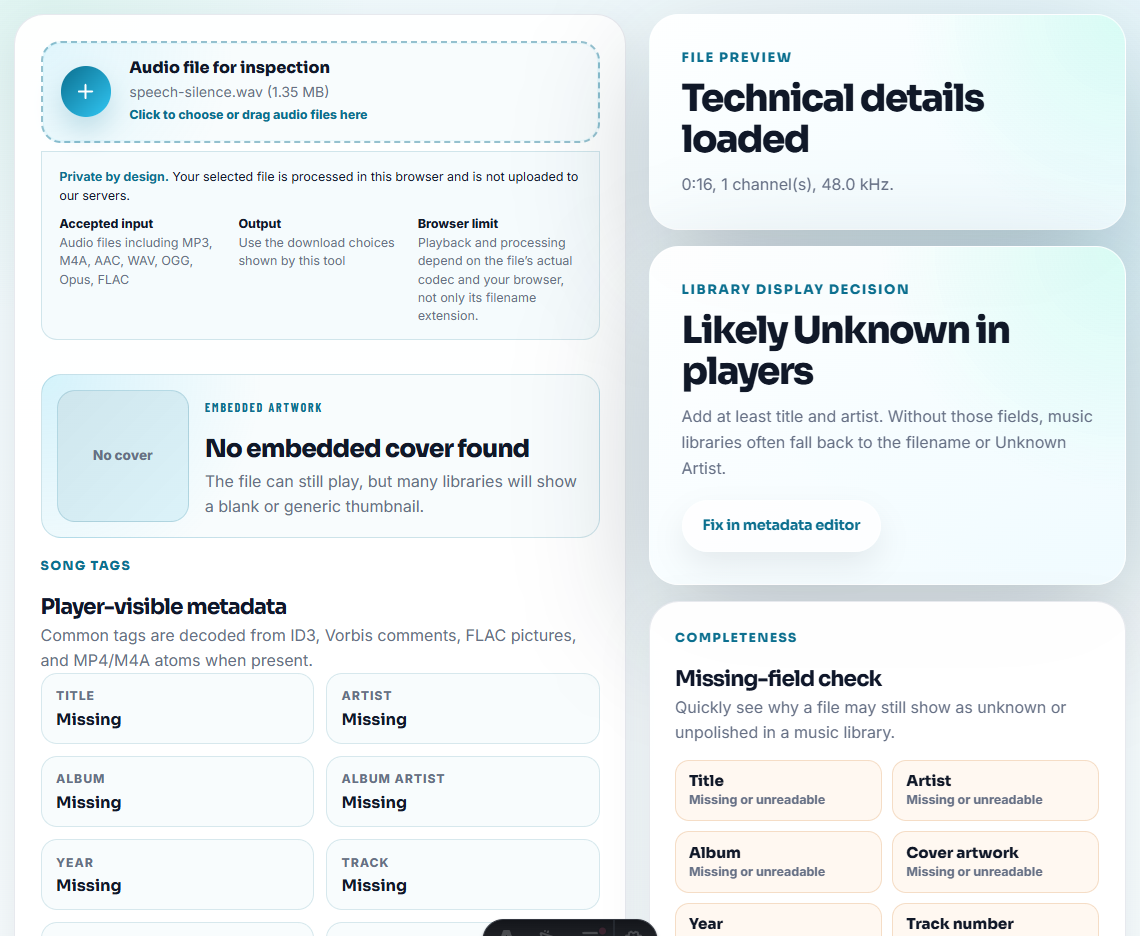
Use Audio Metadata Viewer and Recording Quality Checker to confirm what actually happened.
Good lesson note:
The article linked to demo-v1.mp3 after demo-v2-approved.mp3 was rolled out. Public playback still served the old file.Weak lesson note:
We should be more careful.The lesson should identify the check that failed.
Step 3: Decide What Must Change
Pick one or more follow-up actions:
| Finding | Practical change |
|---|---|
| Wrong public link | Add post-rollout link check. |
| Temporary copy reused | Add temporary/final labels. |
| Support kept old wording | Update macro. |
| Article still showed workaround | Refresh article. |
| Large source went live | Add file-size check before rollout. |
| Missing ending returned | Add waveform or playback check at final section. |
Do not make every lesson a vague training reminder.
Turn Each Lesson Into a Checklist Change
The best lessons log produces a small edit to a real workflow. Use this translation step before closing the file.
| Lesson found | Checklist change | Where to place it | Proof it is being used |
|---|---|---|---|
| Old public copy was reused | Add “confirm approved source and current public copy” | Replacement checklist | New resolution notes include both file names |
| Ending was missed | Add “listen to final 10 seconds or compare waveform” | QA checklist | Future fixes include ending proof |
| Support gave outdated workaround | Add fixed wording and retirement note | Support macro | Replies point to the current checked file |
| Page migration changed the link | Add post-migration playback sample | Website migration checklist | Sample pages play the approved copy |
| Metadata carried draft labels | Add safe metadata cleanup before publish | File handoff checklist | Public copies no longer expose draft labels |
If no checklist, macro, article, or folder rule changes, the lesson is probably still a note rather than prevention.
Step 4: Record Owner and Next Review
A useful lessons log has an owner:
lesson: public link was not checked after upload
change: add post-rollout proof step to release checklist
owner: content
next review: next audio replacement
If no one owns the lesson, it becomes a nice note that nobody uses.
Step 5: Connect the Lesson to Content
After a fix, check whether you need to update:
- Help article.
- Support macro.
- Known issue note.
- Rollout checklist.
- Monitoring checklist.
- File naming rule.
- Closeout folder template.
This is where SEO content quality improves: support pages become more accurate because real fixes feed back into them.
Lessons Log Template
issue pattern:
evidence:
what changed:
what should change next:
article or macro update:
prevention check:
owner:
next review:
Keep it specific enough that a new teammate can apply it later.
Separate the Lesson From the Incident
A lessons log is not a second incident report. It should translate the fix into one durable change that reduces repeat work, especially when users report the same vague symptoms again.
| If the fix revealed… | Write this kind of lesson | Update this asset | Proof the lesson worked |
|---|---|---|---|
| Users could not tell which file was current | Add public/final/source naming rules | Closeout folder or file label guide | New files carry status without private notes. |
| Support needed the same answer repeatedly | Turn the fix into a clearer macro | Support macro or help article | The reply says what to try, retry, or send next. |
| The public page still linked an old copy | Add a post-publish playback check | Rollout checklist | Live page opens the approved replacement. |
| The same distortion returned after export | Add a quality check before delivery | QA or monitoring checklist | Future files are checked before being shared. |
The best lesson changes one future behavior. If it only says “be careful,” it will not help the next person under pressure.
Lesson Notes That Make the Fix Reusable
- Do not write a vague lesson with no evidence.
- Do not blame a person when the file workflow failed.
- Do not create a long report for a small manual fix.
- Do not skip the article or macro update if users depend on it.
- Do not refresh public guidance without checking the live file.
- Do not let the same lesson repeat without changing a checklist.
When Free Browser Tools Are Enough
Use the browser tools when the lesson only needs a short evidence clip and a plain-language note about what changed. Keep the original failure sample unchanged, export a small review copy, and link the clip to the exact lesson so future reviewers do not have to guess what it proves.
Use formal postmortem or quality systems when the issue affects many customers, regulated content, payments, legal claims, or business-critical releases.
Helpful Next Steps
- Audio Metadata Viewer
- Recording Quality Checker
- Audio Waveform Generator
- Find the Real Cause of an Audio Problem
- Refresh Help Articles After an Audio Fix
- Update Support Macros After an Audio Fix
Common Edge Cases
What is an audio fix lessons log?
It is a short post-fix record that captures what caused the audio issue, what changed, what should be updated, and what check will prevent the same problem from returning.
How is a lessons log different from resolution notes?
Resolution notes record what fixed this issue. A lessons log records what the team should change afterward, such as help articles, support macros, file labels, checks, or monitoring.
What is the easiest detail to miss?
Capture the cause, the evidence clip, the prevention step, and the sign that would show the same problem is returning.