
How to Stop the Same Audio Problem Coming Back
 By HenrikUpdated Aug 7, 20266 min read
Stop repeat audio problems with source rules, playback checks, labels, owners, and replacement proof.

Some audio problems repeat because the first fix only replaced the file. The folder stayed confusing, the source stayed unclear, the page was not checked, or the same oversized copy was uploaded again.
Recurrence prevention is the checklist you add after a fix so the same problem is harder to repeat.
What to Check Before You Stop the Same Audio Problem Coming Back
| Decision point | Tool | Evidence to collect |
|---|---|---|
| 1 | Audio Metadata Viewer | Record the trusted source, approved public copy, format, duration, and source clues. |
| 2 | Recording Quality Checker | Confirm future replacements are audible, complete, and not clipped. |
| 3 | Audio Waveform Generator | Keep a timing baseline for files where gaps, cutoffs, or quote sections matter. |
| 4 | Audio File Size Calculator | Set reasonable delivery-size expectations for public pages and downloads. |
| 5 | Audio Metadata Editor | Add approved, source, owner, replacement, and review-status labels. |
| 6 | Audio Compressor | Create smaller delivery copies only after the source and content are confirmed. |
The checklist should be small enough that people will actually use it before the next upload.
Step 1: Define the Approved Source
Use Audio Metadata Viewer and write down:
- Source file.
- Approved public copy.
- Expected duration.
- Expected format.
- Expected size range.
- Owner.
- Allowed public use.
If the approved source is unclear, the next replacement can easily use the wrong file.
Step 2: Add Clear File Roles
Use folders or filenames that show purpose:
01-source-preserve
02-review-copy
03-approved-public
04-previous-public-copy
05-retired-do-not-use
Avoid mixing source, draft, public, and retired files in one folder. That is how old files return.
Step 3: Create a Replacement Rule
Write one rule for future changes:
Any new public copy must match the approved source section, pass playback check, and include owner plus replacement note before upload.This is more useful than a long policy nobody reads.
Step 4: Set Playback and Size Checks
Use Recording Quality Checker for future replacements.
Check:
- Not silent.
- Not clipped.
- Ending present.
- Correct section.
- Comfortable level.
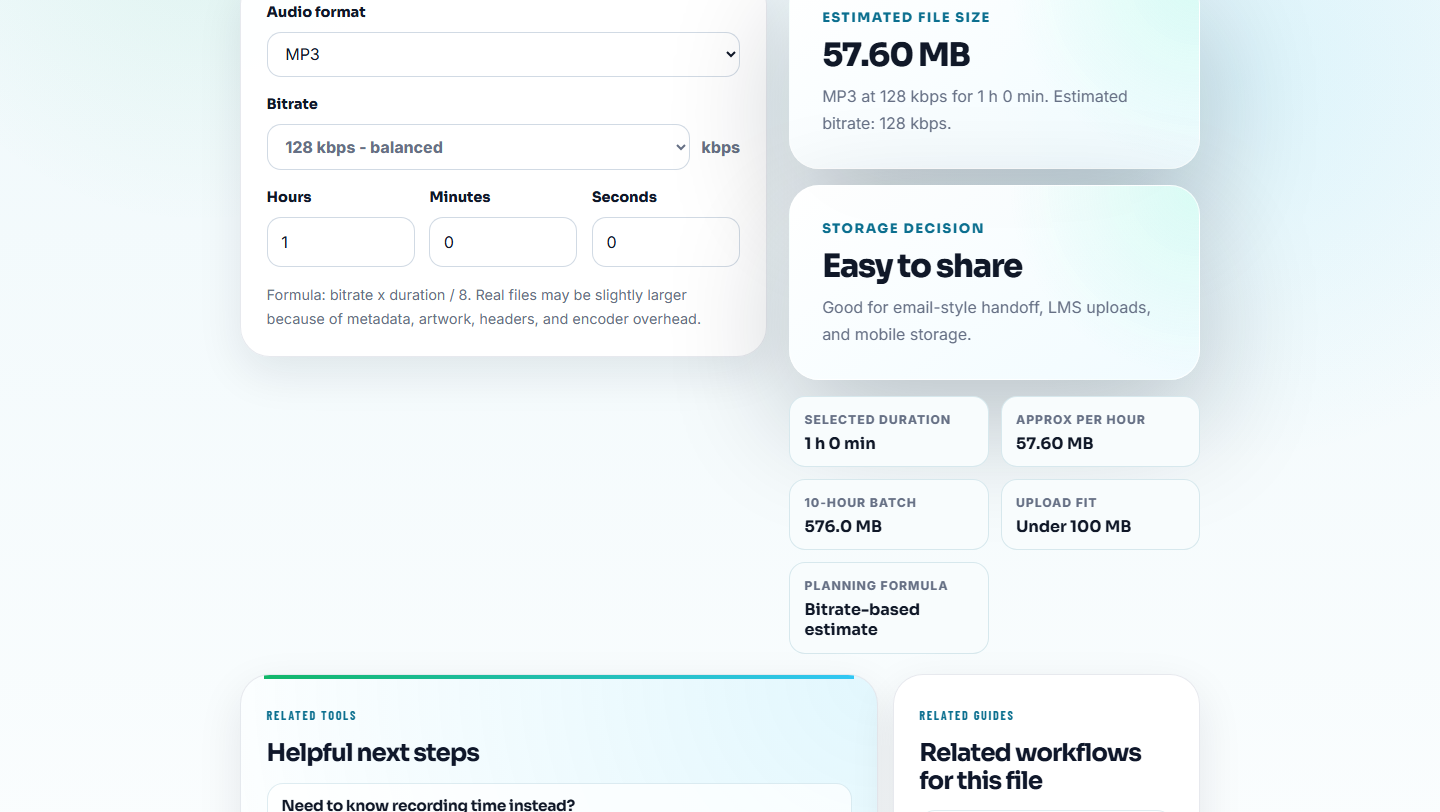
Use Audio File Size Calculator when public page weight or download size caused the original issue.
Assign Control Owner and Frequency
Recurrence prevention works only when the check has a home. Add the owner and cadence beside the rule.
| Preventive control | Owner | Frequency | Proof to keep |
|---|---|---|---|
| Approved source label | Content or audio owner | Every replacement | Metadata or folder note showing source and public copy |
| Final-section playback check | Reviewer | Before publishing each file | Checked opening, issue moment, and ending |
| Public link test | Web or support owner | After upload or migration | Page URL and file name confirmed |
| Size and format check | Publisher | Before public download or embed | Expected size range and delivery format |
| Retired-file cleanup | Folder owner | After each fix and quarterly review | Old files moved out of active public folder |
If the same issue repeats, do not only add another warning. Move the control closer to the moment where the file is uploaded, linked, or reused.
Step 5: Keep Timing Evidence When Timing Matters
Use Audio Waveform Generator when the file must include a specific quote, demo moment, before-and-after comparison, or ending.
Record a simple timing note:
Approved public copy must include the spoken result from 00:18 to 00:42 and full ending through 00:49.That prevents a future trim from cutting the useful part.
Step 6: Add Prevention Notes
Use Audio Metadata Editor for safe labels:
Approved public copy. Source: demo-master.wav. Expected duration: 00:49. Owner: web content. Replace only from source.Keep internal ticket details outside public metadata.
Recurrence Prevention Template
original issue:
root cause:
approved source:
approved public copy:
expected duration:
expected format:
expected size:
replacement rule:
owner:
next review:
This template works well beside a resolution note or change log.
Turn Repeat Symptoms Into Checks
Recurring audio problems often start as vague reports: “too fast,” “scratchy,” “missing track name,” or “not working.” Convert each repeated symptom into a check that someone can run before the next file ships.
| Repeated symptom | Preventive check | Tool signal | Owner to involve |
|---|---|---|---|
| Audio sounds distorted or harsh | Check clipping before boosting or replacing | Recording quality warning | Content or audio owner |
| Track names show as numbers only | Review metadata before sharing | Missing title/artist/label fields | Support or library owner |
| Replacement loses the ending | Compare duration and waveform with source | Shorter public copy | Reviewer or page owner |
| Users cannot open the file after update | Test public link and delivery copy | File opens locally but not from page | Web or support owner |
The check should be written where the work happens: in the support macro, upload checklist, folder note, or page refresh task.
What Can Go Wrong When You Stop the Same Audio Problem Coming Back
- Do not rely on memory for the approved source.
- Do not keep draft and public copies with nearly identical names.
- Do not make compression the default fix for every repeat issue.
- Do not skip playback because the file name looks correct.
- Do not leave retired files next to approved public files.
- Do not let recurrence prevention become a long unused document.
When Browser Checks Are Safe to Use
Browser prep is enough when recurrence prevention means checking one fixed clip, labeling the replacement, and writing a short prevention note. Use a formal process when the same issue affects multiple pages, teams, product releases, or customer-facing promises.
Use formal asset controls when repeat problems involve privacy-sensitive content, legal approvals, customer contracts, paid media, or many public pages.
Next Audio Checks to Try
- Audio Metadata Viewer
- Recording Quality Checker
- Audio File Size Calculator
- Find the Real Cause of an Audio Problem
- Document What Changed in an Audio Fix
- Monitor Public Audio Playback Before Users Complain
Before You Start
What is audio recurrence prevention?
It is a small checklist that prevents the same audio issue from returning by improving source labels, playback checks, file-size rules, replacement notes, and ownership.
How do I stop audio fixes from breaking again?
Preserve source files, label approved copies, check playback after replacement, record size and duration expectations, and assign a clear owner.
What should I check so the audio problem does not return?
Write down what caused the problem, the signal that would reveal it again, and the check that should happen before future publishing.