
Hand Off Audio Bugs to Engineers Clearly
 By HenrikUpdated Aug 7, 20267 min read
Package audio bug evidence with steps, sample clips, expected results, actual results, and source-safe notes.
An engineering handoff is not the same as a customer reply. A customer needs a clear next step. Engineering needs the smallest useful evidence package that shows what failed, where it failed, and what result was expected.
Engineers need reproducible audio evidence, not a vague complaint. Keep the source, isolate the symptom, and include enough file details for someone else to test the same case.
Separate Source, Review, and Final Copies
| Review pass | Tool | What it catches |
|---|---|---|
| 1 | Audio Metadata Viewer | Capture file format, duration, size, channels, tags, comments, and source clues. |
| 2 | Recording Quality Checker | Confirm silence, clipping, weak level, missing endings, or wrong sections. |
| 3 | Audio Trimmer | Cut a short reproduction copy that keeps the issue audible. |
| 4 | Audio Waveform Generator | Show timing, silence, peaks, gaps, or cutoff evidence. |
| 5 | Audio Compressor | Create a smaller handoff copy only after the issue is preserved. |
| 6 | Audio Metadata Editor | Add safe product, version, issue type, expected result, and status labels. |
The goal is to reduce back-and-forth. Engineering should not need to ask, “Which file? What is wrong with it? What should I compare?”
Step 1: Name the Engineering Question
Write one question:
Why does the exported MP3 lose the ending after 00:38?Better examples:
- Why is the output silent when the source plays normally?
- Why does conversion change the channel balance?
- Why does the file play in one browser but not another?
- Why does metadata disappear after export?
- Why is the public copy much larger than expected?
One handoff should answer one engineering question.
Include Reproduction Conditions
Engineers need to know whether the failure belongs to the file, the tool step, the browser, or the delivery path.
| Condition | Example to record | Why it helps |
|---|---|---|
| Input file | Source file name, duration, format, and size | Confirms the test starts from the same audio |
| Operation | Trim, export, convert, upload, embed, or playback | Shows where the failure may enter |
| Output file | Broken result name, duration, format, and size | Makes source-vs-output comparison possible |
| Environment | Browser, app version, OS, page, device, or player when known | Separates file bugs from playback context |
| Expected result | ”Ending continues to 00:52” | Gives engineering a pass/fail target |
| Actual result | ”Output becomes silent after 00:38” | Makes the defect concrete |
If a condition is unknown, write “unknown” instead of inventing it.
Step 2: Preserve Source and Actual Result
Keep separate copies:
01-source-file
02-actual-result
03-short-reproduction
04-notes-and-waveform
Do not overwrite the source. Do not send only the polished replacement. Engineering often needs the broken actual result.
Step 3: Capture File Details
Use Audio Metadata Viewer on the source and actual result.
Record:
- File name.
- Format.
- Duration.
- Size.
- Channels.
- Visible tags or comments.
- Source location.
- Product version or page context when known.
Differences between source and output often reveal whether the issue is export, conversion, trimming, metadata, or file selection.
Step 4: Create a Short Reproduction Clip
Use Audio Trimmer on a copy when the full file is long.
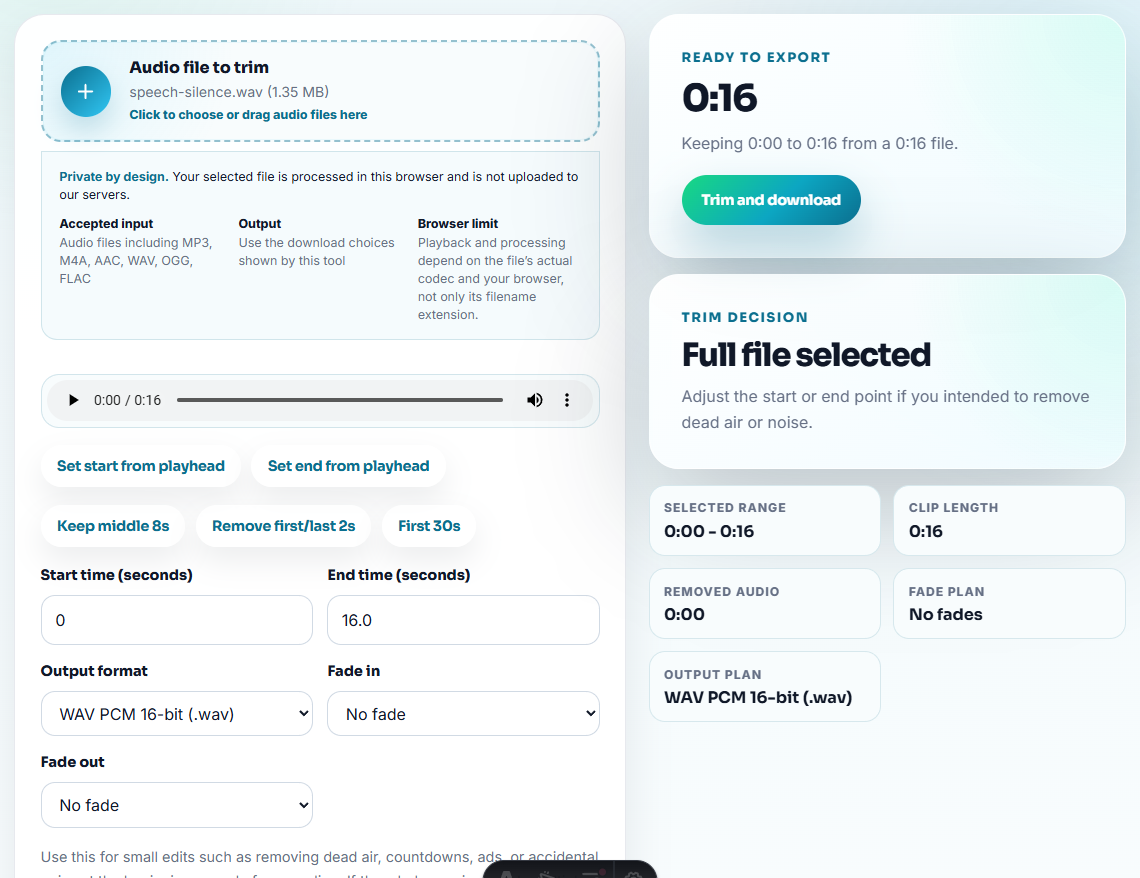
Keep:
- A few seconds before the issue.
- The issue itself.
- A few seconds after the issue.
- Any cue that proves expected behavior.
Do not remove the failure. A beautiful clean clip is useless if the bug disappears.
Step 5: Add Evidence That Points to the Moment
Use Recording Quality Checker to describe the failure:
- Silent section.
- Clipping.
- Missing ending.
- Very low level.
- Wrong section.
- Incomplete playback.
Use Audio Waveform Generator when timing matters. Add a note such as:
Issue visible around 00:38. Source continues, actual export becomes flat.Step 6: Label the Handoff Safely
Use Audio Metadata Editor on the handoff copy, not the source.
Useful labels:
- Product or workflow.
- Version or page.
- Issue type.
- Expected result.
- Actual result.
- Source preserved.
- Handoff owner.
Keep customer names, order numbers, account details, and private support text outside public audio metadata.
Engineering Handoff Template
question:
source file:
actual result:
short reproduction:
expected result:
actual result:
timecode:
file details:
operation:
environment notes:
source preserved:
owner:
This is enough for many small product and website audio issues.
Choose Evidence by Failure Type
Engineering can move faster when the evidence matches the failure. Do not send every file if one short clip and one metadata comparison answer the question.
| Failure type | Include | Avoid | Why |
|---|---|---|---|
| Missing ending after export | Source, actual output, and timecode near cutoff | Cleaned replacement only | Engineering needs the broken output. |
| Silent output | Source plus exported silent copy | A normalized version that hides silence | The failure may be capture, export, or playback. |
| Metadata disappears | Before/after metadata screenshots or values | Audio-only clip with no tag notes | The issue is in file fields, not listening. |
| Browser/device playback mismatch | Same file plus environment notes | Re-encoded file unless requested | Compatibility evidence depends on the original file. |
This keeps the handoff compact without losing the signal engineering needs.
Decide What Not to Clean
Some edits make a handoff safer, but others destroy the evidence engineering needs.
| Change before handoff | Usually OK | Usually risky |
|---|---|---|
| Redact unrelated private section | If the failure remains reproducible | If the cut removes timing context |
| Compress for sharing | Only after preserving source and broken output | If compression changes the defect |
| Convert format | Only when compatibility is the question or engineering asks | If conversion hides the original failure |
| Normalize volume | Rarely, and only on a separate listening copy | If the bug involves level, clipping, or silence |
| Rename files | OK with a mapping note | Risky if names no longer connect to source/output |
Engineering handoffs should preserve the failure first and polish the package second.
Final Handoff Check for Engineers
- Do not send a vague “audio broken” handoff.
- Do not send only the source when the output is the failure.
- Do not edit away the problem.
- Do not hide whether the file was converted or compressed.
- Do not expose private customer details in filenames or tags.
- Do not hand off a long recording without timecode notes.
When Browser Prep Is Enough for Engineering Handoff
Browser prep works when engineering only needs a clean symptom sample, a trimmed failure window, or a before-and-after clip attached to a ticket. Preserve the raw recording separately, name the export with the issue ID, and avoid editing out sounds that help engineers reproduce the problem.
Use a fuller issue workflow when engineering also needs logs, screen recordings, app settings, browser console output, device details, or repeatable automated tests.
Where to Go After This Check
- Audio Metadata Viewer
- Recording Quality Checker
- Audio Trimmer
- Audio Waveform Generator
- Show Implementation Audio Issues Clearly
- Close an Audio Fix Without Losing Proof
- Add Audio Evidence That Makes Bug Reports Clear
- Find the Real Cause of an Audio Problem
Questions People Usually Ask
What should an audio engineering handoff include?
Include the exact file, source details, short reproduction clip, expected result, actual result, playback evidence, environment notes, owner, and whether the source is preserved.
Should I clean audio before sending it to engineering?
Only remove unrelated or private sections from a copy. Do not clean, normalize, trim, or convert away the problem engineering needs to inspect.
What must be true before this file is ready?
Preserve the source file, isolate the failing moment, include exact file details, and describe the expected result so engineers can reproduce the same case.