
How to Make Spoken Audio Easier for Older Listeners
 By HenrikUpdated Aug 7, 20266 min read
Make family voices, lessons, interviews, and spoken audio easier to follow with clearer copies and fewer rough edges.
When you prepare audio for an older parent, relative, student, customer, or archive listener, the goal is not to make it sound professionally produced. The goal is to make it easier to follow.
That usually means less waiting, fewer rough peaks, clearer speech level, simpler playback, and copies that can be heard on ordinary speakers without asking the listener to solve technical problems.
Choose a Comfortable Listening Copy
This is not medical hearing advice. It is a practical way to prepare spoken files so the listener has fewer technical obstacles.
| Listener situation | Helpful change | Be careful with | Final check |
|---|---|---|---|
| Family voice memory | Trim confusing starts and normalize gently | Removing emotional pauses | Story still feels natural |
| Appointment or instruction note | Keep steps in order and cut dead setup time | Over-editing words that explain context | Listener can replay the key instruction |
| One small speaker | Make a mono-compatible copy | Leaving important sound on one side | Voice is clear from across the room |
| Long spoken file | Split or label sections | Making one huge hard-to-navigate file | Listener can restart at the right part |
| Very quiet recording | Clean first, then lift carefully | Boosting hiss and distortion | Speech is clearer, not just louder |
Separate Source, Review, and Final Copies
| Stage | Free tool | What it helps you decide |
|---|---|---|
| 1 | Audio Metadata Viewer | Check duration, format, and file details before editing copies. |
| 2 | Audio Trimmer | Remove false starts, long setup time, or confusing endings. |
| 3 | Audio Silence Remover | Shorten only dead gaps, not natural pauses that help understanding. |
| 4 | reduce hiss and hum in voice recordings | Reduce steady noise gently when it hides speech. |
| 5 | Audio Normalizer | Make speech more comfortable and consistent. |
| 6 | Stereo to Mono Converter | Create a simpler playback copy when one speaker or one earbud may be used. |
This is a listening-copy workflow. Keep the original file safe.
Step 1: Start With a Copy and a Clear Purpose
Decide why the listener needs the file:
- Family voice memory.
- Interview excerpt.
- Lesson or instruction.
- Medical appointment note.
- Audiobook or spoken article.
- Support explanation or personal message.
The purpose decides how much editing is appropriate. A family memory should still feel natural. An instruction file can be shorter and more direct.
Step 2: Check the File Before Cutting
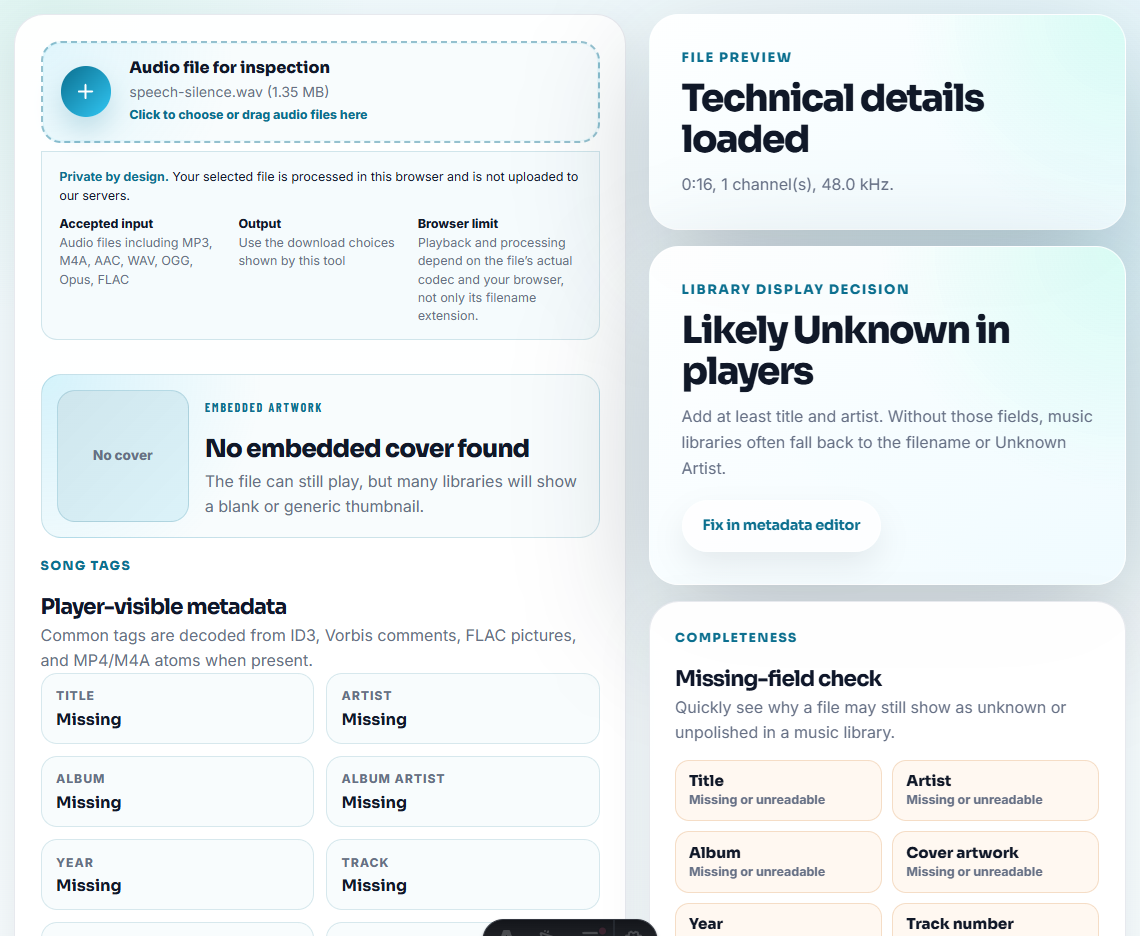
Use Audio Metadata Viewer to check duration, format, and whether the file is one long recording or a short clip.
Then listen once before editing. Mark the parts that make listening harder:
- Long lead-in.
- Repeated starts.
- Very quiet speaker.
- Sudden loud laugh or bump.
- Long dead gaps.
- Background hum or fan noise.
Do not remove context that helps the listener understand who is speaking or why the recording matters.
Step 3: Trim Confusing Starts and Endings
Use Audio Trimmer to remove sections that make the file feel broken or hard to follow.
Good cuts:
- Setup chatter before the real message.
- Accidental recording at the beginning.
- Long silence before the first word.
- Extra room noise after the message ends.
Avoid cutting too tightly around speech. A tiny amount of lead-in can make the voice feel more natural.
Step 4: Shorten Dead Silence, Not Thinking Pauses
Use Audio Silence Remover carefully. Older listeners may benefit from natural pauses, especially in lessons, stories, or instructions.
Remove or shorten:
- Long empty gaps.
- Technical waiting time.
- Dead sections between recordings.
Keep:
- Breathing space between sentences.
- Pauses before important points.
- Natural rhythm in family stories.
Step 5: Reduce Steady Noise Gently
Use reduce hiss and hum in voice recordings when steady hiss, fan noise, or hum hides the words.
Keep the setting light. Over-cleaned speech can become thin or unnatural, and that may be harder to follow than a little background noise.
If several people are speaking over each other, a simple noise reducer will not separate them. In that case, a shorter excerpt may help more than processing.
Step 6: Normalize Speech Comfortably
Use Audio Normalizer after trimming and optional cleanup.
Aim for:
- Speech that is understandable at normal device volume.
- No sudden jumps between sections.
- Less need to keep adjusting volume.
- A file that is still comfortable in headphones.
Do not chase maximum loudness. Harsh peaks, hiss, and mouth noise become tiring quickly.
Step 7: Make a Simpler Playback Copy When Needed
Use Stereo to Mono Converter when the listener may use one speaker, one earbud, a phone speaker, or a simple playback device.
Mono can make a spoken file easier to manage, but test it. If two people are intentionally separated left and right, keep a stereo copy available.
Name the final copy clearly:
Grandma-story-clean-listening-copy.mp3
Appointment-note-short-copy.mp3
Lesson-02-easy-listening.mp3
Listening Details Older Users Notice
- Do not make medical claims about hearing improvement.
- Do not over-boost speech until it becomes sharp.
- Do not remove every pause in a story or lesson.
- Do not overwrite the original family or archive recording.
- Do not send a complex folder when one clearly named file is easier.
- Do not assume the listener wants a faster or heavily edited version.
When Free Browser Tools Are Enough
For older listeners, browser tools are enough when you are making a personal copy clearer, slower to navigate, or less harsh. Test on the actual phone, speaker, or hearing setup if possible, and avoid aggressive noise removal that makes speech sound artificial.
Use a full editor or specialist workflow when the source needs manual restoration, multiple speakers separated, detailed EQ, subtitles, or accessibility work for a public audience.
Helpful Next Steps
- Audio Trimmer
- Audio Silence Remover
- reduce hiss and hum in voice recordings
- Audio Normalizer
- Save Family Voice Recordings Without Losing Context
- Make Audiobook Listening Copies Easier to Follow
- Make Audio Easier to Hear on Phone Speakers
- Test Audio on Devices Without Risking Originals
- Make Bedtime Audio Calmer and Safer to Play
Common Questions
What should I check before preparing audio for older listeners?
Use trimming, silence cleanup, gentle noise reduction, normalization, mono conversion when needed, and slower copies only when the listener prefers them.
Should I make speech much louder for older listeners?
No. Aim for steady, comfortable speech. Over-boosting can make sibilance, noise, and distortion more tiring.
Is this medical hearing advice?
No. This is a practical audio-preparation workflow for listening copies. It does not diagnose hearing needs or replace hearing-care guidance.