
How to Name Audio Files So You Can Find Them Later
 By HenrikUpdated Aug 7, 20266 min read
Use clear audio file naming patterns for recorded music, radio, lectures, webinars, playlists, versions, folders, and metadata cleanup.
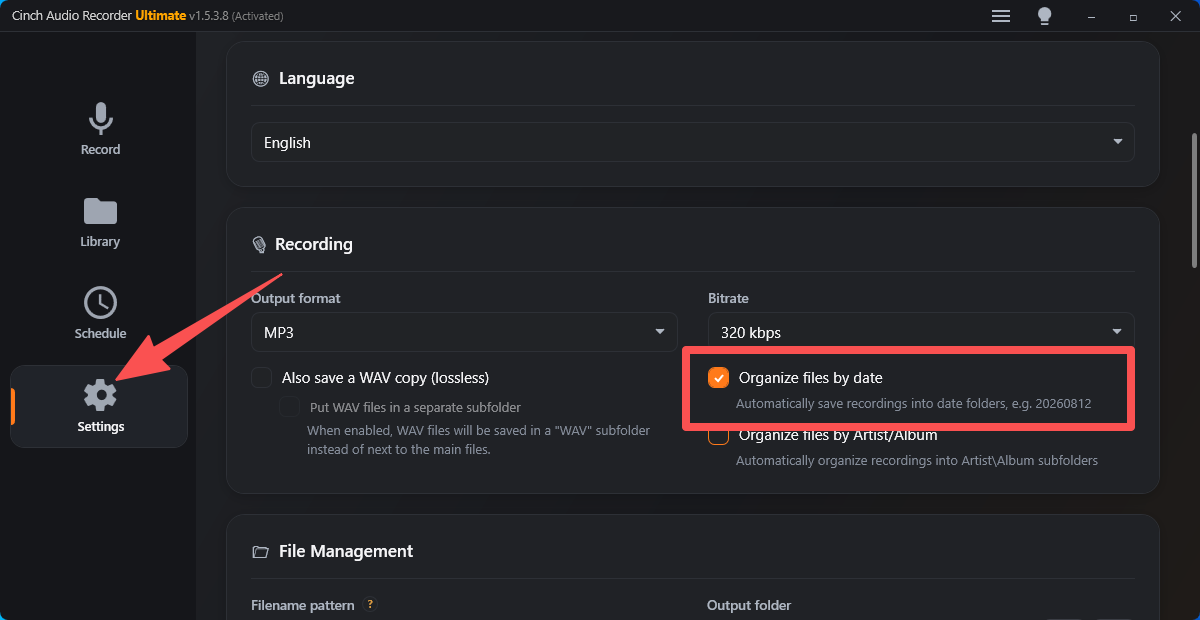
Good audio filenames are boring in the best way. They sort correctly, survive outside a music player, and tell you what a recording is without opening it.
This guide is for recorded music, online radio, webinars, lectures, voice notes, and saved streaming audio. It focuses on naming after capture, when you already know what the file contains and want the library to stay usable.
The Short Answer
Use one pattern per recording type:
| Recording Type | Filename Pattern | Example |
|---|---|---|
| Identified song | Artist - Title.ext | Nina Simone - Feeling Good.mp3 |
| Album track | 01 - Title.ext inside an album folder | 03 - Blue in Green.flac |
| Online radio show | YYYY-MM-DD - Station - Show.ext | 2026-07-29 - KEXP - Morning Show.mp3 |
| Webinar or class | YYYY-MM-DD - Topic - Part 01.ext | 2026-07-29 - Audio Routing Basics - Part 01.m4a |
| Voice note | YYYY-MM-DD - Subject.ext | 2026-07-29 - Client Notes.mp3 |
| Edited version | Add a short suffix | Artist - Title - trimmed.mp3 |
Do not name files before you know what they contain. Review, trim, split, or delete rough recordings first, then apply the final name.
Start With the File’s Job
A filename should answer the next question you will ask later:
- Music: What song is this?
- Album library: What order does this track belong in?
- Radio: What date and show was this?
- Lecture or webinar: What topic or part is this?
- Support sample: What problem does this demonstrate?
- Edited copy: Which version is safe to keep?
If the file’s job is unclear, the name will become unclear too. A folder full of track01.mp3, recording_final.mp3, and new audio 7.wav is usually a workflow problem, not just a naming problem.
If the files are headed to a car USB stick, use the car USB audio conversion guide before renaming a large folder. A few numbered MP3 test copies can reveal sorting and dashboard display problems before you process everything.
Music Naming Patterns
For single tracks, start simple:
Artist - Title.extFor album-oriented folders:
Artist\Album\01 - Title.extFor multi-disc albums:
Artist\Album\Disc 01\01 - Title.extOnly include album and track numbers when they are correct. Wrong album order is worse than no album order because it looks official and misleads you later.
If Cinch Audio Recorder identifies the title and artist correctly, use that information as the starting point. Still play the file before trusting the filename, especially for remixes, live versions, covers, and short clips.
Radio, Webinar, and Spoken-Audio Names
Spoken audio often does not need song-style metadata. A practical name is usually better:
YYYY-MM-DD - Source - Topic.extExamples:
2026-07-29 - BBC Radio 4 - Interview With Composer.mp3
2026-07-29 - Webinar - Audio Troubleshooting Basics.m4a
2026-07-29 - Course Name - Lesson 03.mp3
Use the date first when chronological sorting matters. Use the topic first only when the same subject has many recordings across different dates.
Long Sessions and Split Files
Long recordings often produce rough pieces: test files, partial captures, split segments, and edited copies. Do not give all of them final names.
Use temporary names while reviewing:
2026-07-29 - Radio Show - raw.mp3
2026-07-29 - Radio Show - test.mp3
2026-07-29 - Radio Show - part 01.mp3
Then keep only the final set:
2026-07-29 - Radio Show - Part 01.mp3
2026-07-29 - Radio Show - Part 02.mp3
If a recording split unexpectedly, listen before merging or naming. A short fragment may be a real segment, a notification sound, a buffered pause, or a failed start. The clean up recorded audio guide covers that review pass.
Version Suffixes That Stay Clear
When you create edited copies, use suffixes people understand:
| Suffix | Use When |
|---|---|
trimmed | Dead air or unwanted edges were removed |
normalized | Volume was adjusted |
tagged | Metadata or cover art was corrected |
clip | A short excerpt was created |
archive | This is the long-term copy |
raw | This is the untouched source file |
Avoid vague names such as:
final.mp3
final2.mp3
new edit.mp3
fixed maybe.mp3
Those names may feel quick today, but they create doubt later.
Characters and Sorting Rules
Keep names portable:
- Use hyphens between major parts.
- Use two-digit track numbers:
01,02,03. - Use
YYYY-MM-DDfor dates. - Avoid slashes, question marks, quotes, and symbols that can fail on some systems.
- Keep filenames short enough to scan in a folder view.
- Put the most useful sorting element first.
For most libraries, this is enough:
Artist - Title.mp3
2026-07-29 - Source - Topic.mp3
01 - Title.flac
Folder Structure
Do not make folders too clever. A small number of stable folders is easier to maintain than a deep system you will abandon.
Practical examples:
Recorded Music\Artist\Album\
Online Radio\2026\Station\
Courses\Course Name\
Voice Notes\2026\
Working Copies\
Use Working Copies for raw WAV, FLAC, or files you still plan to edit. Move finished listening files into the main library only after playback, metadata, and filenames are checked.
Filename and Metadata Should Work Together
Filenames and metadata solve different problems:
- Filename: helps in folders, backups, USB drives, support emails, and file transfers.
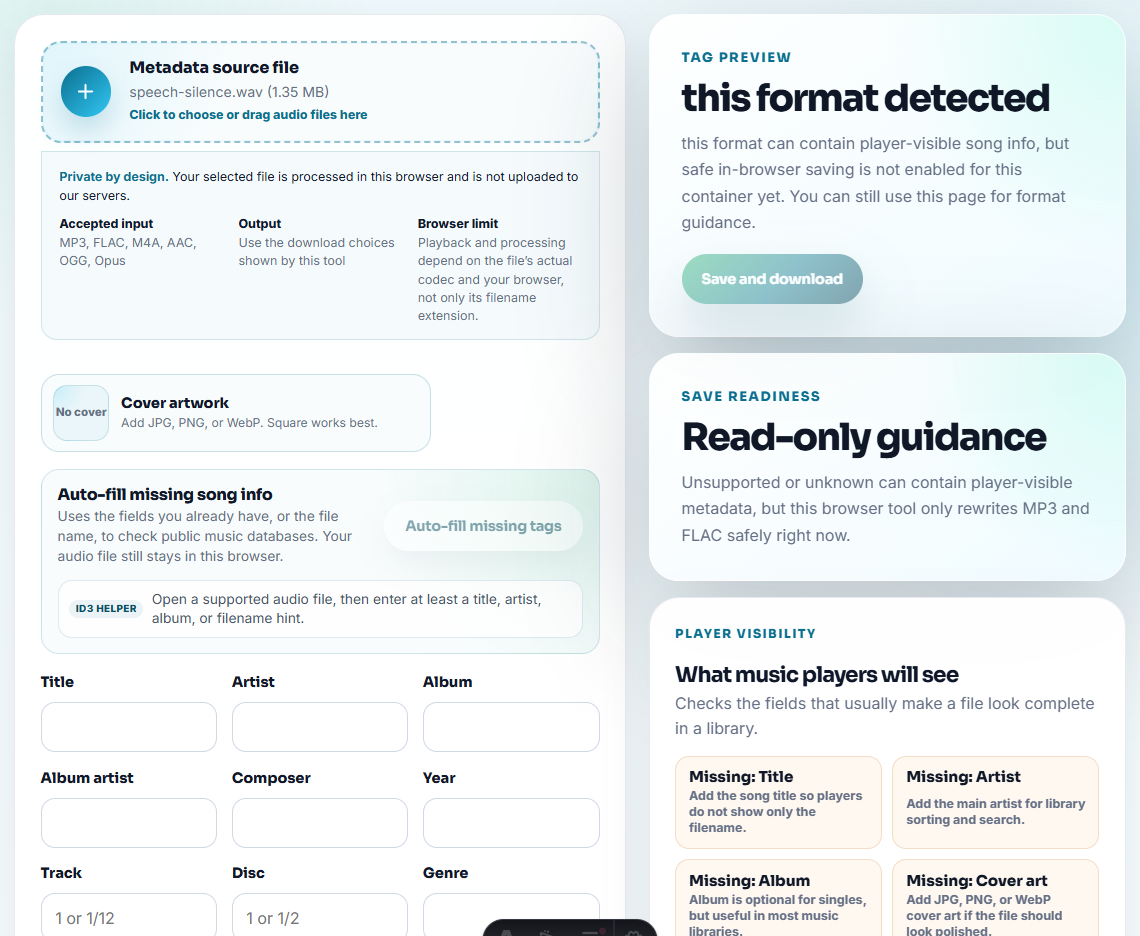
- Metadata: helps in music players, library views, artwork display, search, and sorting.
For music, fill both when possible. For spoken audio, a clear filename may matter more than artist, album, and artwork.
Use the Audio Metadata Editor for small tag corrections. Use the record audio with metadata guide when you want the full capture-to-library workflow.
A Practical Cinch Naming Workflow
For repeated recording sessions:
- Record a short test.
- Confirm the file plays.
- Check whether title, artist, and cover art are correct.
- Decide whether the file is music, radio, spoken audio, or a support sample.
- Apply the right naming pattern.
- Keep raw or lossless working copies only when they have a job.
- Move finished files into the correct folder.
The goal is not perfect naming theory. The goal is a library you can still understand six months from now.
Related Guides and Tools
- Organize recorded music after capture
- Record audio with metadata and cover art
- Clean up recorded audio
- Convert recorded audio for car USB playback
- Audio Metadata Editor
- Audio Metadata Viewer
- Best audio format for recording
Frequently Asked Questions
What is the best audio filename format?
For identified music, Artist - Title is usually enough. For radio, lessons, webinars, and voice recordings, use a date plus source or topic so the file still makes sense outside a music player.
Should filenames repeat metadata tags?
Use filenames for basic identification and metadata for richer library display. Do not rely only on tags, because files may be moved to folders, USB drives, phones, or apps that ignore some fields.
How do I name audio files from long recordings?
Use date, source, topic, and segment number when needed. Keep one pattern per session, then trim, split, or merge before final naming so failed fragments do not look finished.