
How to Track Audio Risks Before Users Notice
 By HenrikUpdated Aug 7, 20266 min read
List risky audio files, classify playback, source, permission, size, owner, and replacement issues before cleanup.

An audio risk register is a practical list of files that might cause problems later. It helps you decide what to fix first instead of treating every audio file as equally urgent.
Audio risk notes should point to real files and real consequences. Inspect each sample for privacy, quality, claim, permission, or compatibility problems before adding it to the register.
Decide What the File Must Prove
| Pass | Tool to open | Check to make |
|---|---|---|
| 1 | Audio Metadata Viewer | Find unclear source, old labels, hidden notes, duration, format, and file identity risks. |
| 2 | Recording Quality Checker | Find playback risks such as silence, clipping, missing endings, or very low levels. |
| 3 | Audio File Size Calculator | Find size and storage risks for public pages, downloads, backups, or repeated embeds. |
| 4 | Audio Metadata Editor | Add risk status, owner, next action, replacement, and review notes. |
| 5 | Audio Trimmer | Create short evidence clips when a risk needs review without sending the full source. |
| 6 | Audio Compressor | Create smaller review copies only after source files are protected. |
The goal is not to scare yourself with a giant list. The goal is to make risk visible enough to prioritize.
Step 1: Define Risk Categories
Use simple categories:
- Playback risk.
- Source risk.
- Permission risk.
- Size risk.
- Owner risk.
- Version risk.
- Replacement risk.
- Public-page risk.
One file can have more than one risk. Keep the labels short so you can sort and review quickly.
Step 2: Inspect File Identity
Use Audio Metadata Viewer on priority files.
Add a file to the risk register when:
- Source is unclear.
- Metadata conflicts with filename.
- Duration does not match page context.
- The file has old product labels.
- Hidden comments mention review, expired, retired, or do not publish.
- You cannot tell whether it is source or delivery audio.
Identity risk is common because audio files move through many folders before publishing.
Step 3: Check Playback Risk
Use Recording Quality Checker when a file is public, reused, or important.
Playback risks:
- Silent.
- Clipped.
- Incomplete.
- Too quiet.
- Long blank section.
- Wrong excerpt.
- Rough or distracting noise.
Record the exact issue. “Bad audio” is less useful than “missing ending” or “voice too quiet.”
Step 4: Check Size and Delivery Risk
Use Audio File Size Calculator for large files, downloads, and pages with multiple clips.
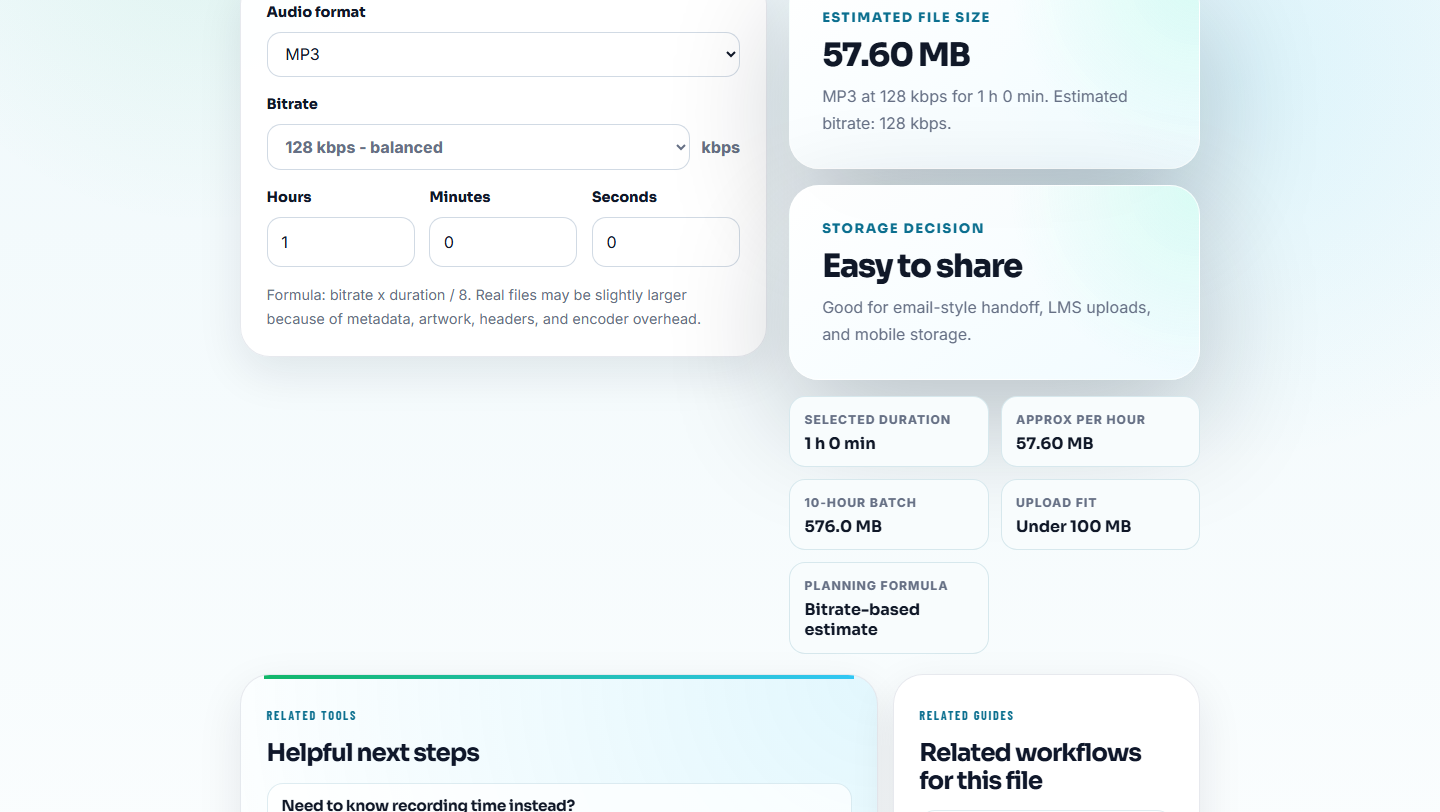
Size risks:
- Source-quality file used as a public delivery file.
- Delivery file too large for a page.
- Reused file appears on several pages.
- Backup folder has no room for source plus delivery copies.
- Compressed copy is being treated as source.
Large files are not always bad, but they should have a reason.
Step 5: Add Owner and Next Action
Use Audio Metadata Editor when the file can safely hold simple labels.
Useful labels:
- Risk category.
- Owner.
- Next action.
- Review date.
- Replacement file.
- Source location.
- Public status.
Example:
risk: permission review | owner: content | action: confirm allowed use before republishingKeep sensitive details in a private tracking document, not public metadata.
Step 6: Prioritize the Register
Use a simple priority scale:
| Priority | Meaning |
|---|---|
| High | Public, reused, broken, permission-sensitive, or source-unclear. |
| Medium | Internal but important, waiting for replacement, or large enough to affect workflow. |
| Low | Archive-only, clearly labeled, and not currently used. |
Start with high-risk public files before cleaning obscure folders.
Score Risk Without Overcomplicating It
For a larger folder, score each item with three small numbers. This helps the team choose the next file instead of arguing from memory.
| Score | User impact | Likelihood | Recovery difficulty |
|---|---|---|---|
| 1 | Internal or archive-only | Unlikely to be reused | Easy to restore or replace |
| 2 | Shared with a small team or customer | May be reused during normal work | Replacement exists but needs review |
| 3 | Public, permission-sensitive, or used in sales/support | Already live, linked, or repeatedly reused | Source unclear, no rollback, or owner unknown |
Add the three scores together. A public file with unclear source and no rollback should rise above a messy archive file that nobody uses.
| Total | Action |
|---|---|
| 7-9 | Review before publishing, migrating, or reusing. |
| 4-6 | Put into a planned cleanup queue. |
| 3 | Keep labeled, but do not interrupt higher-risk work. |
This scoring is intentionally simple. It is a sorting aid, not a legal or compliance assessment.
Example Risk Register
| File | Risk | Evidence | Owner | Score | Next action |
|---|---|---|---|---|---|
| old-demo.mp3 | Version risk | Metadata says 2024 UI | Product | 7 | Replace after new demo review |
| support-example.wav | Size risk | Source WAV linked as download | Support | 6 | Create delivery copy |
| proof-clip.mp3 | Permission risk | No approval note | Content | 9 | Remove from public queue until approved |
This table turns scattered doubts into a work queue.
Quality Checks Before You Track Audio Risks Before Users Notice
- Do not try to fix every risk in one pass.
- Do not ignore source-unclear files just because they play.
- Do not mark risky public files as approved without owner review.
- Do not compress a risky file and assume the risk is gone.
- Do not keep risk notes only in someone else’s memory.
- Do not mix high-risk retired files with active public files.
Use Browser Tools for Evidence Snapshots
For a risk register, browser tools help create small evidence clips that make each risk understandable. Keep the raw material outside the register, describe the risk in plain language, and attach only the minimum audio needed for reviewers to judge severity.
Use a formal asset or governance system when risk involves contracts, privacy, compliance, or multiple approval teams.
Where to Go Next
- Audio Metadata Viewer
- Recording Quality Checker
- Audio File Size Calculator
- Prioritize Audio Fixes by User Impact
- Turn Vague Audio Complaints Into Action Items
- Track What Changed in an Audio File
- Confirm Audio Permission Before Public Use
- Review Published Audio Before It Goes Stale
Checks Worth Making First
What is an audio risk register?
It is a simple list of audio files that may need action because of playback, source, permission, size, owner, version, or replacement risk.
Which audio files should go into a risk register?
Add files that are public, reused, permission-sensitive, poorly labeled, technically broken, too large, source-unclear, or waiting for replacement.
What would make this result unsafe to share?
List the risk, affected file, owner, impact, and next check so the register points to action rather than becoming a storage list.