
How to Review Published Audio Before It Goes Stale
 By HenrikUpdated Aug 7, 20266 min read
Review published and archived audio each quarter, checking playback, ownership, source notes, replacements, and risks.
A quarterly audio review is a simple way to prevent old files from quietly becoming wrong. Product pages change, support articles age, customer proof expires, replacement files appear, and backup folders stop matching what is public.
Quarterly review audio should support a business point, not create a side discussion about file quality. Use short, labeled evidence clips that connect clearly to the metric or issue being reviewed.
Separate Source, Review, and Final Copies
| Stage | Free tool | What it helps you decide |
|---|---|---|
| 1 | Audio Metadata Viewer | Confirm file identity, format, duration, size, tags, and source clues. |
| 2 | Recording Quality Checker | Check whether the file still plays clearly and completely. |
| 3 | Audio File Size Calculator | Flag large public files, download bloat, or backup space issues. |
| 4 | Audio Metadata Editor | Update owner, review status, replacement notes, and next-review labels. |
| 5 | Audio Trimmer | Create a shorter review excerpt when the full source is too long to inspect quickly. |
| 6 | Audio Compressor | Create a smaller review copy after the source file is preserved. |
The review should answer whether each important file is still safe, useful, and understandable.
Step 1: Build the Review List
Start with audio that has visible impact:
- Homepage or landing-page audio.
- Product demo clips.
- Support article examples.
- Downloadable audio files.
- Customer proof or testimonial clips.
- Training or onboarding examples.
- Files reused across several pages.
- Files with permission, ownership, or replacement notes.
Do not start with every audio file. Start with the files that would create confusion if they were wrong.
Step 2: Confirm File Identity
Use Audio Metadata Viewer on each priority file.
Record:
- File name.
- Page or folder.
- Duration.
- Format.
- Size.
- Existing notes.
- Owner or source clue.
- Whether it matches the expected content.
If the file name says product-demo-v2 but the embedded note says old-demo-v1, mark it for follow-up.
Step 3: Check Playback Quality
Use Recording Quality Checker before deciding a file can stay active.
Look for:
- Silence.
- Clipping.
- Missing endings.
- Very low level.
- Wrong excerpt.
- Long blank sections.
- Broken or suspicious files.
If a file is still relevant but technically poor, add it to replacement planning instead of leaving it as approved.
Step 4: Review Size and Delivery Fit
Use Audio File Size Calculator for public files, downloads, and repeated embeds.
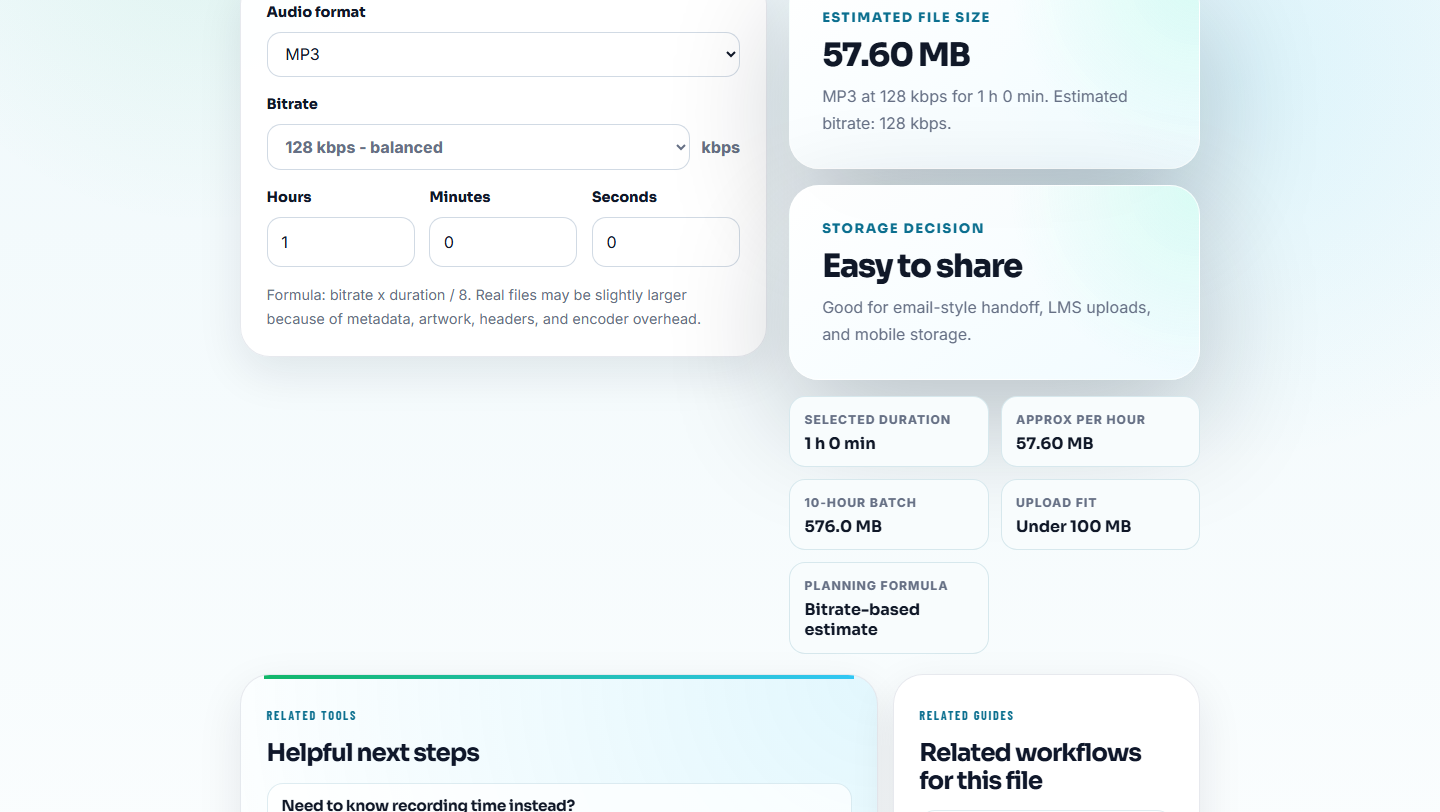
Ask:
- Is the file too large for its use?
- Is the large source being used where a delivery copy should be used?
- Is a compressed copy being treated as the master?
- Does the file need a smaller public version while the source stays archived?
Quarterly review is a good time to separate source files from delivery files.
Step 5: Update Owner and Next Action
Use Audio Metadata Editor when the format can safely hold simple labels.
Useful notes:
- Reviewed date.
- Owner.
- Status.
- Page or folder use.
- Replacement needed.
- Permission status.
- Backup location.
- Next review date.
Example:
reviewed 2026-Q3 | active public copy | owner: content | next review: 2026-Q4Keep private notes outside public files.
Step 6: Close the Review With Decisions
Each reviewed file should end with one decision:
- Keep active.
- Replace.
- Retire.
- Move to archive.
- Restore from backup.
- Needs owner approval.
- Needs permission review.
- Needs size or format fix.
If there is no decision, the review will have to be repeated.
Do Not Let the Review Create New Risk
Quarterly review is meant to reduce uncertainty. It can create new problems if the team edits live files, changes public metadata, or removes proof before replacement is ready.
| Risk during review | Why it matters | Safer action |
|---|---|---|
| Editing the public copy directly | A failed export can break the live page | Work on a review copy and replace only after approval. |
| Putting private notes in metadata | Public downloads may expose internal context | Keep private notes in the review tracker, not the file. |
| Retiring a file without a replacement | Pages may lose proof, examples, or training context | Mark “replace first” before removal. |
| Treating file existence as approval | Old audio can still be outdated or misleading | Confirm content, owner, and current use. |
| Reviewing only one page | Shared files may appear in several places | Search every route or folder that references the file. |
Quarterly Review Table
| Field | Example |
|---|---|
| File | product-demo-web-copy.mp3 |
| Location | Product page |
| Status | Active |
| Quality | Plays complete |
| Source | demo-source-2026-07.wav |
| Owner | Product marketing |
| Decision | Keep, review after next UI release |
This table is enough for most small websites or audio libraries.
Small Details That Prevent Stale Audio
- Do not refresh all audio without checking real file identity.
- Do not mark a file approved just because it still exists.
- Do not keep source and delivery copies mixed together.
- Do not skip files that appear on several pages.
- Do not remove old files before confirming backup and replacement status.
- Do not put private review notes into public metadata.
When Free Browser Tools Are Enough
For quarterly review, browser prep is enough when audio is supporting evidence for one trend, objection, or customer quote. Keep the source call available, summarize why the clip matters, and anonymize details before the review deck or notes leave the core team.
Use a formal system when quarterly review requires legal sign-off, privacy controls, permission records, or multiple teams.
Helpful Next Steps
- Audio Metadata Viewer
- Recording Quality Checker
- Audio File Size Calculator
- How to Retire Outdated Audio Proof Safely
- Keep Audio Versions Clear Before Final Approval
- Trace Public Audio Back to the Source File
Common Edge Cases
What should I check during a quarterly audio review?
Check public location, file identity, playback quality, source notes, owner, permission status, replacement needs, backup location, and next review date.
Do all audio files need quarterly review?
No. Prioritize public, customer-facing, proof, support, download, training, and high-risk files. Low-risk personal archives can be reviewed less often.
What should I check for quarterly audio review?
Use clips that support a review point, label the metric or issue they relate to, and avoid sending unfiltered recordings into the meeting.