
Keep Useful Audio and Retire Unclear Files
 By HenrikUpdated Aug 7, 20267 min read
Keep useful audio, separate sources from copies, record retention reasons, and retire unclear files safely.
An audio archive becomes useful only when someone can understand it later. If every old recording, export, compressed preview, and temporary file goes into the same folder, the archive becomes a slower version of the mess it was meant to solve.
Retention archives are useful only when future reviewers can tell why a file stayed. Keep the source, mark the purpose, and separate listening copies from records that should not be edited.
Use the Tools in This Order
| Sequence | Free tool | What to look for |
|---|---|---|
| 1 | Audio Metadata Viewer | Identify format, duration, size, channels, tags, and source clues. |
| 2 | Recording Quality Checker | Decide whether a file is usable enough to keep. |
| 3 | Audio File Size Calculator | Estimate storage before keeping large archives or extra copies. |
| 4 | Audio Metadata Editor | Add retention status, source, owner, project, and review notes. |
| 5 | Audio Trimmer | Create a short reference copy when the full source should stay private or archived separately. |
| 6 | Audio Compressor | Create smaller access copies after the source has been preserved. |
The goal is not to keep less audio at all costs. The goal is to keep the right audio in a form that still makes sense later.
Step 1: Define Retention Buckets
Use a simple set of folders or labels:
keep-source
keep-reference-copy
review-before-keeping
temporary-export
do-not-use
Avoid vague buckets such as final, old, backup, or misc. Those labels stop helping after a few months.
Add Retention Reason and Review Timing
Retention is safer when every kept file has a reason and a review trigger. Otherwise the archive slowly becomes another unsorted folder.
| Retention reason | Keep this long | Review trigger | What to prove later |
|---|---|---|---|
| Source recovery | As long as the public or edited copies still matter | Before deleting any replacement or public copy | This is still the best source |
| Public proof history | Until the page, claim, or customer proof is retired | Product, page, or claim changes | The proof still matches its context |
| Support training | While the support issue still appears | Support macro or product workflow changes | The example still teaches the right issue |
| Temporary evidence | Only until the issue closes or lessons are captured | Fix accepted or closeout folder created | The evidence has been logged elsewhere |
| Permission-limited reference | Only as allowed by the owner or policy | Permission, consent, or campaign changes | Public use remains allowed |
Write the reason near the file or in the archive note. A future reviewer should not need to guess why the file survived cleanup.
Step 2: Inspect Before Keeping
Use Audio Metadata Viewer before moving files into the archive.
Check:
- Duration.
- Format.
- File size.
- Existing tags.
- Channel layout.
- Comments.
- Whether the file looks like source, edited, compressed, or temporary audio.
This protects the archive from filling with unnamed copies that no one can explain later.
Step 3: Check Whether the File Is Worth Keeping
Use Recording Quality Checker on files that may become proof, examples, or references.
Do not archive a file as useful if it is:
- Mostly silent.
- Cut off.
- Severely clipped.
- Too quiet to understand.
- The wrong section.
- A duplicate of a better copy.
Broken or low-value files can be kept temporarily for troubleshooting, but they should not sit beside approved archive files without a clear label.
Step 4: Plan Storage Before the Archive Grows
Use Audio File Size Calculator when you are keeping many long recordings or high-quality sources.
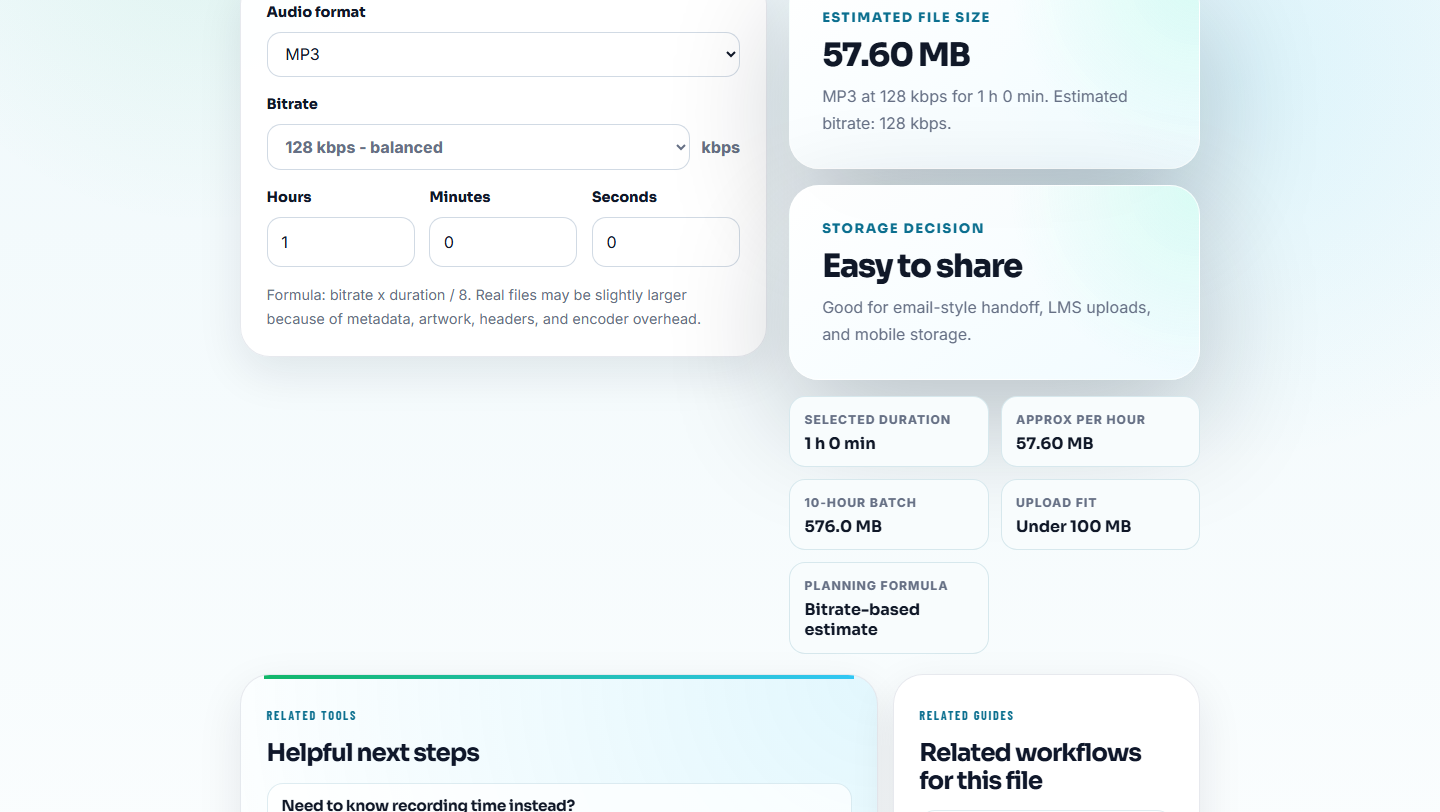
Plan for:
- Source originals.
- Review copies.
- Smaller access copies.
- Notes and screenshots.
- A second backup location.
- Future additions.
If storage is limited, keep the source and a short reference copy instead of multiple full-length compressed exports.
Step 5: Add Retention Notes
Use Audio Metadata Editor to add notes that travel with the file.
Helpful labels:
- Source.
- Project.
- Owner.
- Date.
- Keep reason.
- Review status.
- Allowed use.
- Replacement or retirement note.
Example:
keep-source | customer proof | approved internal use | replace if product UI changesThe archive should answer why the file is being kept, not only what the file is called.
Step 6: Create Access Copies Without Replacing Sources
Use Audio Trimmer when a shorter clip is enough for future review. Use Audio Compressor when a smaller access copy is useful.
Keep source and access copies separate:
source-interview-full.wav
reference-quote-00m42s-01m15s.mp3
access-copy-compressed.mp3
This lets future users hear the important part quickly while preserving the original evidence.
Retention Decisions That Help Later
Keep a file when it has a clear future use:
- Product proof.
- Customer quote.
- Support example.
- Training sample.
- Source recording.
- Legal or permission record.
- Historical reference.
Review or remove a file when it is:
- A duplicate.
- A failed export.
- A rough temporary copy.
- Missing source context.
- Too broken to use.
- Superseded by a better approved version.
Archive Decision Template
file:
role:
source:
keep reason:
allowed use:
owner:
review trigger:
replacement or retired file:
backup location:
delete only after:
Use this template for the files that would be painful to lose or risky to misuse. Small drafts do not need a ceremony; public proof and source audio do.
Decide What Future User You Are Serving
Retention decisions get better when you name who might need the audio later. A support teammate, content reviewer, legal reviewer, or family member will not need the same copy or notes.
| Future user | Keep this | Do not keep as primary | Useful note |
|---|---|---|---|
| Support team | Short approved example and source pointer | Long raw call with private chatter | ”Use for symptom example only.” |
| Content reviewer | Public proof copy and page context | Old temporary export | ”Replace if page wording changes.” |
| Training owner | Clear before/after or lesson clip | Duplicate drafts with no outcome | ”Shows exact issue and accepted fix.” |
| Archive owner | Source file plus retention reason | Compressed copy with no source | ”Source preserved; access copy separate.” |
This gives the archive information gain: it explains future use, not only storage location.
Retention Checks Before Archiving
- Do not mix source files with temporary exports.
- Do not keep every compressed copy just because storage is available.
- Do not label unclear files as final.
- Do not delete uncertain files during the first pass; move them to review.
- Do not archive private or restricted audio without clear allowed-use notes.
- Do not assume future users will understand your folder names.
When Browser Prep Is Enough for Retention Review
Browser prep is enough when retention review only needs file inspection, playback checks, and a clear keep-or-retire note. Use a formal archive process when files carry legal, privacy, contractual, permission, or regulated retention requirements.
Use dedicated records, DAM, or compliance tools when retention decisions have legal, privacy, contractual, or regulated requirements.
Related Fixes and Prep Guides
- Audio Metadata Viewer
- Recording Quality Checker
- Audio File Size Calculator
- Audio Metadata Editor
- Build an Audio Backup Folder You Can Trust
- Save Family Voice Recordings Without Losing Context
- Review Published Audio Before It Goes Stale
- Restore the Right Audio Backup Safely
- Stop Outdated Audio Proof From Being Reused
Reader Notes
What is an audio retention archive?
It is a controlled folder for audio that should be kept for future reference, proof, training, support, or history, with source files and notes separated from temporary copies.
What audio should not go into a retention archive?
Avoid storing duplicates, temporary exports, unclear files, broken recordings, and copies with no purpose unless you are keeping them briefly for review.
What should I check before preparing an audio retention archive?
Keep files only when they still have purpose, permission, and traceable context; otherwise separate them from active review or public folders.