
How to Retire Outdated Audio Proof Safely
 By HenrikUpdated Aug 7, 20265 min read
Find, label, and retire outdated audio proof so old clips do not keep appearing in sales, support, or website workflows.
Old audio proof can quietly damage trust. A clip may still sound good, but the product changed, the permission expired, the customer status changed, the claim is no longer accurate, or a better approved copy now exists.
Retiring outdated proof is an SEO and conversion task, not just file cleanup. It helps keep website pages, sales folders, support examples, and customer proof libraries aligned with what the product can honestly show today.
Decide Whether to Retire, Replace, or Keep
Outdated proof is not always bad proof. The question is whether it still supports a current, honest claim.
| Proof status | Decision | Action | Reason |
|---|---|---|---|
| Claim is no longer true | Retire | Remove from active use and label why | Prevents misleading pages or replies |
| Better approved proof exists | Replace | Link the new copy and archive the old one | Keeps proof current |
| Permission or context changed | Retire from public use | Keep private source note if needed | Reduces trust and privacy risk |
| File still accurate but ugly | Keep or refresh | Improve delivery copy only | Do not discard useful evidence |
| Source is unclear | Hold for review | Mark owner and review date | Avoids deleting possible evidence |
Decide What the File Must Prove
| Step | Free tool | What to confirm |
|---|---|---|
| 1 | Audio Metadata Viewer | Find source details, dates, product labels, and old approval notes. |
| 2 | Recording Quality Checker | Confirm the file is the clip being retired, not a mislabeled copy. |
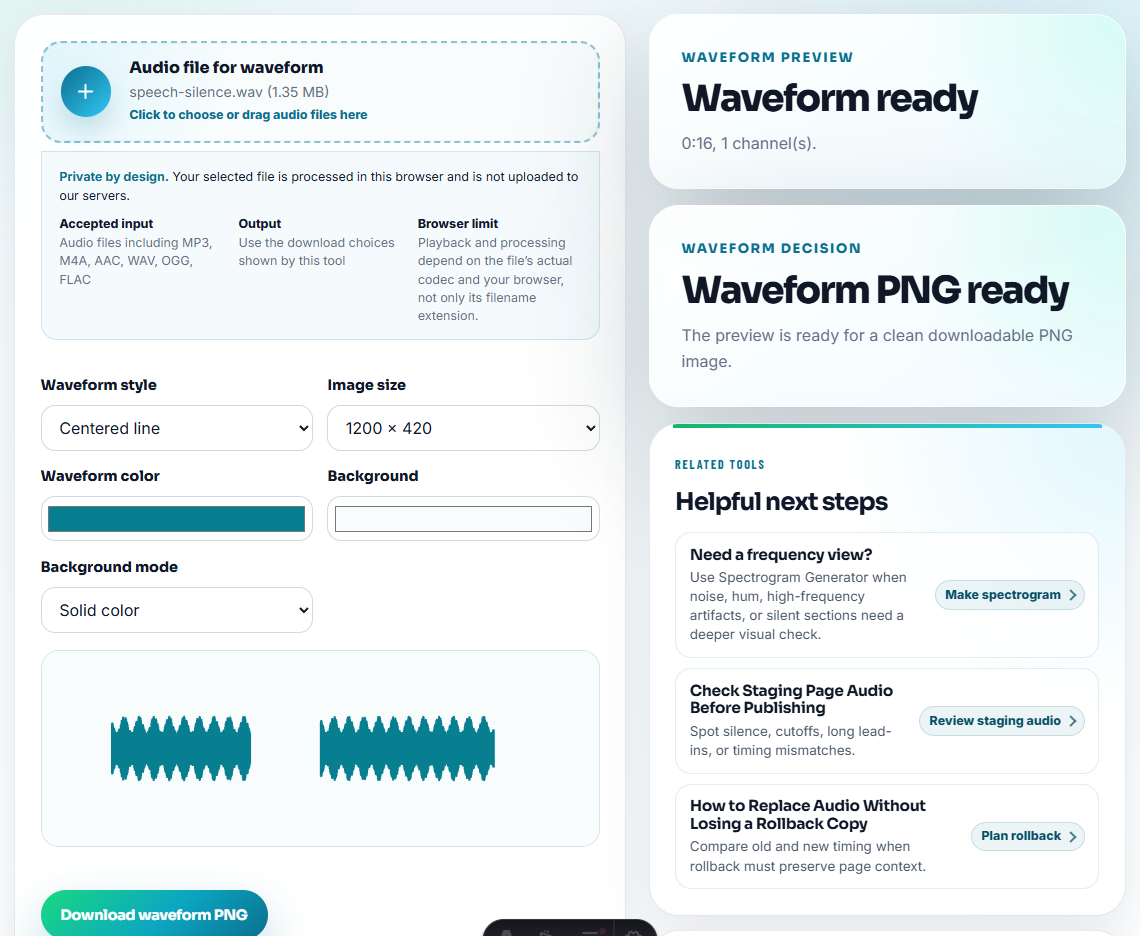
| 3 | Audio Waveform Generator | Compare timing or sections when old and current copies look similar. |
| 4 | Audio Compressor | Create a smaller archive copy only when retention is needed. |
| 5 | Online Audio Format Converter | Convert only when an archive system needs a specific format. |
| 6 | Audio Metadata Editor | Add retired status, reason, replacement link, owner, and review date. |
The goal is not to erase history. The goal is to stop outdated clips from being reused as current proof.
Step 1: Identify Why the Clip Is Outdated
Use one clear retirement reason:
- Product UI changed.
- Feature behavior changed.
- Permission expired.
- Customer identity can no longer be used.
- Claim is too broad.
- Better approved proof exists.
- Audio quality is below current standard.
- File source is unclear.
Do not retire files with vague notes like “old” or “bad”. Future reviewers need to know what happened.
Step 2: Inspect Before Moving
Use Audio Metadata Viewer to inspect the file. Check title, comments, dates, artwork, product version, and any hidden labels that show where the clip came from.
If the file has no reliable source, label it as source unclear and move it out of active use.
Step 3: Confirm the File
Use Recording Quality Checker to play the clip before retiring it. This prevents retiring the wrong copy when several files have similar names.
Use Audio Waveform Generator when two files appear similar and you need a quick visual clue about timing, cuts, or silence.
Step 4: Rename and Move Out of Active Use
Move retired files away from active folders:
active-approved
needs-review
retired-do-not-use
archive-source
replacement-approved
Useful filenames:
retired-product-ui-changed-proof-clip.mp3
retired-permission-expired-customer-audio.mp3
retired-replaced-by-2026-approved-copy.mp3
retired-source-unclear-do-not-use.mp3
The phrase “do-not-use” is blunt, but it prevents accidental reuse.
Step 5: Add Replacement Context
Use Audio Metadata Editor to add:
- Retired status.
- Retirement reason.
- Replacement file or page.
- Owner.
- Review date.
- Source status.
- Allowed archive use.
Example note:
Retired: product interface changed. Do not use in sales, support, ads, or website pages. Replacement: approved-setup-proof-2026.mp3.Step 6: Archive Only What You Need
Use Audio Compressor only if you need a smaller archive copy. Use Online Audio Format Converter only when the archive system requires a certain format.
Do not create new sharing copies of retired proof. That defeats the point.
Red Flags While You Retire Outdated Audio Proof Safely
- Do not leave retired proof in active sales or website folders.
- Do not delete source context before recording why the file was retired.
- Do not replace an old clip with a new one without noting the reason.
- Do not keep outdated public claims attached to old audio.
- Do not create fresh compressed copies for normal sharing.
- Do not assume old permission still applies to new uses.
When to Stay With Browser-Based Checks
For retiring outdated proof, browser tools help confirm what the old audio says before you replace or remove it. Keep the retired file archived with its page context, note why it is outdated, and make sure the replacement proof supports the current claim.
Use a stricter workflow when retirement decisions affect legal claims, regulated customers, paid ads, contract references, or formal customer consent records.
Useful Follow-Up Steps
- Audio Metadata Viewer
- Recording Quality Checker
- Audio Metadata Editor
- How to Share Customer Reference Audio Safely
- Confirm Audio Permission Before Public Use
- Check Audio Risk Before Removing a File
- How to Use Demo Audio to Prove One Product Outcome
Checks Worth Making First
How do I retire outdated audio proof?
Find old proof clips, inspect metadata, confirm why each file is outdated, label the status, move retired copies out of active folders, and keep source records for audit.
Should outdated audio proof be deleted?
Not always. Move it out of active use first, label why it was retired, and keep source records when the clip may need future review.
What should I check before retiring old audio proof?
Mark why the proof is outdated, where it was used, what replaces it, and whether the old clip should be archived or deleted.