
How to Hand Off Audio Ownership Without Confusion
 By HenrikUpdated Aug 7, 20267 min read
Hand off audio files with owner notes, source status, version labels, quality checks, and next actions.
Audio handoff fails when the new owner receives a folder of files but not the story behind them. Which copy is source? Which one is public? Which one needs review? Which file should never be reused?
Ownership handoff breaks down when audio files have no context. Make the source, current version, approval status, and next action visible before another person takes over.
Build the Handoff Copy in Order
| Stage | Free tool | What it helps you decide |
|---|---|---|
| 1 | Audio Metadata Viewer | Identify source files, delivery copies, duration, format, size, tags, and comments. |
| 2 | Recording Quality Checker | Confirm important files are complete, audible, and not obviously broken. |
| 3 | Audio Metadata Editor | Add owner, status, version, project, usage, and next-action labels. |
| 4 | Audio File Size Calculator | Plan transfer size and decide whether smaller review copies are needed. |
| 5 | Audio Trimmer | Create focused review excerpts when the new owner should not scan a long source file. |
| 6 | Audio Compressor | Create smaller handoff copies while preserving source originals. |
The best handoff makes the next decision obvious.
Step 1: Separate Source, Review, and Delivery Copies
Before sending a folder, separate files by purpose:
01-source-originals
02-review-copies
03-public-delivery-copies
04-retired-or-do-not-use
05-notes
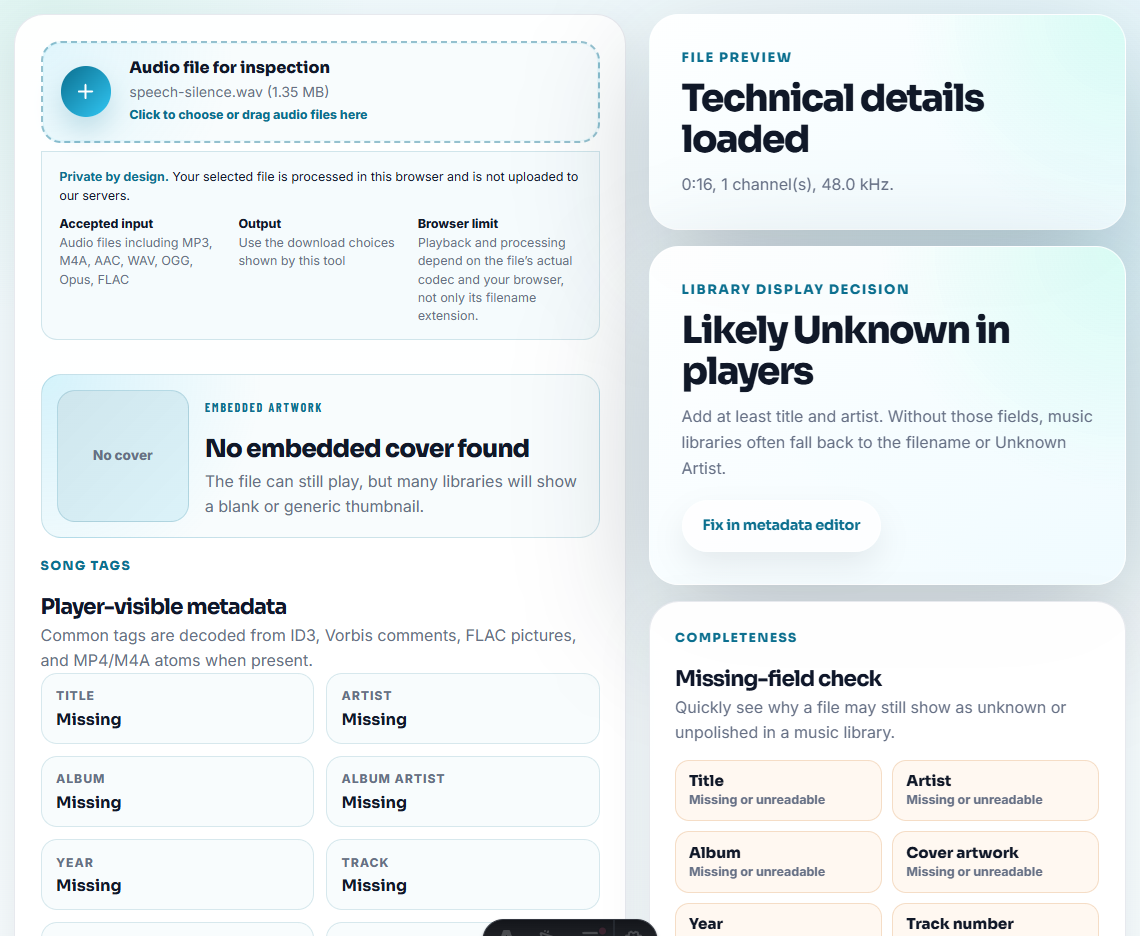
Use Audio Metadata Viewer to confirm which files belong in each group. File size, duration, format, and comments often reveal whether a file is source, compressed, or temporary.
Step 2: Check the Files That Matter
Use Recording Quality Checker on the files the new owner is expected to trust.
Check:
- Complete playback.
- No silent file.
- No missing ending.
- No severe clipping.
- Speech or music is loud enough to judge.
- The section matches the intended use.
Do not hand off a broken file as ready. If it is broken but still useful as evidence, label it that way.
Step 3: Add Owner and Status Labels
Use Audio Metadata Editor for labels that should travel with the file.
Useful labels:
- Current owner.
- New owner.
- Project.
- Version.
- Source status.
- Public status.
- Approval status.
- Next action.
Example:
owner: content team
status: approved public copy
next action: replace after product UI refresh
Keep private notes in the handoff document, not inside public files.
Step 4: Write a Handoff Note
Add a short note file or table:
| Field | Example |
|---|---|
| Source folder | 01-source-originals |
| Public copy | demo-web-copy.mp3 |
| Current use | Product page hero proof |
| Owner | Marketing |
| Status | Approved |
| Backup | archive/audio/product-demo |
| Next action | Review after next release |
This note often prevents more confusion than another file rename.
Define Transfer Acceptance
Ownership has not fully transferred until the new owner can answer the next-action questions.
| Acceptance question | Good handoff answer |
|---|---|
| Which file is source? | 01-source-originals/demo-source.wav is protected and should not be edited. |
| Which file is public now? | 03-public-delivery-copies/demo-web-copy.mp3 is the active public copy. |
| What is still open? | Replace after product UI refresh; permission already approved for current page. |
| Who can approve changes? | Content owner approves wording; site owner approves page replacement. |
| What should not be reused? | Retired v1 copy is evidence only and should not be republished. |
Ask the new owner to confirm these answers before the old owner steps away.
Step 5: Make Smaller Review Copies Only When Needed
If the folder is too large to transfer, use Audio File Size Calculator to estimate the size and decide whether review copies are needed.
Use Audio Trimmer or Audio Compressor only on secondary copies.
Do not reduce the only source just to make the handoff easier.
Add an Owner Matrix
A handoff is stronger when the new owner knows who controls each future decision.
| Decision | Primary owner | Backup owner |
|---|---|---|
| Public page use | Page or content owner | Product marketing |
| Permission or customer scope | Customer owner | Legal or leadership reviewer |
| Technical playback issue | Support or QA owner | Engineering owner |
| Replacement timing | Product or content owner | Site owner |
| Removal or retirement | Asset owner | Page owner |
| Rollback | Release or site owner | Content owner |
This avoids orphaned audio where nobody knows who can approve the next change.
Mark the Handoff State
Use one visible status so the folder is not abandoned halfway through transfer.
| State | Meaning | Next action |
|---|---|---|
| Draft handoff | Files are being organized but not ready to own | Finish labels and notes |
| Ready for owner review | Package is complete and awaiting acceptance | New owner checks source, public copy, and open decisions |
| Accepted by new owner | New owner can approve or route future changes | Old owner can step back |
| Accepted with gaps | New owner accepts but one source, permission, or replacement decision is open | Record gap and deadline |
| Blocked | Ownership cannot transfer safely | Resolve missing source, permission, or public status |
This state is especially useful when public files, support examples, or customer proof clips are involved.
Step 6: Name Open Decisions Clearly
The new owner should know what still needs a decision.
Examples:
- Needs permission review.
- Needs better replacement.
- Approved for internal use only.
- Public copy checked.
- Retired, do not reuse.
- Source kept for rollback.
Put these notes in filenames, metadata where appropriate, and the handoff note.
Ownership Details That Prevent Orphan Files
- Do not send one mixed folder with no status labels.
- Do not assume the recipient knows which file is source.
- Do not hide critical decisions only in a chat message.
- Do not compress source originals for convenience.
- Do not hand off retired files beside approved public files.
- Do not skip playback checks on the files that matter most.
When Free Browser Tools Are Enough
For ownership handoff, browser tools are enough when you are preparing files and notes so the next owner can understand what exists. Keep source, working, and published copies separate, and include owner, permission, and next-action notes beside the audio.
Use a dedicated asset system when handoff requires permissions, sign-off history, access control, or many owners across departments.
Helpful Next Steps
- Audio Metadata Viewer
- Recording Quality Checker
- Audio Metadata Editor
- Hand Off Audio Files Teammates Can Review
- Hand Engineers Audio Evidence They Can Reproduce
- Find Audio That Is No Longer Safe to Publish
- Keep Audio Versions Clear Before Final Approval
- Get Audio Approved by the Right Content Owner
Questions People Usually Ask
What is an audio ownership handoff?
It is the process of transferring responsibility for audio files with enough source, version, status, approval, and next-action notes for the new owner.
What should I include when handing off audio files?
Include source files, delivery copies, labels, owner notes, usage status, quality checks, public locations, backup location, and open decisions.
What should I verify on the source file first?
Make the new owner clear, list current files and permissions, and identify which copy is approved, archived, or still under review.