
How to Get Audio Approved by the Right Owner
 By HenrikUpdated Aug 7, 20267 min read
Prepare audio files for owner review before public pages, downloads, proof clips, or updates go live.

A file can pass technical checks and still need an owner decision. Does it match the page? Is the source approved? Should this example stay public? Is the clip current enough for the claim nearby?
Content owner review gives one responsible person a clean package to approve, revise, or reject.
Decide What the Owner Must Approve
The owner should not receive a vague audio file. Frame the review around the specific decision they are responsible for.
| Owner decision | Prepare this evidence | Ask this question | Do not rely on |
|---|---|---|---|
| Page fit | Public copy plus page context | Does this audio support the page claim? | A file name alone |
| Permission or reuse | Source note and intended use | Is this allowed for this page or campaign? | Old approval assumptions |
| Replacement | Old and new copies | Should the new copy replace the old one? | Only the new export |
| Public quality | Checked delivery copy | Is this good enough for visitors? | Source-quality playback only |
| Retirement | Current use and replacement note | Should this audio stay live? | Unclear ownership |
Start With the Source File
| Task | Tool | Result to verify |
|---|---|---|
| 1 | Audio Metadata Viewer | Show file identity, source notes, old labels, duration, and format. |
| 2 | Recording Quality Checker | Confirm the review copy is audible and complete before asking for a decision. |
| 3 | Audio Waveform Generator | Show timing when the owner must review a specific section. |
| 4 | Audio File Size Calculator | Flag when a public copy may be too large for the intended page. |
| 5 | Audio Trimmer | Prepare one focused excerpt instead of asking the owner to review a long source. |
| 6 | Audio Compressor | Create a smaller review or public copy after the section is selected. |
| 7 | Online Audio Format Converter | Export a review format only when the owner needs a different copy. |
| 8 | Audio Metadata Editor | Add owner, status, page, source, allowed use, and next-action notes. |
Page owners, support owners, product marketers, and tutorial editors need the same thing before launch: a review copy that makes ownership and approval obvious.
Route the Audio to the Right Owner
When ownership is unclear, review slows down or becomes ceremonial. Pick the owner based on the risk the audio creates, not only where the file was found.
| Audio situation | Best owner | Why that owner matters |
|---|---|---|
| Public help example | Support content owner | Confirms the example still matches real troubleshooting. |
| Product demo or feature proof | Product or product marketing owner | Confirms the clip matches the current workflow and claim. |
| Customer voice or reference | Customer success or permission owner | Confirms allowed use and account context. |
| Downloadable training sample | Education or documentation owner | Confirms the learner receives the right version. |
| Paid campaign or comparison page | Marketing owner plus claim reviewer | Confirms the page does not overstate what the audio proves. |
If two owners are needed, split the review. One person can approve content fit while another approves permission or public claim risk.
Step 1: Prepare the Review Question
Do not send a vague file. Send a decision:
owner: support content
page: /support/
file: support-example-public-v2.mp3
source: source-support-example-original.wav
question: approve for public setup example, request edit, or reject
A clear question produces a clear decision.
Step 2: Inspect and Clean the Review Copy
Use Audio Metadata Viewer to find hidden notes, source labels, and old names. Use Recording Quality Checker to make sure the owner is reviewing a file that actually plays.
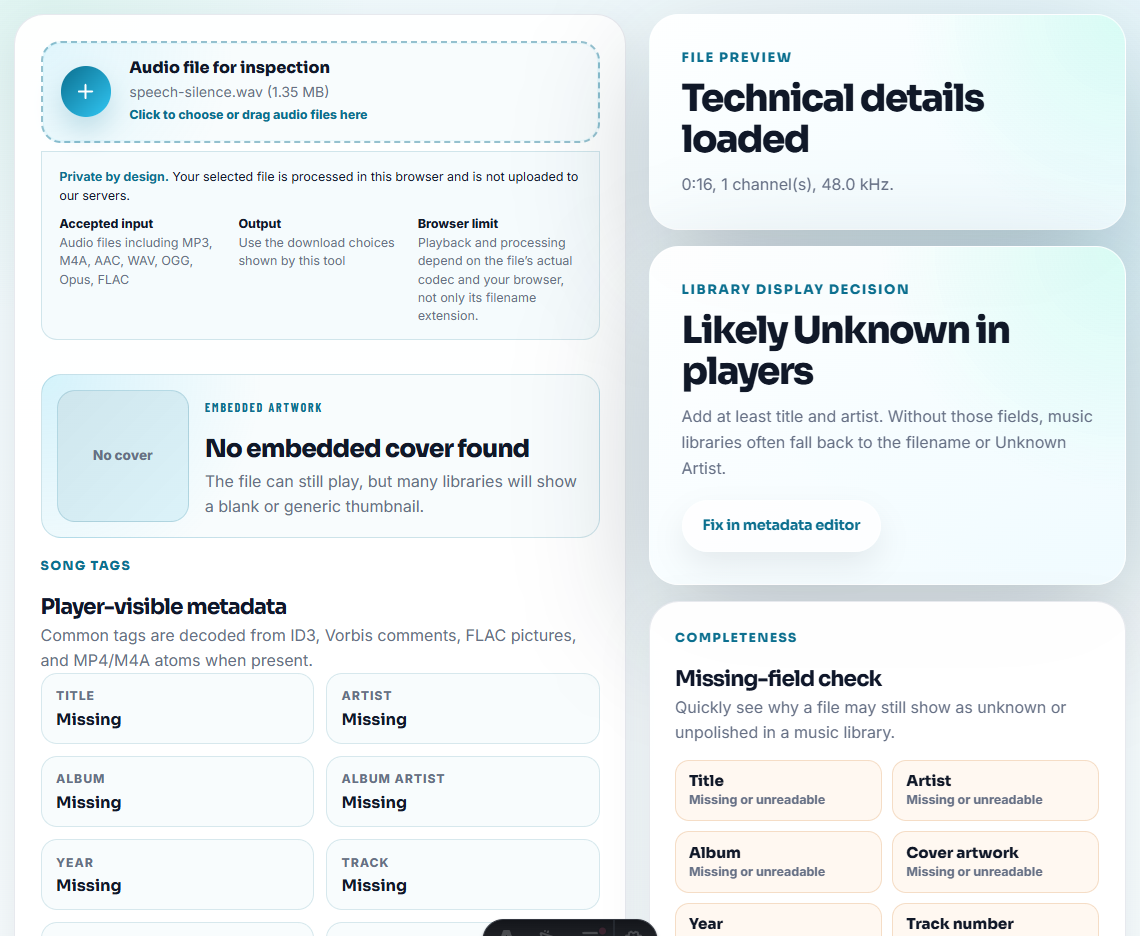
If the source is long, use Audio Trimmer to create one focused excerpt. Do not ask the owner to search through unrelated material.
Step 3: Add Timing and Context
Use Audio Waveform Generator when the owner needs to review a specific moment.
Example note:
Please review 00:12-00:34. This is the section proposed for the public setup example.This makes approval about the actual intended use, not the whole source recording.
Step 4: Flag Page and Delivery Constraints
Use Audio File Size Calculator if the review copy may become a public download. If needed, create a smaller public copy later with Audio Compressor or a compatible copy with Online Audio Format Converter.
Do not turn a review convenience file into the final public file without checking it again.
Step 5: Record the Decision
Use Audio Metadata Editor to add:
Owner review: approved. Owner: support content. Page: /support/. Source: source-support-example-original.wav. Allowed use: public setup example only.Or:
Owner review: revise. Reason: clip mentions old workflow. Need replacement before publication.The decision should travel with the file or the file record.
Step 6: Convert the Decision Into a Next Step
After owner review, mark one action:
- Approve for staging.
- Trim again.
- Replace source.
- Compress public copy.
- Convert delivery format.
- Hold for permission review.
- Retire old copy.
This keeps review from becoming an endless comment thread.
Capture Owner Signoff as a Small Record
The approved file should carry enough context that a future editor can understand the decision without searching through chat history.
| Signoff field | Example |
|---|---|
| Owner | Support content owner |
| Decision | Approved for /support/ setup example |
| Scope | Public page only, not ads or partner kits |
| Source | source-support-example-original.wav |
| Replacement rule | Recheck if setup workflow changes |
| Next action | Compress delivery copy and move to staging |
This is useful for SEO because it keeps public examples accurate after page refreshes, migrations, and internal ownership changes.
Confirm Ownership Before You Request Approval
- Do not ask an owner to approve a mystery file.
- Do not send a long source when only one excerpt matters.
- Do not hide source or page context from the reviewer.
- Do not treat technical playback as content approval.
- Do not publish review copies without a final public check.
- Do not leave approved files without owner and allowed-use notes.
When You Do Not Need a Desktop Recorder
Browser prep is suitable when a content owner only needs to approve tone, wording, or placement before a page goes live. Share a short review copy, keep the master file untouched, and mark any edited timestamp so the owner can comment on the exact moment.
Use a formal approval system when audio requires legal review, signed customer approval, regulatory review, campaign approval, or many stakeholders.
Related File Prep Guides
- Audio Metadata Viewer
- Recording Quality Checker
- Separate Draft and Approved Audio Before Sharing
- Check Staging Page Audio Before Publishing
- QA Public Page Audio Before Users Find Issues
- Trace Public Audio Back to the Source File
Common Edge Cases
What is content owner audio review?
It is a focused review where the person responsible for the page confirms the audio file, source, page context, permission, and next action before publication or reuse.
Who should review audio before it goes live?
The page owner, product owner, support owner, or marketing owner should review the final public copy when the audio supports page content or customer-facing claims.
What must be true before this file is ready?
Show owners the current file, where it appears, what changed, and the decision they need to make about keeping, replacing, or removing it.