
How to Brief Stakeholders With Clear Audio Proof
 By HenrikUpdated Aug 7, 20266 min read
Turn scattered audio issues into short review clips with context, risk notes, owners, and next decisions.

Stakeholder briefing audio should reduce review time. It might capture a customer objection, a product risk, a support pattern, a setup issue, or a short outcome that leadership needs to hear directly.
The mistake is sending the whole recording. A stakeholder clip should make one decision easier, not create another backlog item.
Check the File Before Sharing
| Checkpoint | Tool | Why it matters |
|---|---|---|
| 1 | Audio Metadata Viewer | Check source file details and private labels before sharing. |
| 2 | Recording Quality Checker | Confirm the decision moment is clear enough to use. |
| 3 | Audio Trimmer | Cut one short excerpt around the key point. |
| 4 | Audio Normalizer | Make quiet speech easier to hear without changing the tone. |
| 5 | Audio Waveform Generator | Add a timing clue for pauses, peaks, or exact quote locations. |
| 6 | Audio Compressor | Create a compact copy for briefing notes, email, or project updates. |
| 7 | Audio Metadata Editor | Add decision topic, owner, status, date, and source notes. |
The clip should answer: why are we hearing this, what decision does it support, and who owns the next step?
Step 1: Pick One Briefing Purpose
Use one purpose per clip:
- Customer evidence for a roadmap decision.
- Risk or complaint that needs escalation.
- Before-and-after product result.
- Support pattern that needs investment.
- Sales objection that needs clearer messaging.
- Implementation blocker that needs an owner.
If a clip tries to support too many points, it becomes less useful.
Step 2: Inspect and Protect the Source
Use Audio Metadata Viewer before sharing. Stakeholder clips may contain customer names, employee names, ticket references, contract hints, or private notes.
Keep full recordings in a restricted source folder. Use clean briefing copies for broader review.
Step 3: Check the Useful Moment
Use Recording Quality Checker to confirm the key section is audible. If the clip is too quiet, clipped, or missing the surrounding sentence, it can create confusion instead of clarity.
Do not remove hesitation, silence, or uncertainty if it affects the decision.
Step 4: Trim the Briefing Clip
Use Audio Trimmer on a copy. A good stakeholder clip often needs 10 to 45 seconds, not several minutes.
Useful filenames:
briefing-customer-objection-roadmap-review.mp3
briefing-support-pattern-escalation-copy.mp3
briefing-setup-blocker-owner-needed.mp3
briefing-before-after-result-context.mp3
Use plain names that describe the decision, not emotional labels.
Step 5: Make It Easy to Review
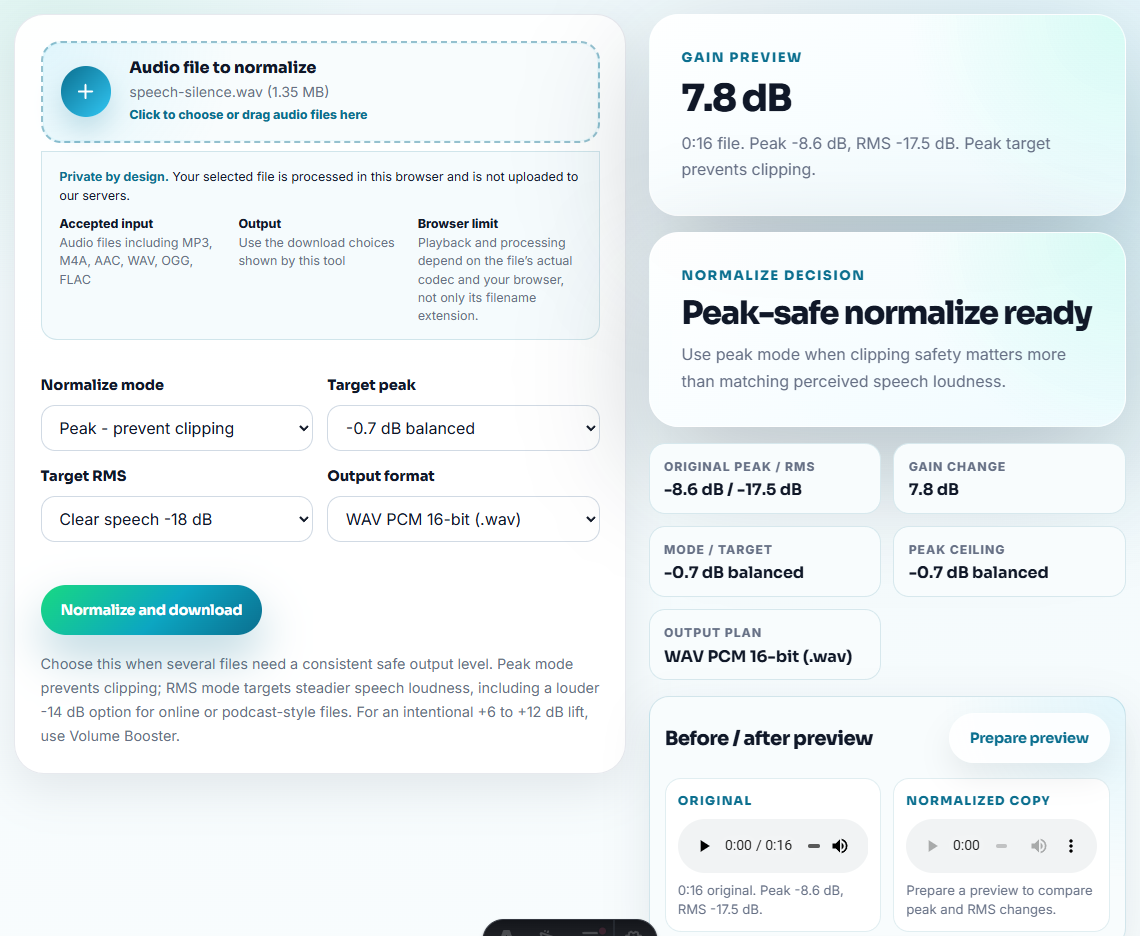
Use Audio Normalizer when speech is too quiet for a normal laptop or phone speaker. Keep the level natural.
Use Audio Waveform Generator when a reviewer needs to see a pause, long gap, rough cut, or exact timestamp. Visual timing can make a meeting note easier to scan.
Step 6: Package the Copy
Use Audio Compressor to create a smaller copy after review. Add it to the briefing note, project tracker, or internal update.
Use Audio Metadata Editor to add:
- Decision topic.
- Customer-safe title.
- Owner.
- Review status.
- Source location.
- Next action.
- Briefing date.
Example note:
Decision topic: onboarding setup friction. Clip supports support-doc update and product setup review. Owner: customer success.Briefing Audio Needs a Risk Level
Stakeholders do not need every customer detail. They need to know whether the audio points to a single account follow-up, a support process gap, a product defect, or a positioning problem. Give each clip a risk level before it is forwarded.
| Risk level | Audio signal | Briefing action |
|---|---|---|
| Account-specific | A device move, activation question, or download-link request. | Assign support owner and avoid presenting it as a product trend. |
| Reproducible quality issue | Fast playback, distorted output, scratchy audio, or missing audio after a short period. | Keep a source sample, note timing, and route to technical review. |
| Metadata/workflow gap | Track numbers only, missing song names, or files not separating as expected. | Brief product and docs together because the answer may be feature behavior plus user education. |
| Messaging gap | Prospect asks whether the tool solves a specific recording or organization job. | Create a clearer demo reply or support article instead of sending raw evidence around. |
This keeps a briefing from overstating one anecdote while still making real customer signals visible.
Problems to Catch Before You Brief Stakeholders With Clear Audio Proof
- Do not attach a full call when one excerpt supports the briefing.
- Do not trim so tightly that the decision point loses context.
- Do not include private account details in the shared filename.
- Do not make the clip louder just to make the issue sound more serious.
- Do not send audio without a written decision note.
- Do not treat one clip as a complete trend analysis.
When Browser Prep Is Enough for Stakeholder Briefings
For stakeholder briefings, browser tools are enough when a short audio example supports one decision or status point. Keep the clip brief, pair it with a written takeaway, and use a stricter review path when executives, customers, or public statements are involved.
Use a stricter workflow when the briefing is board-level, legal-sensitive, public-facing, regulated, or tied to formal customer approval.
Related Tools and Guides
- Recording Quality Checker
- Audio Trimmer
- Audio Waveform Generator
- Audio Metadata Editor
- Turn Customer Audio Into Safe VOC Evidence
- Show Churn Risk From Audio Problems Clearly
- Help Internal Champions Explain Audio Fixes
- Attach Proposal Audio Without Overpromising
Quick Answers Before You Continue
What should be clear from the filename or note?
Choose one decision point, inspect the source, check audibility, trim a short excerpt, add context notes, label the owner and status, and share a compact reviewed copy.
Should stakeholder briefing audio include the full meeting?
Usually no. Stakeholders need the decision moment, risk, outcome, or customer evidence, not the entire source recording.
What should I check for briefing audio?
Choose clips that support the briefing decision, add a short explanation, and remove anything that would send the discussion away from the point.