
How to Turn Customer Audio Into VOC Evidence
 By HenrikUpdated Aug 7, 20266 min read
Prepare Voice of Customer report audio by turning raw clips into themed evidence with privacy, trend, and action labels.

A Voice of Customer report is stronger when it includes real customer language, but raw audio can be hard to review and risky to share. Long recordings may contain private details, unrelated comments, and sections that do not support the report theme.
The better workflow is to prepare short themed clips that support specific findings.
Check the Customer Voice Clip Before Reporting
| Step | Free tool | What to confirm |
|---|---|---|
| 1 | Audio Metadata Viewer | Inspect source details, private labels, duration, format, and size. |
| 2 | Recording Quality Checker | Confirm the quote or evidence section is audible and complete. |
| 3 | Audio Trimmer | Cut one themed clip for one report point. |
| 4 | Audio Waveform Generator | Add a timing reference for quotes, gaps, or comparison points. |
| 5 | Audio Compressor | Create compact report-review copies after approval. |
| 6 | Online Audio Format Converter | Export another format only when the report workflow needs it. |
| 7 | Audio Metadata Editor | Add theme, segment, product, source, date, and review labels. |
The report should explain the finding first. The audio should make that finding easier to trust.
Step 1: Define Report Themes
Before trimming, decide the theme for each clip:
- Onboarding friction.
- Missing feature.
- Support confusion.
- Purchase objection.
- Setup success.
- Quality concern.
- Retention risk.
- Repeated praise or language customers use.
Do not mix unrelated themes into one clip just because they came from the same source recording.
Step 2: Inspect Every Source
Use Audio Metadata Viewer to check file details and private metadata before adding any clip to a VOC package.
Look for customer names, account labels, internal ticket notes, and filenames that reveal more than the report needs.
Step 3: Verify the Quote Is Usable
Use Recording Quality Checker to make sure the quote or evidence section is audible. A clip that is too quiet, clipped, or missing context will weaken the report.
If the finding depends on the customer’s exact phrasing, preserve enough surrounding context to avoid changing the meaning.
Step 4: Trim One Evidence Clip per Finding
Use Audio Trimmer on copies. Keep one report point per clip so readers can connect each audio file to a specific finding.
Useful filenames include:
voc-onboarding-friction-quote-01.mp3
voc-feature-request-theme-copy.mp3
voc-support-confusion-evidence.mp3
voc-retention-risk-reviewed-clip.mp3
Use report notes for customer identity or segment details instead of filenames.
Step 5: Add Visual References When Useful
Use Audio Waveform Generator when a clip includes silence, hesitation, before-and-after comparison, or a timing point that supports the finding.
Do not turn every clip into a visual asset. Use waveform references only when they reduce review time.
Step 6: Package Report Copies
Use Audio Compressor after review to create smaller copies for report folders, internal dashboards, presentation notes, or product discussions.
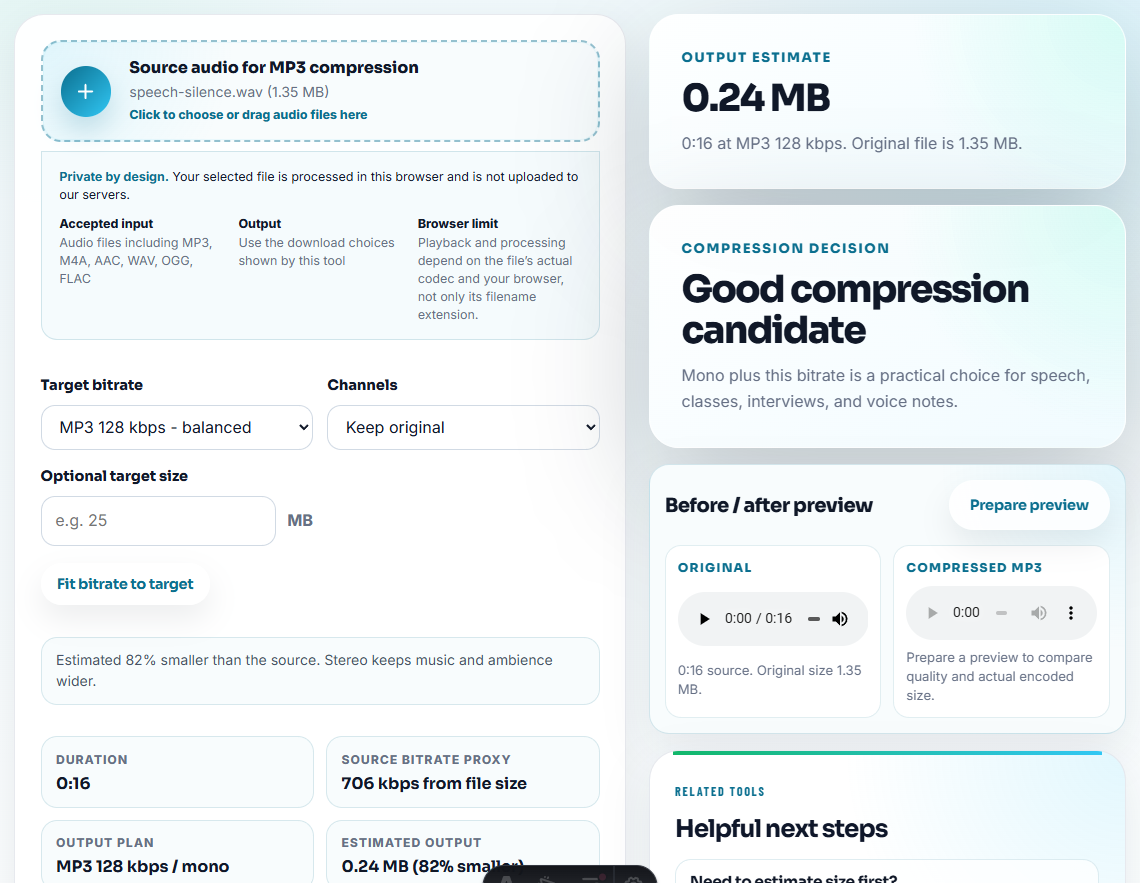
Use Online Audio Format Converter only when the receiving tool expects another format.
Step 7: Label for Future Review
Use Audio Metadata Editor to add:
- VOC theme.
- Customer segment.
- Product or feature.
- Source type.
- Review status.
- Report date.
- Follow-up owner.
Pair each clip with a written note:
Theme: onboarding friction. Customer explains confusion around the first setup step; useful for docs and product review.Separate Anecdote, Pattern, and Action
Voice of Customer audio becomes valuable when reviewers can tell whether a clip is one anecdote, part of a repeated pattern, or evidence for a specific action.
| VOC evidence type | How to label the clip | Recommended action |
|---|---|---|
| One customer quote. | Anecdote, segment, and permission status. | Use as context, not as proof of a trend. |
| Repeated support symptom. | Pattern, symptom, and affected workflow. | Route to product, support docs, or onboarding review. |
| Churn or renewal risk. | Risk type and next owner. | Pair with CRM or success follow-up rather than public copy. |
| Positive outcome. | Private proof or approved testimonial candidate. | Keep internal until permission and wording are clear. |
This makes the report more credible because the audio is interpreted, not just attached.
Prioritize VOC Clips by Decision Impact
A VOC report should not treat every clip equally. Rank clips by the decision they can influence.
| Priority | Clip type | What it can influence |
|---|---|---|
| High | Repeated blocker affecting setup, access, or core output trust. | Product roadmap, support escalation, onboarding fixes. |
| Medium | Clear friction with a workaround or documentation gap. | Help articles, onboarding emails, training examples. |
| Medium | Positive outcome with private proof status. | Customer success playbooks or permission review. |
| Low | One unclear quote without enough context. | Research backlog, not public claims. |
| Hold | Sensitive, unapproved, or identity-heavy source. | Consent, redaction, or restricted storage review. |
This helps VOC readers move from “interesting clips” to prioritized business decisions.
Red Flags While You Turn Customer Audio Into VOC Evidence
- Do not publish or circulate raw interview files as report evidence.
- Do not expose customer names or account details unnecessarily.
- Do not cherry-pick so tightly that the meaning changes.
- Do not group several unrelated findings into one clip.
- Do not compress or convert the only original source.
- Do not rely on audio without written interpretation.
When to Stay With Browser-Based Checks
Browser prep is enough when the report needs one anonymized clip or a checked excerpt that supports a specific customer theme. Use a formal workflow when the audio affects public claims, account strategy, privacy review, or executive reporting.
Use a stricter workflow when you need consent tracking, redaction, transcript management, legal review, large research repositories, or public customer quotes.
Tools That Pair With This Task
- Audio Metadata Viewer
- Recording Quality Checker
- Audio Trimmer
- Audio Metadata Editor
- Turn Customer Interview Audio Into Safe Notes
- Turn Interview Audio Into Fair Quote Clips
- Turn Product Feedback Audio Into Clear Evidence
Reader Notes
What makes the file easier to review later?
Group clips by theme, inspect sources, trim short evidence sections, check playback, remove private labels, add context notes, and keep compact reviewed copies separate from originals.
Should a Voice of Customer report include raw audio?
Usually no. Use short reviewed excerpts and keep raw recordings controlled unless the review team specifically needs the source.
What should I check for Voice of Customer audio?
Pick clips that reveal a real customer theme, remove private details, and connect the sample to a quote, account segment, or product issue.