
Monitor Public Audio Playback Before Users Complain
 By HenrikUpdated Aug 7, 20266 min read
Set up a manual playback monitoring checklist for public audio, downloads, embeds, and replacement files.

Audio playback problems often stay hidden until a visitor reports them. A page can still load while the audio is silent, the wrong file, too quiet, cut off, or replaced by an old copy.
Manual playback monitoring gives you a repeatable way to catch those problems before they become support tickets or stale public content.
Start With the Source File
| Stage | Free tool | What it helps you decide |
|---|---|---|
| 1 | Audio Metadata Viewer | Confirm file identity, format, duration, size, and page/source notes. |
| 2 | Recording Quality Checker | Check whether the file is silent, clipped, incomplete, too quiet, or suspicious. |
| 3 | Audio File Size Calculator | Watch file size for public pages, downloads, and repeated embeds. |
| 4 | Audio Metadata Editor | Add checked date, owner, public status, and next-review notes. |
| 5 | Audio Trimmer | Create short diagnostic excerpts when a long file has one problem area. |
| 6 | Audio Compressor | Create smaller review copies after source files are preserved. |
This is a manual checklist, not an uptime monitor. It is useful when the audio itself needs human listening and context.
Step 1: Choose What to Monitor
Prioritize audio that affects user trust:
- Product demos.
- Homepage or landing-page proof.
- Support article examples.
- Public downloads.
- Embedded audio players.
- Customer proof clips.
- Files reused across several pages.
- Recently replaced or restored files.
Low-risk archive files can wait. Public files should be checked first.
Set Monitoring Triggers
Do not rely only on a calendar. Many audio failures appear right after a site, file, or support workflow changes.
| Trigger | What to check | Why it catches problems |
|---|---|---|
| After a file replacement | Opening, reported section, ending, metadata, and page link | Confirms the new copy is actually live |
| After a website migration | Top public embeds, download links, and sample pages | Catches broken paths and wrong file references |
| After a support macro update | Linked troubleshooting samples and customer-safe wording | Prevents support from sending old or temporary copies |
| After a known issue closes | Workaround files, final replacements, and retired files | Stops temporary fixes from becoming permanent |
| Scheduled review | High-value public demos and reused support examples | Finds stale or drifting content before users do |
Monitoring is most useful when it is attached to the moment that can break audio.
Step 2: Record the Expected File
Use Audio Metadata Viewer to record what should be present.
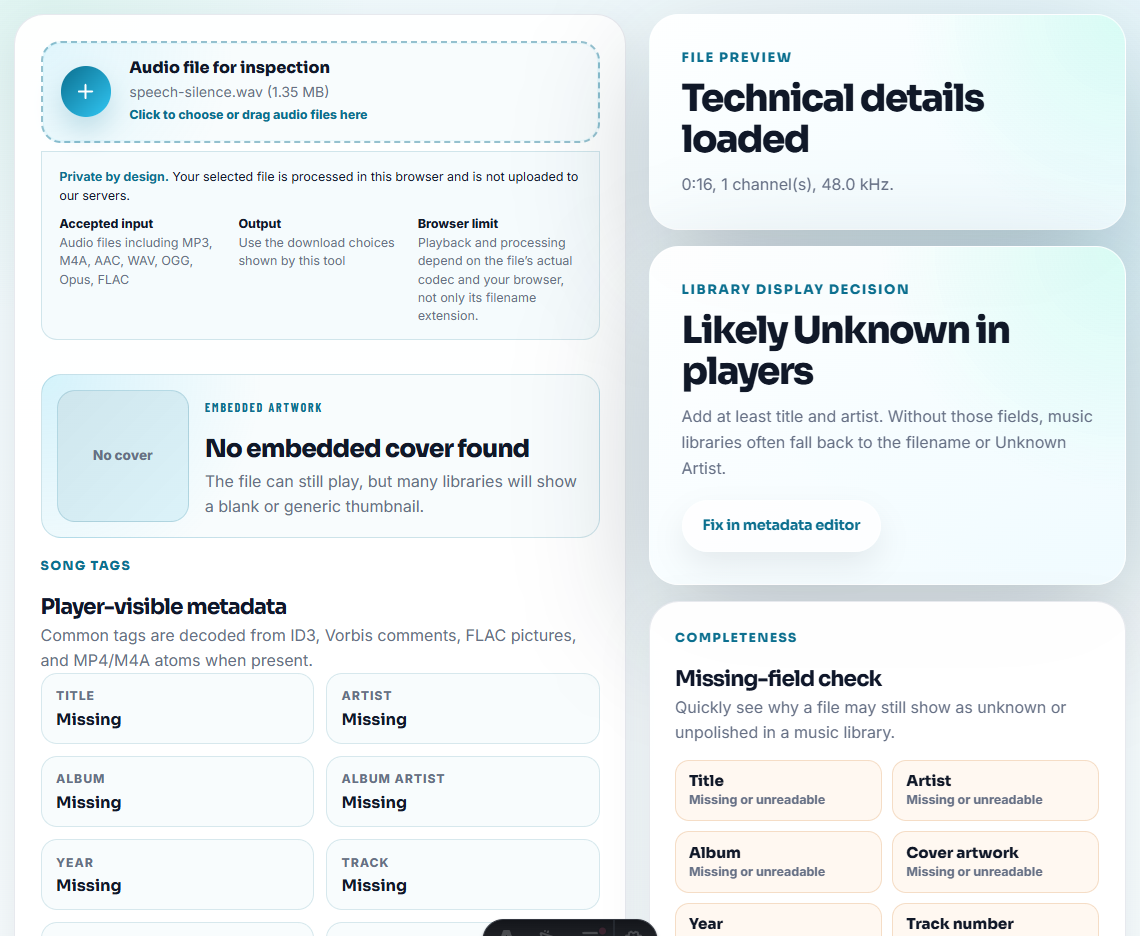
Track:
- Page or folder.
- File name.
- Expected duration.
- Format.
- Size.
- Source.
- Owner.
- Public or internal status.
This gives you something to compare against during later checks.
Step 3: Run the Playback Check
Use Recording Quality Checker and a normal player or browser preview.
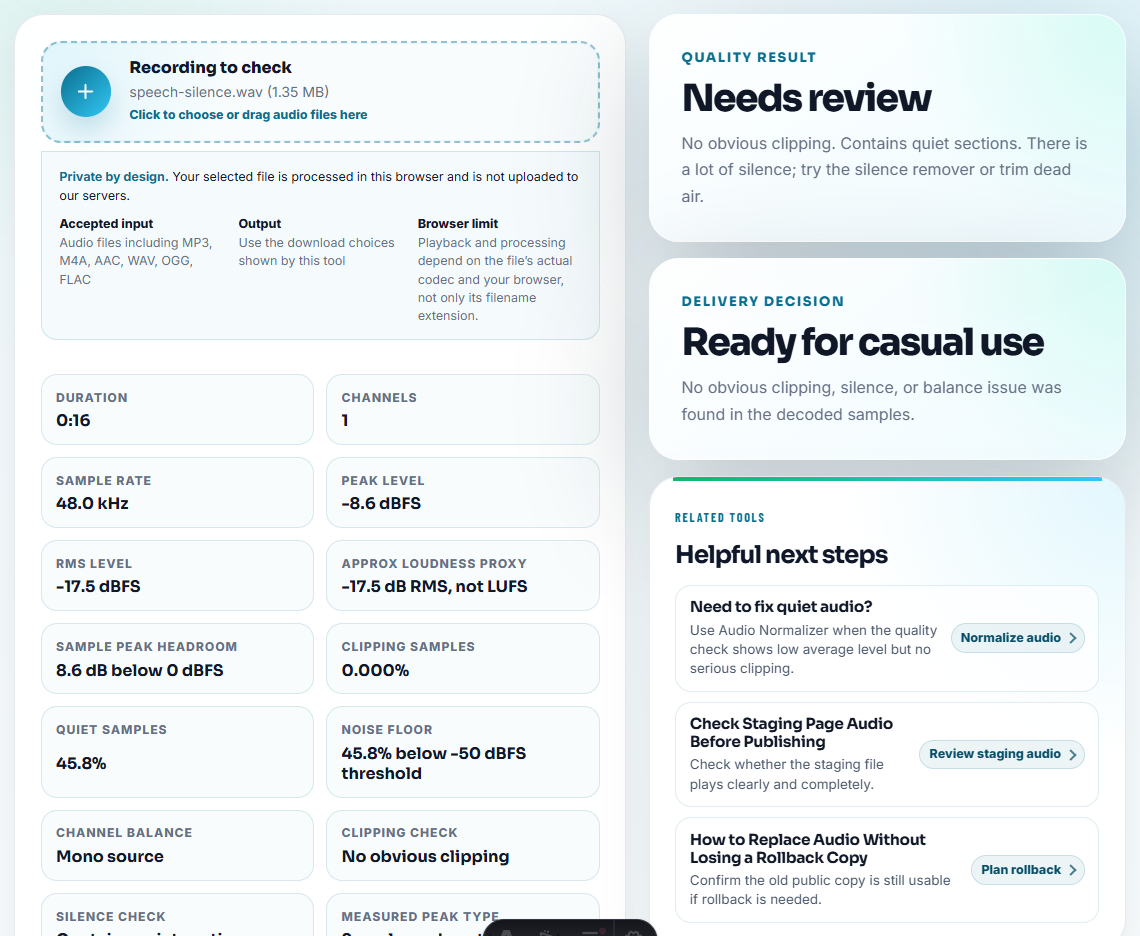
Check:
- Does it open?
- Does it start quickly enough?
- Is the first section correct?
- Is the important section audible?
- Is the ending present?
- Is the file mostly silence?
- Does the page context still match the audio?
For long files, spot-check the opening, a middle section, and the ending.
Step 4: Watch for File Size Drift
Use Audio File Size Calculator when a replacement file is much larger or smaller than expected.
Size changes can reveal:
- Source file uploaded instead of delivery copy.
- Compressed preview uploaded instead of source-quality download.
- Wrong bitrate.
- Wrong format.
- Missing or truncated export.
Size is not proof by itself, but it is a useful warning signal.
Step 5: Update Monitoring Notes
Use Audio Metadata Editor only for safe public labels.
Useful labels:
- Checked date.
- Owner.
- Active public copy.
- Needs replacement.
- Next review.
- Source location.
Keep private monitoring details in your tracking sheet.
Step 6: Decide the Next Action
After each monitoring pass, choose one status:
- OK.
- Needs replacement.
- Needs rollback.
- Needs permission review.
- Needs size fix.
- Needs source check.
- Needs removal review.
Do not leave a failed check as “look later” without an owner.
Use a Fail-Fast Monitoring Result
When a check fails, record the smallest useful decision immediately.
| Monitoring result | Meaning | Next article or workflow |
|---|---|---|
| File missing or link fails | The page or delivery path is broken | Broken playback report or public page QA |
| File plays but wrong content | File identity or page context is wrong | Issue intake and root cause notes |
| File is silent, clipped, or cut off | Audio content has a technical issue | Hotfix replacement or resolution notes |
| File is too large for context | Delivery copy may be wrong | Risk register or size fix |
| Temporary workaround still live | Follow-up was missed | Known issue note or lessons log |
This turns monitoring into action instead of a passive checklist.
Monitoring Table
| Field | Example |
|---|---|
| Page | Product demo page |
| File | demo-web-copy.mp3 |
| Expected duration | 00:42 |
| Result | Plays complete |
| Risk | None |
| Next check | After release update |
This table turns listening checks into a repeatable maintenance habit.
Monitoring Details That Catch Playback Issues
- Do not monitor only file existence.
- Do not ignore wrong-content audio if it technically plays.
- Do not replace a monitored file without updating notes.
- Do not skip files used on several pages.
- Do not keep failed checks without an owner.
- Do not publish diagnostic copies by accident.
When Free Browser Tools Are Enough
For playback monitoring, browser prep works when you need a small reference file that exposes silence, dropouts, level jumps, or broken embeds. Keep the reference unchanged once monitoring starts, and document what a pass or fail sounds like.
Use automated monitoring or asset systems when many pages, business-critical downloads, or formal incident rules are involved.
Helpful Next Steps
- Audio Metadata Viewer
- Recording Quality Checker
- Audio File Size Calculator
- Check Public Audio After It Goes Live
- Review Published Audio Before It Goes Stale
- Respond to Public Audio Problems Without Guessing
- Build Audio Samples for Manual Monitoring
Quick Answers Before You Continue
What is audio playback monitoring?
It is a repeatable check that public or shared audio still opens, plays clearly, matches the page, and has the right source and owner notes.
How often should I monitor public audio?
Check high-value public, download, proof, and support audio after publishing, after site changes, and during scheduled reviews.
What should I check for playback monitoring?
Check the live playback path, file version, expected sound, and failure signal so monitoring catches real user-facing issues.