
How to Add Audio Examples to Support Articles
 By HenrikUpdated Aug 7, 20265 min read
Prepare support article audio examples that teach one issue safely, using recreated samples when customer evidence should stay private.

Support article audio should help a user recognize a problem or understand a fix. It might show silence at the start of a file, clipped speech, uneven volume, a format problem, a before-and-after cleanup result, or the kind of sample support needs for troubleshooting.
The value comes from focus. A short, clearly labeled example can reduce back-and-forth. A long raw recording can create privacy risk and make the article harder to follow.
Check the Support Example Before Publishing
| Pass | Tool to open | Check to make |
|---|---|---|
| 1 | Audio Metadata Viewer | Inspect duration, format, size, channels, and existing labels. |
| 2 | Recording Quality Checker | Confirm the issue or example is still audible. |
| 3 | Audio Trimmer | Cut only the section that explains the support point. |
| 4 | Audio Normalizer | Make the listening example clear without hiding the issue. |
| 5 | Audio Waveform Generator | Add a visual cue for silence, peaks, or problem sections. |
| 6 | Audio Compressor | Create a smaller article or download copy after review. |
| 7 | Audio Metadata Editor | Add issue, article, version, or sample labels. |
The article should explain what the reader should notice before they press play.
Step 1: Define the Support Question
Pick one support purpose:
- Show what clipping sounds like.
- Demonstrate a quiet recording before correction.
- Explain why a file sounds silent at the start.
- Show what a useful troubleshooting sample includes.
- Compare source and fixed output.
- Give the user a test file for a specific workflow.
If the clip answers several unrelated questions, split the article or use separate examples.
Step 2: Remove Private Context
Use Audio Metadata Viewer to look for hidden labels, filenames, project names, and file details that should not appear in a public article.
If the clip came from a real support case, consider recreating the problem with internal audio instead. Support content should teach the pattern without exposing a customer.
Step 3: Keep the Problem Audible
Use Recording Quality Checker before and after editing. The final example must still show the thing the article is explaining.
For example, if the article teaches how to identify clipping, do not normalize or compress the clip so aggressively that the clipping is no longer obvious.
Step 4: Trim Around the Lesson
Use Audio Trimmer to keep the useful section and remove private chatter, setup noise, long pauses, or unrelated endings.
A support example should usually:
- Start close to the problem.
- Leave enough lead-in to understand the context.
- Avoid unrelated names, accounts, or project details.
- End after the issue is demonstrated.
Step 5: Make the Example Easy to Follow
Use Audio Normalizer only when a clip is too quiet to understand. Keep the issue honest.
Use Audio Waveform Generator when a visual helps the reader see where silence, peaks, or the problem section appears.
Use Audio Compressor after review if the article needs a small downloadable sample.
Step 6: Label the Article Copy
Use filenames that explain the support use:
support-example-clipping-short.mp3
support-article-silence-at-start-sample.mp3
troubleshooting-sample-quiet-recording.mp3
before-after-cleanup-example-approved.mp3
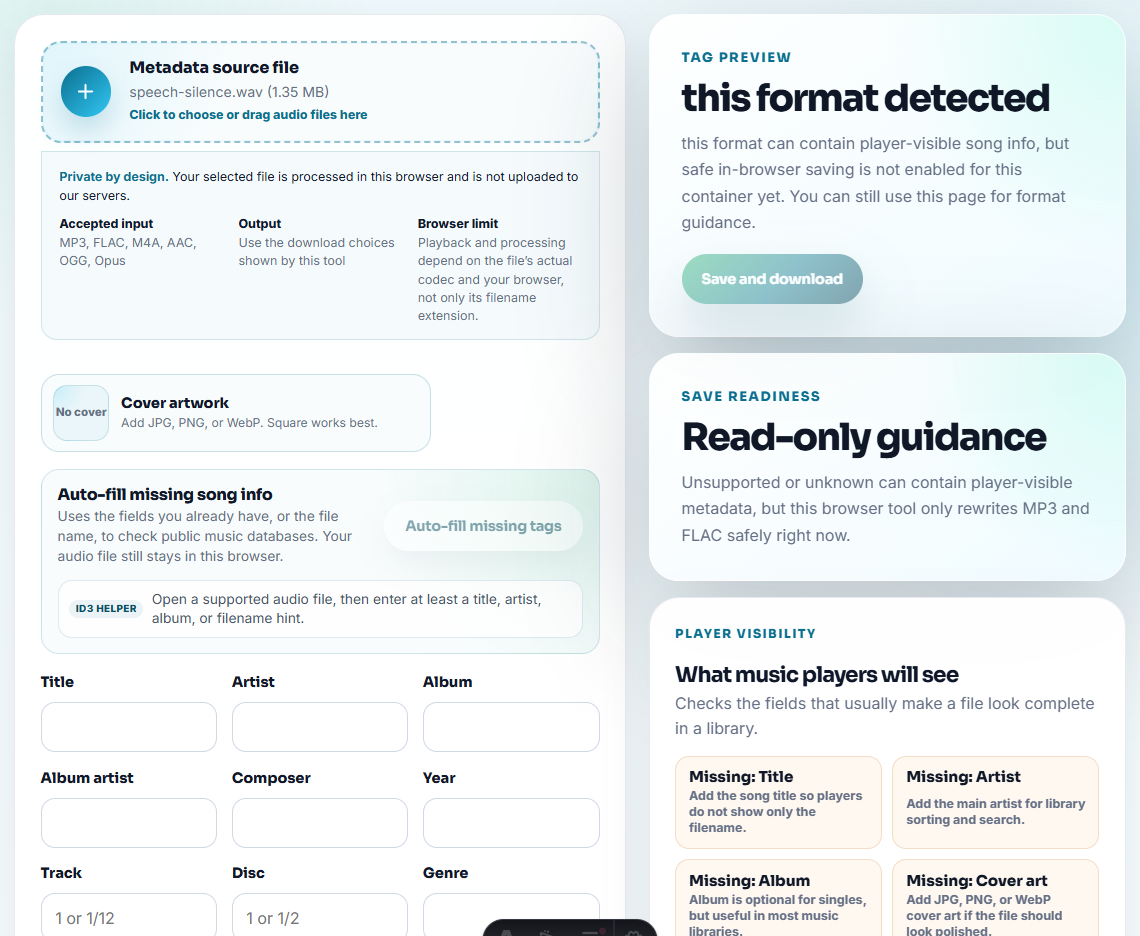
Use Audio Metadata Editor for article title, issue type, version, or review status when the file may be downloaded.
Turn Support Cases Into Teaching Patterns
A public support article should not expose the original support case. It should teach the pattern that helps the next user solve the same problem.
| Support pattern | Public article example | Keep private |
|---|---|---|
| Recording sounds fast, scratchy, or distorted. | A recreated sample plus checklist for source file, timing, and playback app. | Customer’s original file, account details, and refund discussion. |
| Track names are missing or files split unexpectedly. | Neutral sample filenames and metadata screenshots or notes. | Streaming source account, private library names, or raw folder lists. |
| Download or installation confusion. | Short non-customer demo clip only if audio helps explain the workflow. | License emails, order numbers, and one-off support correspondence. |
| ”It does not work” with no detail. | A sample-submission checklist showing what support needs. | The vague ticket itself, unless it has been rewritten into a general template. |
This gives the article original value: it translates repeated support friction into a safer troubleshooting path users can follow.
Quality Checks Before You Add Audio Examples to Support Articles
- Do not publish customer audio without clear permission and privacy review.
- Do not include account names, internal notes, or private filenames.
- Do not edit the problem out of the support example.
- Do not use a long raw recording when a short recreated sample works.
- Do not make a downloadable file the only explanation.
- Do not mix support examples with marketing proof clips.
Use Browser Tools for Public-Safe Examples
Browser prep is enough when the support article needs one small sample that shows a symptom or expected result. Add a formal review path when the file includes customer context, redaction needs, accessibility transcripts, translation, or product-support promises.
Use a larger workflow when support audio needs legal review, redaction, translation, accessibility transcripts, formal QA, or customer approval.
Next Audio Workflow Steps
- Audio Metadata Viewer
- Recording Quality Checker
- Audio Trimmer
- Audio Waveform Generator
- Make KB Audio Downloads Useful After Saving
- Show Support the Exact Audio Problem
- Write Audio Review Notes People Can Act On
Questions Worth Asking
What makes the file easier to review later?
Use a short example that explains one issue, remove private or unrelated sections, check playback, label the purpose, and keep the source separate.
Should support articles use customer audio examples?
Only when permission and privacy are clear. In many cases, a recreated sample or internal demo clip is safer.
What should I check for support article audio?
Use an audio example only when it helps readers recognize the issue, then keep it short, labeled, and tied to one support step.