
Tell Users What to Do During an Audio Fix
 By HenrikUpdated Aug 7, 20267 min read
Write a status update that tells people whether to retry, wait, use a workaround, or stop using a file.
People do not only need the final fix. Sometimes they need to know whether the audio issue is confirmed, whether a workaround is safe, whether they should stop using a file, or whether the next update is waiting on source review.
An audio fix status update turns messy internal progress into a clear note someone can act on.
Make the Review Copy Easy to Trust
| Task | Tool | Result to verify |
|---|---|---|
| 1 | Audio Metadata Viewer | Confirm file identity, source notes, format, duration, size, and status labels. |
| 2 | Recording Quality Checker | Report whether the issue is confirmed, fixed, or still present. |
| 3 | Audio Waveform Generator | Add visual evidence for timing, silence, gaps, clipping, or missing endings. |
| 4 | Audio File Size Calculator | Explain file-size status when pages, uploads, downloads, or emails are involved. |
| 5 | Audio Metadata Editor | Add safe status, owner, review, workaround, and replacement notes. |
| 6 | Audio Compressor | Prepare a smaller update sample only after the current status is checked. |
The update should help the recipient decide what to do now.
Step 1: Choose the Audience
Write differently for each audience:
| Audience | What they need |
|---|---|
| Customer | What changed, whether they need to retry, and what file to use. |
| Support | Current status, customer-safe wording, and next reply guidance. |
| Web team | Which page or file should change and whether a workaround is safe. |
| Engineering | Evidence, current result, expected result, and reproduction status. |
| Internal owner | Decision needed, next action, and due date. |
Do not send an engineering-style evidence dump to a customer who only needs the next step.
Step 2: Confirm Current State
Use Audio Metadata Viewer and Recording Quality Checker.
Choose one state:
- Report received.
- Issue confirmed.
- Workaround available.
- Replacement being prepared.
- Fix ready for review.
- Fix accepted.
- No audio-file issue found.
- Waiting on source, permission, or engineering.
One status is clearer than a paragraph of maybe.
Pick the Right Update Type
Different moments need different status notes. Choose the smallest update that answers the reader’s next decision.
| Update type | Use it when | Must include |
|---|---|---|
| Intake acknowledgement | The report was received but not confirmed | What was received and what evidence is needed next |
| Confirmed issue | The problem is reproduced | Affected file or page, current limit, and next owner |
| Workaround instruction | A temporary copy or process is safe | Exact workaround, allowed use, and expiry/review point |
| Review request | A fix exists but needs approval | File to review, proof checked, and decision needed |
| Closure update | The fix is accepted or no file issue was found | What changed, what to retry, or where the issue moved |
This keeps status updates from sounding busy but unhelpful.
Step 3: Attach Only Useful Evidence
Use Audio Waveform Generator or a short clip only when it helps.
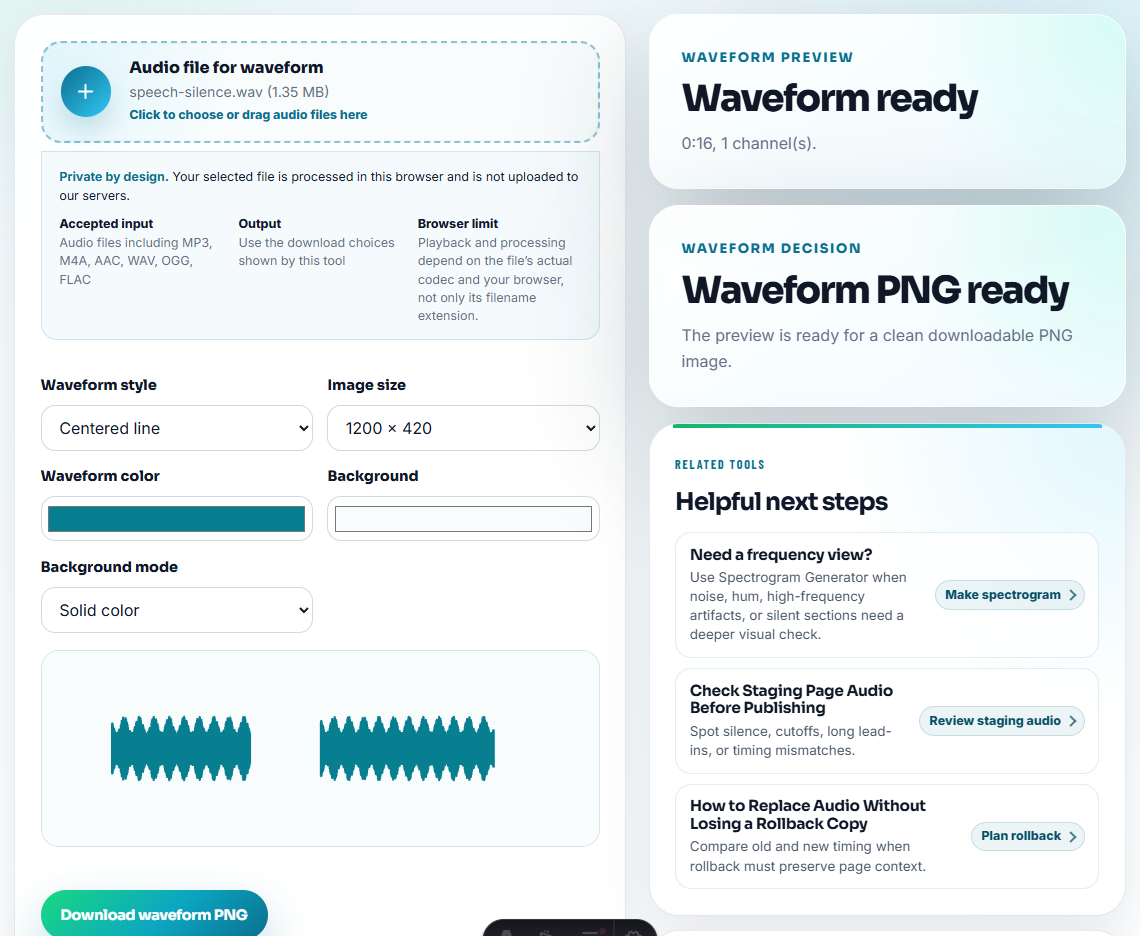
Good evidence notes:
Confirmed: public copy ends at 00:38. Trusted source continues to 00:52.Weak evidence notes:
Seems broken.The status update should be specific enough that the next person does not retest from zero.
Step 4: State the Workaround or Limit
If a workaround is safe:
Use demo-v2-temp.mp3 for customer replies until the final approved source export is ready.If there is no workaround:
Do not publish this audio yet. Source identity is still under review.This prevents people from improvising their own fix.
Step 5: Write the Next Action
Every status update should name the next action:
- Customer to retry the corrected copy.
- Support to send confirmation sample.
- Web team to replace public file.
- Engineering to review export behavior.
- Content owner to approve source.
- Reviewer to accept or reject the sample.
Use Audio Metadata Editor when a review copy should carry the same status.
Status Update Template
current status:
affected file or page:
what we checked:
evidence:
workaround:
next action:
owner:
next update:
customer-safe wording:
Keep customer-safe wording separate from internal evidence when privacy or blame matters.
Use the Status to Control the Next Action
A useful status update should reduce guessing. The reader should know whether they can retry, whether the file is still unsafe, or whether the next move belongs to support, content, or engineering.
| Status | Say this clearly | Evidence to include | What the recipient should do |
|---|---|---|---|
| Confirmed, not fixed | The issue is real and the current file should not be reused | Short timing, file name, or waveform note | Wait, use the approved workaround, or send source material. |
| Workaround available | The temporary copy is safe for a limited purpose | File label, date, and known limits | Use only that copy until the replacement is accepted. |
| Fix ready for review | A replacement exists but needs approval | Playback check and source identity | Review the exact file, not an older attachment. |
| No file issue found | The checked file plays as expected | Metadata and playback result | Check device, browser, download path, or user-side setup next. |
This is especially useful for unclear “not working” reports because it keeps the update tied to verified audio evidence instead of opinion.
Customer-Safe Status Examples
Use plain wording when the recipient does not need internal investigation detail.
Confirmed issue:
We found that the public audio copy stops before the expected ending. Please avoid using the older file while we prepare the checked replacement.

Workaround available:
You can use the temporary MP3 copy for now. It has been checked for playback, but it is not the final source file.

Fix ready for review:
The replacement copy is ready. Please review the exact file named in this note so we do not approve an older attachment.

No file issue found:
The audio file itself plays correctly in our check. The next step is to review the page link, browser, download path, or device setup.
These examples give users a decision: retry, wait, use the workaround, review, or move the issue to a different owner.
Check the User Action Before Posting the Status
- Do not send “we are looking into it” with no useful context.
- Do not attach raw files when a status sentence is enough.
- Do not say a workaround is final.
- Do not include private internal notes in customer-facing updates.
- Do not omit the owner or next action.
- Do not make the recipient guess whether they should retry, wait, or stop using a file.
When You Do Not Need a Desktop Recorder
For fix status updates, use browser tools to create a short proof clip that supports the written status. Keep the original issue sample, state what changed, and avoid sharing edited audio as proof unless the listener can compare it with the prior version.
Use a formal status-page or incident workflow when the audio issue affects many customers, paid campaigns, privacy-sensitive content, regulated claims, or critical downloads.
Related Tools and Guides
- Audio Metadata Viewer
- Recording Quality Checker
- Audio Waveform Generator
- Explain a Known Audio Issue Without Confusion
- Ask Customers to Confirm One Fixed Audio Section
- Document What Changed in an Audio Fix
Questions People Usually Ask
What should an audio fix status update include?
Include the current state, affected file or page, what was checked, whether a workaround exists, what happens next, who owns it, and what the recipient should do now.
How is a status update different from resolution notes?
A status update explains where the fix stands before or during the repair. Resolution notes explain what changed after the fix is accepted or closed.
What must be true before this file is ready?
Tell users what is affected, what is already fixed, what they should avoid, and whether a sample or replacement file is safe to use now.