
Ask Customers to Confirm One Fixed Audio Section
 By HenrikUpdated Aug 7, 20267 min read
Prepare customer confirmation audio that proves the fixed section, keeps private details out, and asks one clear yes/no question.

After an audio issue is fixed, the customer or reviewer may still need to confirm the result. Sending the whole working folder is confusing. Sending only “fixed now” is too thin.
A customer confirmation sample is a short, safe, checked copy that shows the repaired result without exposing unnecessary source material.
What to Check Before You Ask Customers to Confirm One Fixed Audio Section
| Decision point | Tool | Evidence to collect |
|---|---|---|
| 1 | Audio Metadata Viewer | Confirm the fixed copy, duration, format, size, and public-safe labels. |
| 2 | Recording Quality Checker | Confirm the sample is audible, complete, not clipped, and not mostly silence. |
| 3 | Audio Trimmer | Cut the shortest useful confirmation section. |
| 4 | Audio Normalizer | Make a listening sample easier to hear when the issue is not about volume. |
| 5 | Audio Compressor | Create a smaller share copy after the result is checked. |
| 6 | Audio Metadata Editor | Add safe status, purpose, version, and review labels. |
The sample should help the recipient say yes, no, or “this still is not the right result.”
Step 1: Decide What the Customer Must Confirm
Choose one confirmation goal:
- Correct section.
- Missing ending restored.
- Silence removed.
- Volume now understandable.
- File opens in the requested format.
- Wrong clip replaced.
- Metadata or label corrected.
Do not combine several unrelated confirmations in one unlabeled file.
Step 2: Confirm the Fixed Copy First
Use Audio Metadata Viewer before trimming the sample.
Check:
- Fixed copy name.
- Source or replacement note.
- Duration.
- Format.
- Size.
- Visible tags.
- Whether private notes are absent.
If the fixed copy is not clearly identified, do not send it yet.
Step 3: Cut a Focused Sample
Use Audio Trimmer on a copy.
Keep:
- The repaired moment.
- Enough context to understand it.
- The ending if the issue was missing ending.
- A before/after pair only when comparison is the point.
Avoid sending long recordings when one short section proves the fix.
Decide Whether to Send Before, After, or After-Only
Not every confirmation needs a before-and-after sample. Choose the comparison that reduces confusion.
| Sample type | Use when | Risk to avoid |
|---|---|---|
| After-only | The customer only needs to confirm the fixed result | Sending the broken section again may distract them |
| Before and after | The customer asked whether a specific defect changed | Label each file clearly so they do not approve the wrong one |
| Full file | The issue may appear outside the short section | Keep source and delivery copies separate |
| Format test copy | The main question is whether it opens on their side | Do not treat it as final production audio |
| No attachment, link only | The public location is what matters | Do not make them test a local file instead of the real page |
The sample should match the decision you need from the customer.
Step 4: Check Listening Quality
Use Recording Quality Checker on the sample.
Reject the sample if it is:
- Silent.
- Clipped.
- Too quiet to understand.
- Missing the fixed moment.
- Much shorter than expected.
- The wrong section.
Use Audio Normalizer only when the sample is too quiet and the issue is not about original volume.
Step 5: Prepare the Share Copy
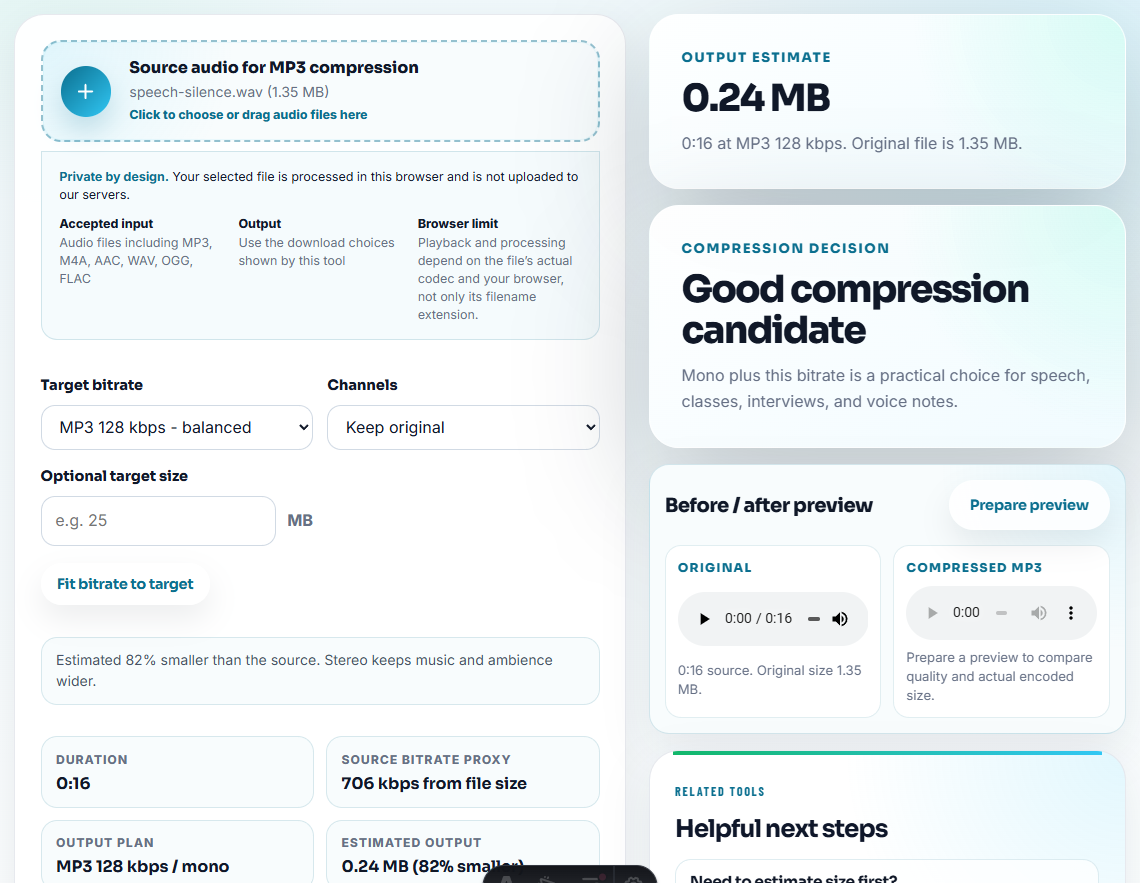
Use Audio Compressor if the sample needs to be small enough for email, help desk, or chat.
Use Online Audio Format Converter only when the customer asked for a specific format or cannot open the current file.
Name the file by purpose:
confirmation-sample-fixed-ending.mp3
confirmation-sample-correct-demo-section.mp3
confirmation-sample-volume-review-copy.mp3
Step 6: Add a Clear Note
Use Audio Metadata Editor for safe labels, then pair the file with a short message:
Please confirm whether this short sample now includes the restored ending and matches the expected demo section.The note should tell the recipient what to listen for.
Confirmation Checklist
- Correct fixed copy selected.
- Source preserved separately.
- Private details removed.
- Sample contains the repaired moment.
- Playback checked.
- Size and format are practical.
- File name explains the purpose.
- Customer question is clear.
Ask for One Confirmation, Not a General Opinion
A confirmation sample should make it easy for the customer to answer yes, no, or “not this section.” If the sample asks too much at once, the reply becomes vague.
| Confirmation goal | Sample should include | Question to ask |
|---|---|---|
| Fixed ending. | The repaired ending plus a few seconds before it. | ”Does this now include the ending you expected?” |
| Correct section. | The exact section the customer originally flagged. | ”Is this the section you wanted us to fix?” |
| Playback quality. | A short result copy after the fix, not the whole source. | ”Does this play clearly on your side now?” |
| Format compatibility. | The requested format copy only. | ”Can you open and play this file without conversion?” |
| Metadata or naming. | Neutral filename or tag example, if audio is not the main issue. | ”Do these labels match the corrected version?” |
This turns the follow-up into a decision point instead of another open-ended support thread.
Record the Confirmation Result
After the customer replies, turn their answer into a closeout status.
| Customer reply | Closeout action |
|---|---|
| ”Yes, this is fixed” | Mark confirmation accepted and connect it to the final file or rollout proof |
| ”No, still missing” | Keep the evidence, reopen the issue, and ask for the exact time or section |
| ”This is not the right section” | Reclassify as wrong-source or wrong-section issue |
| ”It opens now” | Close format compatibility only, then continue any quality review separately |
| No response | Do not call it customer-confirmed; close only with internal proof if allowed |
This prevents a sent sample from being mistaken for an accepted sample.
What Can Go Wrong When You Ask Customers to Confirm One Fixed Audio Section
- Do not send a full folder when one sample is enough.
- Do not send a sample before checking playback.
- Do not normalize away the problem if volume is the issue being reviewed.
- Do not expose internal notes in metadata.
- Do not make the customer guess what to confirm.
- Do not overwrite the final delivery file with a compressed sample.
When Browser Checks Are Safe to Use
For customer confirmation, use this path only when the sample is short, permission-safe, and meant to confirm one point. Keep the source conversation private, remove unrelated details from the export, and make the confirmation question specific.
Use a formal approval workflow when the confirmation affects contracts, legal claims, paid campaigns, consent-sensitive files, or final production delivery.
Next Audio Checks to Try
- Audio Metadata Viewer
- Recording Quality Checker
- Audio Trimmer
- Audio Compressor
- Write Audio Review Notes People Can Act On
- Send Support Replies With One Clear Audio Proof
Small Decisions That Matter
What is an audio customer confirmation sample?
It is a short checked copy sent after a fix so the customer or reviewer can confirm that the right section, quality, format, and result are now acceptable.
Should a confirmation sample be the full audio file?
Usually no. Send the shortest useful section unless the customer needs the full file, and keep the source and final delivery copy separate.
What should I check before preparing a confirmation sample?
Send one short sample, explain what the customer should confirm, remove unrelated sections, and keep the source available if they question the change.