
Write a Follow-Up Reply After an Audio Fix
 By HenrikUpdated Aug 7, 20266 min read
Write an audio fix follow-up reply with confirmed file, checked playback, safe wording, retry steps, and escalation notes.

After an audio issue is fixed, the reply still matters. A vague “please try again” can make the customer repeat work, test the wrong file, or reopen the same case with new wording.
An audio fix follow-up reply should tell the recipient exactly what changed and what to do next.
Start With the Source File
| Task | Tool | Result to verify |
|---|---|---|
| 1 | Audio Metadata Viewer | Confirm the fixed file, link, duration, format, size, and source before replying. |
| 2 | Recording Quality Checker | Make sure the copy you mention actually plays clearly. |
| 3 | Audio Trimmer | Create a short confirmation sample only when the full file is unnecessary. |
| 4 | Audio Compressor | Make an attachment smaller after the fixed copy is approved. |
| 5 | Online Audio Format Converter | Create a compatible reply copy only when the recipient needs another format. |
| 6 | Audio Metadata Editor | Remove confusing labels and add safe owner or version notes to shared copies. |
The best follow-up reply reduces uncertainty. It does not create another round of guessing.
Step 1: Confirm What You Are Asking Them to Try
Before writing, check the exact file or link.
Confirm:
- The fixed copy is the intended version.
- The public link points to the new file.
- The attachment is not an old temporary copy.
- The file plays from the recipient-facing location.
- The format is practical for the recipient.
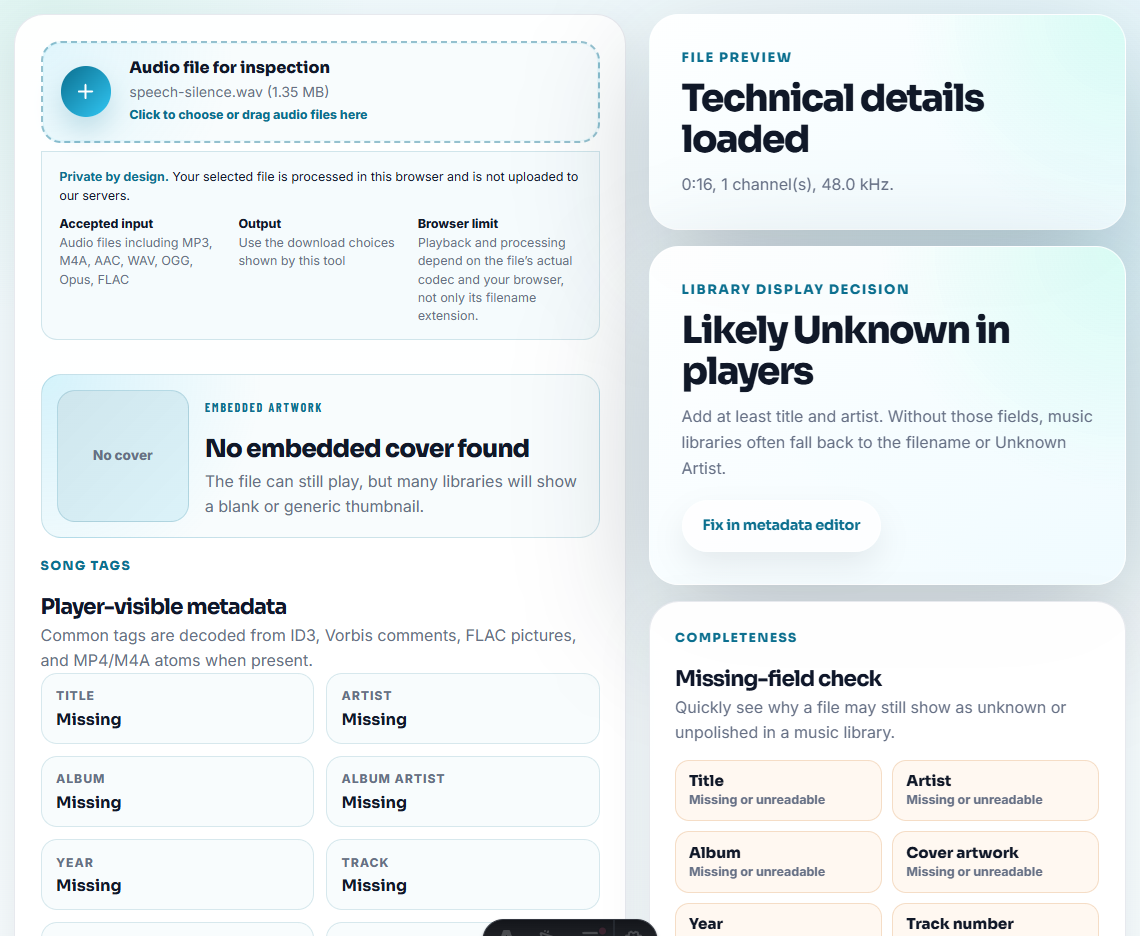
Use Audio Metadata Viewer and Recording Quality Checker before you write the reply.
Step 2: Choose the Reply Type
Use the right kind of follow-up:
| Situation | Best reply |
|---|---|
| Public link fixed | Ask the user to reopen the link and retry playback. |
| Attachment replaced | Name the new file and explain what changed. |
| Workaround available | Explain the temporary path and what is still pending. |
| Need confirmation | Send a short sample and ask a specific yes/no question. |
| Still uncertain | Ask for one targeted check instead of a long test list. |
Do not send every detail when the user only needs the corrected file.
Match the Reply to the Proof Level
The follow-up should not promise more than the team has verified.
| Proof level | Safe reply | Avoid saying |
|---|---|---|
| Fix accepted but not rolled out | ”The replacement has passed review and is waiting for the page update." | "It is fixed on the site.” |
| Public link proof accepted | ”The page now points to the checked replacement. Please reopen the page and try it again." | "It worked on my machine.” |
| Temporary workaround only | ”Use this temporary copy while the final replacement is reviewed." | "This is the final fixed file.” |
| No audio-file issue found | ”The checked file plays correctly; the next step is to review the link, browser, or download path." | "Nothing is wrong.” |
| Customer confirmation needed | ”Please confirm this one section so we can close the fix." | "Please review everything again.” |
This keeps the reply honest and makes the next customer response more useful.
Step 3: Use Clear Customer-Safe Wording
A practical reply can look like this:
We checked the audio file and replaced the copy linked from the page. Please reopen the page and play the sample again. The corrected file should now include the full ending.If you include a sample:
I attached a short confirmation sample from the repaired section. Could you check whether this is the moment that was missing on your side?Keep internal blame, uncertain root cause, and private source notes out of the customer reply.
Step 4: Give One Useful Retry Step
Good retry steps:
- Reopen the page instead of using an old tab.
- Download the file again.
- Play the attached sample first.
- Confirm whether the ending is now present.
- Tell support the exact time where playback still fails.
Weak retry steps:
- “Try again.”
- “Clear everything and reinstall.”
- “Check your computer.”
The reply should make the next message easier to diagnose.
Step 5: Add Escalation Notes Internally
Use Audio Metadata Editor or your case notes for internal status:
Follow-up sent. Customer asked to confirm ending after 00:38. If still missing, compare downloaded public copy against approved source.This helps the next support person avoid repeating the same generic reply.
Follow-Up Reply Template
what changed:
file or link:
what we checked:
what user should do:
what to report if it still fails:
attachment or sample:
internal escalation note:
Use the template as a checklist, not as a long message.
Short Reply Examples
Public link fixed:
We replaced the audio linked from the page and checked the public playback path. Please reopen the page and play the sample again. If it still stops early, tell us the time where it fails.

Temporary copy:
The attached MP3 is a temporary checked copy so you can continue today. We are still preparing the final replacement from the approved source.

Confirmation request:
Could you confirm whether this short sample now includes the missing ending? A yes/no answer is enough for us to close this part of the fix.
Short, specific replies usually work better than a long technical summary.
Review the Reply Before You Send the Fix Update
- Do not send “fixed” before checking the final file or link.
- Do not attach raw source files when a short sample is enough.
- Do not expose private source labels in shared metadata.
- Do not ask for many unrelated tests.
- Do not hide whether a workaround is temporary.
- Do not make the user guess which file changed.
When You Do Not Need a Desktop Recorder
For a fix follow-up reply, browser prep is enough when the attachment shows one corrected sound or one remaining issue. Keep the original support evidence, explain what changed in the message, and do not send a clipped file that hides unresolved behavior.
Use a formal support or incident system when follow-up affects many users, payments, legal claims, privacy-sensitive audio, or service-level commitments.
Helpful Audio Tools
- Audio Metadata Viewer
- Recording Quality Checker
- Audio Trimmer
- Ask Customers to Confirm One Fixed Audio Section
- Prove Audio Still Works After Rollout
- Tell Users What to Do During an Audio Fix
Common Edge Cases
What should an audio fix follow-up reply include?
Include what was checked, which file or link changed, what the user should try, what to report if it still fails, and whether the reply includes a sample or workaround.
Should I attach a new audio file to every follow-up reply?
No. Attach a file only when the recipient needs a confirmation sample, workaround copy, or test file. Otherwise a checked link and clear retry steps are often better.
What proof should I keep after this step?
Attach a clip only if it helps the user verify the fix; label what changed, what they should test, and what to do if the problem remains.