
How to Give Journalists Audio They Can Use Safely
 By HenrikUpdated Aug 7, 20266 min read
Choose approved press kit audio, remove private material, and add clear usage notes for journalists.

Press kit audio should make it easier for someone outside your team to understand the product, feature, or story. It might include a short demo result, an approved before-and-after clip, a product sound example, or a sample that supports a media quote.
The risk is sending too much. A press contact should not have to open a folder of drafts and guess which file is approved.
Check the Press Clip Before Packaging
| Decision point | Tool | Evidence to collect |
|---|---|---|
| 1 | Audio Metadata Viewer | Inspect duration, format, size, channels, and hidden labels. |
| 2 | Recording Quality Checker | Catch silence, clipping, missing endings, or weak levels. |
| 3 | Audio Trimmer | Cut one approved proof or demo moment. |
| 4 | Audio Normalizer | Make media copies easier to hear without overstating quality. |
| 5 | Audio Waveform Generator | Add a visual reference for clips used in pages or decks. |
| 6 | Audio Compressor | Create smaller media copies after approval. |
| 7 | Audio Metadata Editor | Add product, version, approved-use, or press-kit labels. |
Every file should have a reason to exist in the kit.
Step 1: Choose Approved Press Examples
Press kit audio can support:
- A product output sample.
- A before-and-after comparison.
- A short feature demo.
- A customer-safe proof clip.
- A sound example for a review.
- A media page or partner article.
Leave out drafts, internal tests, and unclear versions.
Step 2: Inspect for Private or Confusing Details
Use Audio Metadata Viewer to check hidden labels, old filenames, internal notes, unexpected duration, and format.
Use Recording Quality Checker to catch issues that would make the press kit look careless, such as silence, clipping, missing endings, or a very quiet sample.
Step 3: Trim to the Useful Clip
Use Audio Trimmer on a copy. A press kit clip should start close to the point and end before it drifts into unrelated material.
Good clips are:
- Short.
- Approved.
- Clearly labeled.
- Easy to explain in one sentence.
- Free of private source content.
Step 4: Keep Claims Fair
Use Audio Normalizer only when the clip is too quiet for normal review. Do not make one side of a comparison louder to make a result sound better.
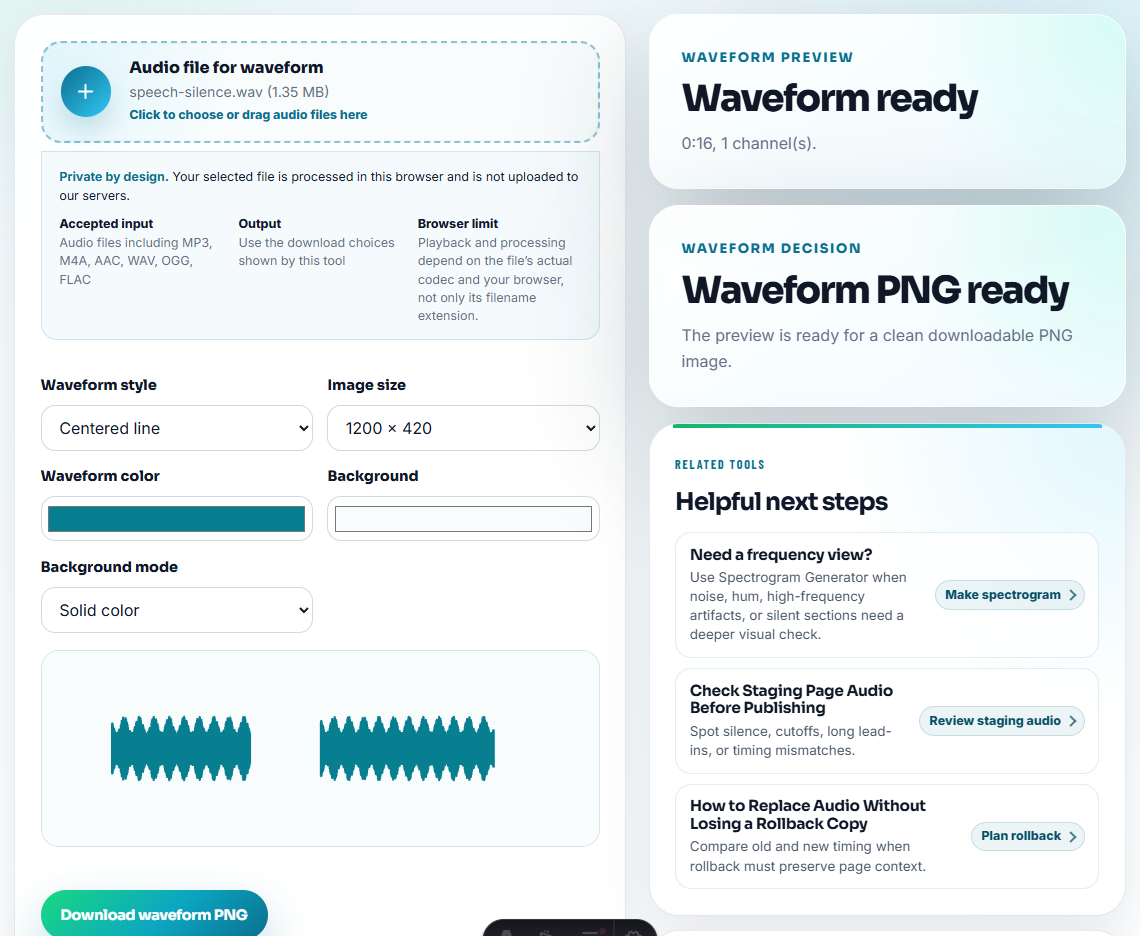
Use Audio Waveform Generator when a visual cue helps a writer or reviewer understand what the clip demonstrates.
Step 5: Create Media Copies
Use Audio Compressor after approval so the kit is easy to download. If a media partner needs another format, use Online Audio Format Converter on a copy.
Keep source files, review files, and press copies separate.
Step 6: Label Usage Rights and Context
Use filenames such as:
press-kit-product-demo-approved.mp3
press-kit-before-after-cleanup-sample.mp3
media-sample-feature-output-short.mp3
approved-review-audio-example.mp3
Use Audio Metadata Editor to add product, version, approved-use, source, or contact notes when appropriate.
Step 7: Add a Short Press Note
Pair each clip with one sentence:
This approved 20-second sample demonstrates the cleaned recording result after processing.That note reduces the chance that someone uses the clip in the wrong context.
Give Press Contacts the Approved Angle
Press contacts need less ambiguity than internal reviewers. Each audio file should arrive with the angle it supports and the claims it does not support.
| Press angle | Best audio asset | Usage boundary |
|---|---|---|
| Product result. | Approved internal demo sample. | Do not present it as an independent benchmark. |
| Before-and-after example. | Fairly leveled comparison with a short note. | Do not make the after clip louder to imply quality. |
| User problem explanation. | Recreated sample that illustrates the issue. | Do not include real support audio unless permission is documented. |
| Review or media embed. | Compressed public copy with clear metadata. | Do not ship source or draft folders. |
This makes the kit easier for writers to use and lowers the risk of inaccurate coverage.
Separate Media-Ready Audio From Background Material
Press kits often fail when background context and publishable files sit in the same folder. Keep the distinction visible.
| Folder or label | What belongs there | Sharing rule |
|---|---|---|
media-ready | Approved short clips with public-safe metadata. | Can be linked or embedded with the written note. |
background-context | Optional explanation clips for private review. | Do not publish without separate approval. |
comparison-samples | Matched before-and-after examples. | Include the comparison boundary beside the files. |
do-not-publish | Drafts, private support clips, expired examples, or unclear sources. | Keep out of press downloads. |
source-reference | Source file names and timestamps only. | Keep the raw originals internal unless requested and approved. |
This helps users avoid a common press-kit mistake: making the safest file hard to find and the risky files too easy to reuse.
What Can Go Wrong When You Give Journalists Audio They Can Use Safely
- Do not include draft or internal test audio.
- Do not expose customer audio without permission.
- Do not send a folder with unclear versions.
- Do not make comparison clips unfairly loud or mismatched.
- Do not publish files with private labels.
- Do not rely on audio without a short written usage note.
When Browser Prep Is Enough for Press Kit Audio
For press kits, browser prep is enough for checking sample playback, file names, metadata, and download size before PR review. Keep approved master files separate, confirm rights and quoted wording, and avoid sending rough internal clips to journalists.
Use a larger workflow when press kit audio needs legal approval, customer release forms, brand review, agency packaging, localization, or many media-specific variants.
Next Audio Checks to Try
- Audio Metadata Viewer
- Recording Quality Checker
- Audio Trimmer
- Audio Compressor
- Give Affiliates Audio They Can Use Safely
- Give Reviewers Audio Samples in the Right Order
- Make Fair Audio Samples for Comparison Pages
Checks Worth Making First
What problem is this audio supposed to prove?
Use approved short clips, check playback, remove private material, label the product and version clearly, and include a note that explains what each file demonstrates.
Should a press kit include many audio samples?
No. A small set of clear, approved examples is easier for writers, reviewers, and partners to use correctly.
What should I check for press kit audio?
Include only approved, public-safe clips with plain usage notes, product context, and file names that journalists can understand without asking follow-up questions.