
How to Give Affiliates Audio They Can Share Safely
 By HenrikUpdated Aug 7, 20266 min read
Create approved audio clips for affiliates with usage limits, public-safe samples, and clear claims they can repeat.

Affiliate kit audio should help a partner explain the product accurately. A useful kit might include a short demo result, a before-and-after example, a product sound sample, or a small proof clip that supports a review or landing page.
The kit should not ask the affiliate to guess. Every file should be approved, labeled, and paired with enough context to prevent the wrong claim.
Check the Copy Before You Change It
| Sequence | Free tool | What to look for |
|---|---|---|
| 1 | Audio Metadata Viewer | Inspect format, duration, size, channels, and hidden labels. |
| 2 | Recording Quality Checker | Catch silence, clipping, missing endings, or weak levels. |
| 3 | Audio Trimmer | Cut one proof point per affiliate clip. |
| 4 | Audio Normalizer | Make review copies easy to hear without exaggerating results. |
| 5 | Audio Waveform Generator | Add a visual cue for pages, reviews, or comparison blocks. |
| 6 | Audio Compressor | Create smaller sharing copies after approval. |
| 7 | Audio Metadata Editor | Add product, use case, version, and approved-use labels. |
The affiliate should know what they may show, what it proves, and which copy is safe to use.
Step 1: Choose Partner-Safe Clips
Good affiliate audio supports one clear use:
- A short product output sample.
- A before-and-after comparison.
- A public proof clip.
- A demo result for a review.
- A sound example for a landing page.
- A small file that supports a tutorial.
Leave out drafts, internal tests, customer audio without permission, and clips that need a long explanation.
Step 2: Inspect for Hidden Problems
Use Audio Metadata Viewer to check whether files contain old titles, private notes, internal filenames, unexpected formats, or source labels that should not leave your team.
Use Recording Quality Checker to avoid sending a partner a file that is silent, clipped, too quiet, or missing the ending.
Step 3: Trim One Point Per File
Use Audio Trimmer on copies. Each affiliate clip should demonstrate one thing:
- Source audio.
- Cleaned result.
- Feature output.
- Short demo sample.
- Public proof.
- Comparison section.
If one file tries to prove everything, the partner may use it incorrectly.
Step 4: Keep the Example Fair
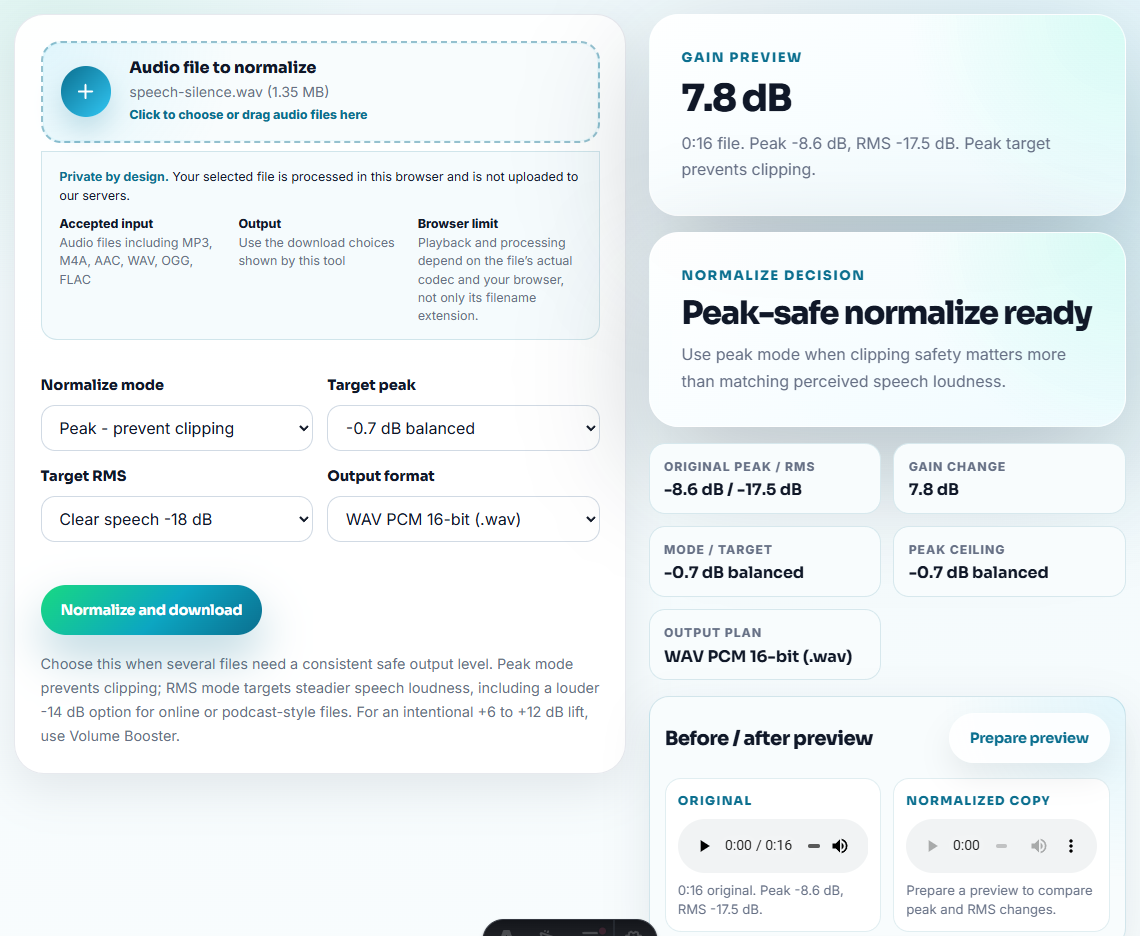
Use Audio Normalizer when a clip is too quiet for normal review. Do not make a result clip louder just to sound better than the source.
Use Audio Waveform Generator when a partner needs a visual reference for timing, cuts, or before-and-after context.
Step 5: Create Lightweight Copies
Use Audio Compressor after the kit is approved. If an affiliate platform, CMS, or review workflow needs another format, use Online Audio Format Converter on a copy.
Keep source, review, and affiliate-ready folders separate.
Step 6: Label Usage Clearly
Use filenames such as:
affiliate-kit-product-output-approved.mp3
affiliate-before-after-cleanup-sample.mp3
partner-review-demo-short-copy.mp3
approved-public-proof-clip.mp3
Use Audio Metadata Editor to add product, feature, approved-use, version, or partner notes when files may be downloaded.
Step 7: Add a One-Line Usage Note
Pair each clip with a short note:
This approved sample shows the cleaned output after processing; use it only as a short product-result example.That note protects the partner and keeps the claim honest.
Decide What a Partner May Actually Claim
Affiliate kits become risky when partners receive a clip but not the claim boundary. Give every audio file a usage tier so the partner knows whether it is public proof, private context, or only a review sample.
| Kit asset | Safe partner use | Do not let it imply |
|---|---|---|
| Approved product output sample. | Show what the file sounds like after the workflow. | That every source file will produce the same result. |
| Before-and-after internal demo. | Explain the difference listeners should compare. | A broad technical benchmark if the sample is only illustrative. |
| Customer-derived issue pattern recreated internally. | Teach a problem without exposing the customer. | That the original customer approved public reuse. |
| Draft or unclear sample. | Keep inside review folders until approved. | Any public claim, testimonial, or performance promise. |
This turns the affiliate kit into guided material instead of a folder of assets that can be misquoted.
Add Partner Instructions Beside Each Clip
Affiliates often reuse assets quickly. Give them a tiny instruction block they can follow without asking your team again.
| Instruction field | Example |
|---|---|
| Use this clip for | Short product-result example in a review or tutorial. |
| Do not use for | Performance benchmarks, ads, or customer testimonials. |
| Suggested wording | ”Here is a short sample of the cleaned output.” |
| Required context | Mention that this is one example, not a guarantee for every source file. |
| Replace after | Product workflow change, permission expiry, or new approved sample. |
This gives the article practical originality: it shows how to prevent affiliate copy from drifting away from the approved evidence.
Affiliate Kit Checks Before Sending
- Do not include unapproved draft audio.
- Do not expose private customer or internal source files.
- Do not send a folder full of unclear versions.
- Do not make the preferred clip louder without context.
- Do not leave metadata that contradicts the file name.
- Do not send audio without a usage note.
When Browser Prep Is Enough for Affiliate Samples
Browser prep is enough when the affiliate kit contains a few approved samples and you only need to trim, check, label, or compress delivery copies. Add formal review when the clips support public claims, partner contracts, customer permission, or campaign promises.
Use a larger workflow when affiliate audio needs legal review, customer release forms, brand approval, localization, contracts, or many partner-specific versions.
Related Fixes and Prep Guides
- Audio Metadata Viewer
- Recording Quality Checker
- Audio Trimmer
- Audio Compressor
- Prepare Press Kit Audio Without Private Material
- Give Reviewers Audio Samples in the Right Order
Small Decisions That Matter
What makes this copy easier to trust?
Use a small set of approved clips, check playback, remove private material, label the product and use case clearly, and include a short note that explains what each file demonstrates.
Should affiliate kits include raw recordings?
Usually no. Raw files create confusion and privacy risk. Send focused examples unless an affiliate specifically needs source material.
What should I check for affiliate kit audio?
Give affiliates short approved clips, clear claim limits, and usage notes so they can share examples without inventing their own product promises.