
How to Share Audio in Newsletters Without Heavy Files
 By HenrikUpdated Aug 7, 20266 min read
Prepare audio for newsletters with short clips, clear labels, practical file size, checked playback, and safer source handling.

Newsletter audio has to earn a click. Readers may be on a phone, checking email quickly, or deciding whether a clip is worth opening. A long file, unclear label, huge attachment, or weak first few seconds can make useful audio feel like clutter.
Newsletter audio should be small, clear, and obvious before someone clicks. Prepare a short listening copy and give it a label that explains why it is worth opening.
Decide What the Newsletter Audio Should Achieve
Newsletter readers need a reason to click. The audio should support one clear message, not ask the reader to explore a whole folder.
| Newsletter goal | Better audio choice | Prepare it by | Check before sending |
|---|---|---|---|
| Tease a podcast or episode | Short preview clip | Trim to the strongest moment | First seconds explain the value |
| Share a customer-safe example | Approved public copy | Remove unsafe labels | File matches the written claim |
| Teach a sound difference | Before/after pair | Match duration and level | Comparison is not misleading |
| Announce an update | Focused demo sound | Add short context label | Link points to current copy |
| Invite feedback | Review copy | Ask one clear question | File size is practical |
Separate Source, Review, and Final Copies
| Review pass | Tool | What it catches |
|---|---|---|
| 1 | Recording Quality Checker | Confirm the clip is audible, complete, and not mostly silence. |
| 2 | Audio Metadata Viewer | Check format, duration, size, channels, and labels before sharing. |
| 3 | Audio Trimmer | Create a short clip that matches the newsletter promise. |
| 4 | Audio Normalizer | Make speech easier to hear on phones or laptop speakers. |
| 5 | Online Audio Format Converter | Create a practical copy when the source format is awkward for readers. |
| 6 | Audio Compressor | Reduce the approved copy for faster access. |
| 7 | Audio Waveform Generator | Create a small visual preview for a landing page or newsletter section. |
The email should make the audio feel intentional, not like a random file attachment.
Step 1: Match the Clip to the Email
Write the link promise first:
- “Hear the new demo sample.”
- “Listen to the short lesson example.”
- “Compare the before-and-after audio.”
- “Play the customer-approved quote.”
- “Hear the update summary.”
Then prepare a file that matches that promise. Do not send the whole source if the email only promises one moment.
Step 2: Check the File Before Linking
Use Recording Quality Checker and Audio Metadata Viewer.
Confirm:
- The clip is not silent.
- The duration is reasonable.
- The ending is complete.
- The file size is not excessive.
- The format is practical for your readers.
- The filename does not expose private project details.
If the clip fails here, fix it before writing the newsletter.
Step 3: Trim the Listening Copy
Use Audio Trimmer to remove long setup, repeated starts, side comments, or unrelated endings.
Good newsletter clips usually start quickly. Readers should not need to scrub through the file to find the promised moment.
Step 4: Make It Easy to Hear
Use Audio Normalizer if the clip is too quiet on a phone or laptop.
Use Online Audio Format Converter only when the source format is not practical. Test the converted copy before sharing it.
Use Audio Compressor after the audio is approved. Do not reduce quality so much that the clip sounds worse than the thing you are promoting.
Step 5: Label the Link and File
A newsletter link should tell the reader what will happen:
Listen to the 30-second product demo
Hear the before-and-after cleanup sample
Play the lesson pronunciation example
Open the short update audio
Use clear filenames:
newsletter-product-demo-short.mp3
before-after-cleanup-sample.mp3
lesson-audio-example-03.mp3
monthly-update-audio-summary.mp3
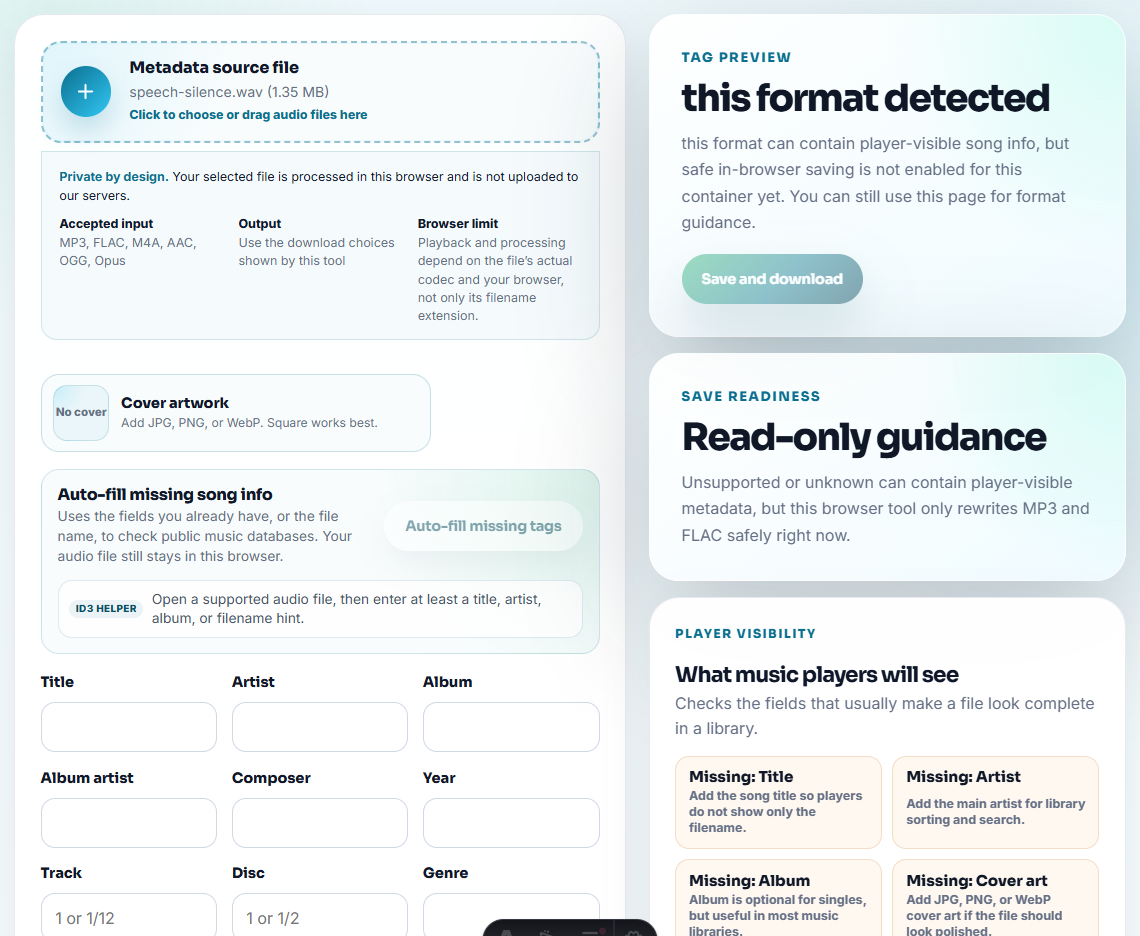
Use Audio Metadata Editor when the file may be downloaded or forwarded.
Step 6: Add a Visual Preview When Useful
Use Audio Waveform Generator if the audio links to a landing page. A simple waveform can help readers recognize that the page includes a real clip.
Choose Link, Landing Page, or Attachment
The delivery choice affects whether readers can actually use the audio. Pick the option from the reader situation, not from the easiest export.
| Delivery option | Use it when | Avoid it when |
|---|---|---|
| Linked landing page | The clip needs context, transcript, comparison notes, or a CTA. | The audio is private or only for a small group. |
| Direct audio link | The clip is short, approved, and self-explanatory. | Readers need instructions before listening. |
| Small attachment | The audience is small and expects the file. | The list is large or the file might be forwarded widely. |
| Preview image plus link | A waveform or title card helps explain the clip. | The image adds decoration but no clarity. |
| Internal review link | The clip needs feedback before publication. | The email is already a public campaign. |
This helps newsletter teams avoid the lazy default of attaching a heavy file to everyone.
Newsletter Audio Check Before You Send
- Do not attach a large raw file to every subscriber.
- Do not link to a clip that starts with long silence.
- Do not expose private filenames or internal notes.
- Do not use vague link text like “audio here.”
- Do not compress before checking playback.
- Do not promise one thing in the email and link a different file.
Use Free Tools for a Newsletter Audio Check
For newsletter sharing, browser tools work when the audio is short, relevant to the issue, and easy to open from email. Keep the original outside the campaign, test the link or attachment on mobile, and avoid private or consent-limited clips.
Use a larger workflow when the email campaign needs analytics, transcripts, accessibility review, legal approval, customer approval, or many localized versions.
Where to Go After This Check
- Audio Trimmer
- Recording Quality Checker
- Audio Compressor
- Audio Waveform Generator
- How to Choose the Right Audio Copy Before Editing
- Make QR Code Audio Open Fast on Phones
Common Edge Cases
How do I share audio in a newsletter?
Prepare a short listening copy, check it, host or link it clearly, keep the file size practical, and label the file so it still makes sense outside the email.
Should I attach large audio files to newsletters?
Usually no. A linked page or smaller approved copy is easier for readers and safer than sending a large raw file to everyone.
What should I check before preparing newsletter audio?
Use trimming, quality checking, normalization, format conversion, compression, waveform generation, and metadata editing.