
How to Check Audio Proof for Marketing Claims
 By HenrikUpdated Aug 7, 20267 min read
Review whether an audio sample really supports a claim before using it on a landing page, ad, or sales deck.

Marketing claim review is where audio proof can either build trust or quietly create risk. A clip might support a sentence like “cleaner voice recording” or “easier to hear on laptop speakers”, but only if the clip is fair, current, and tied to the exact claim.
The review question is simple: does this audio actually support the words beside it?
Start With the Source File
| Review pass | Tool | What it catches |
|---|---|---|
| 1 | Audio Metadata Viewer | Check source, date, format, version labels, and hidden notes. |
| 2 | Recording Quality Checker | Confirm the proof clip is audible and not broken. |
| 3 | Audio Trimmer | Cut the exact section that supports one claim. |
| 4 | Audio Normalizer | Make fair listening copies when volume differences would bias review. |
| 5 | Audio Waveform Generator | Show timing or before-and-after sections when context matters. |
| 6 | Audio Compressor | Create smaller review copies after the claim match is approved. |
| 7 | Audio Metadata Editor | Add claim, source, version, approval status, and page notes. |
Do not start with the audio. Start with the claim.
Step 1: Write the Claim in Plain Language
Use one claim per review:
- Easier to hear.
- Less background noise.
- Faster setup.
- Smaller file.
- Cleaner before-and-after result.
- Better metadata organization.
- More reliable playback on a target device.
If the claim is broad, make it narrower before attaching audio proof.
Step 2: Check Whether the Audio Is Current
Use Audio Metadata Viewer to inspect dates, version labels, source notes, and old approval comments.
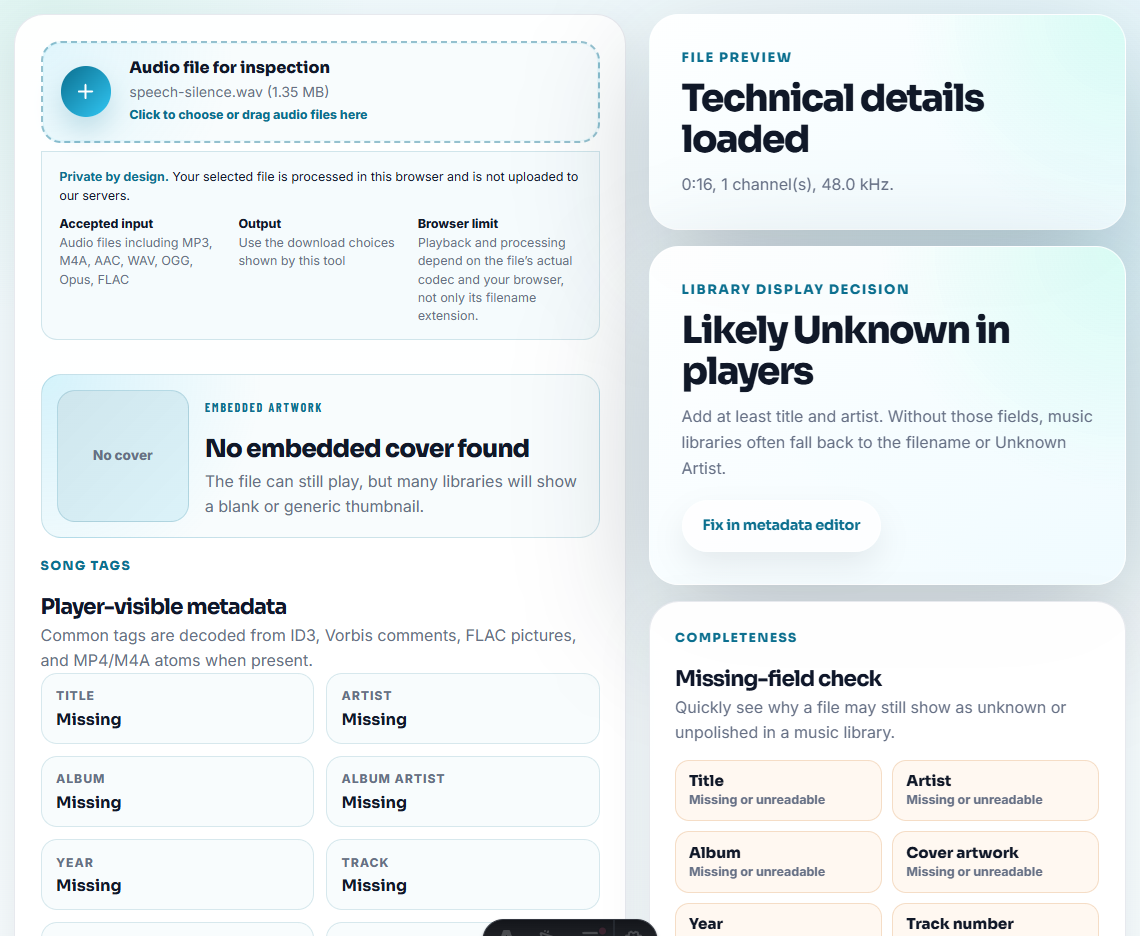
Audio proof can become outdated when the product changes, the workflow changes, or permission changes. A clip that was fine last year may no longer support the current page.
Step 3: Test the Proof Clip
Use Recording Quality Checker to confirm the clip plays clearly. A broken or unclear file should not support a public claim.
Then check whether the clip proves the claim or merely sounds adjacent to it. For example, a customer saying “this helped” may support a testimonial, but it does not prove a technical quality claim unless the context is clear.
Step 4: Trim One Evidence Section
Use Audio Trimmer on a copy. Keep enough context before and after the proof point.
Useful filenames:
claim-review-less-background-noise-before-after.mp3
claim-review-easier-to-hear-laptop-copy.mp3
claim-review-setup-speed-customer-context.mp3
claim-review-not-approved-too-broad.mp3
Use “not-approved” when the file does not support the wording. That prevents later reuse.
Step 5: Keep Comparisons Fair
Use Audio Normalizer only to remove unfair loudness differences. Do not make the after file louder just to make it feel better.
Use Audio Waveform Generator when a before-and-after or timing section needs visual context.
Step 6: Label the Decision
Use Audio Metadata Editor to add:
- Exact claim.
- Page or campaign.
- Source file.
- Product version.
- Approval status.
- Reviewer.
- Review date.
- Replacement needed, if any.
Example note:
Claim review: supports "easier to hear on laptop speakers" only for this spoken sample. Do not reuse for noise reduction claims.Write a Claim Decision, Not Just a File Note
After listening, record one of four decisions so the clip does not drift into the wrong page later:
| Decision | Meaning | Next action |
|---|---|---|
| Approved for exact claim | The audio supports the current wording. | Move only the approved copy to the public or campaign folder. |
| Needs narrower wording | The clip helps, but the claim is too broad. | Rewrite the sentence before publishing. |
| Internal example only | Useful for review, not public proof. | Keep it in enablement or QA notes. |
| Reject for this claim | The audio does not prove the wording. | Retire or relabel the clip to avoid reuse. |
This gives the page more than “audio preparation” advice. It teaches how to prevent weak proof from becoming public marketing copy.
Step 7: Create a Review Copy
Use Audio Compressor after the review copy is approved. Use Online Audio Format Converter only when a page or reviewer requires another format.
Keep unapproved claim review audio away from public copy folders.
Use a Claim Matrix Before Approval
The safest review starts by matching the sentence, the evidence, and the limitation. If one part is missing, the clip should not move into a public page.
| Claim type | Audio can support it when | Review limitation to write down |
|---|---|---|
| Quality improvement. | Before and after samples are comparable and not biased by loudness. | Applies to this sample and workflow only. |
| Easier troubleshooting. | The clip clearly shows the issue users should identify. | It is an example, not a diagnosis for every file. |
| Faster sharing or smaller file. | The size or format change is documented. | Do not imply audio quality improved unless it was checked. |
| Customer outcome. | Permission and context are clear. | Private support evidence is not a public testimonial. |
This helps marketing keep useful proof while avoiding claims the audio does not really support.
Rewrite the Claim When the Audio Is Too Narrow
The best fix is often a better sentence, not a more polished clip. Use the review to align copy with evidence.
| Weak claim | Safer claim if the clip supports it | Why it is stronger |
|---|---|---|
| ”Removes background noise." | "Makes this voice sample easier to follow after reducing steady background noise.” | Names the sample and avoids a universal promise. |
| ”Best audio quality." | "This example shows a clearer spoken result after cleanup.” | Avoids unsupported ranking language. |
| ”Works for every recording." | "Useful for checking common voice recording problems before sharing.” | Sets a practical boundary. |
| ”Instantly fixes bad audio." | "Helps you prepare a review copy before deciding whether to rerecord.” | Matches the workflow instead of overpromising. |
This is the information gain a user needs: a method for turning audio evidence into truthful public copy.
What to Verify Before You Check Audio Proof for Marketing Claims
- Do not use audio proof for a broader claim than it supports.
- Do not compare files at different loudness and call the louder one better.
- Do not reuse old clips after a product change without re-review.
- Do not publish customer-identifiable proof without permission.
- Do not hide claim limits in a private note.
- Do not treat one clip as proof of a general benchmark.
When to Rewrite the Claim Instead of Editing Audio
If the only way to make the clip support the sentence is to trim away context, boost volume unfairly, or ignore a limitation, change the wording. Strong SEO content is safer when the claim matches the proof exactly.
When Browser Prep Is Enough for Claim Review
For marketing-claim review, browser tools can create the listening copy, but they cannot validate the claim. Preserve the source, mark the exact sentence being reviewed, and require approval before turning customer language into public proof.
Use a stricter workflow when claims involve measurable performance, legal review, named customers, paid ads, regulated industries, or competitor comparisons.
Where to Go After This Check
- Recording Quality Checker
- Audio Normalizer
- Audio Waveform Generator
- QA Public Page Audio Before Users Find Issues
- Make Fair Audio Samples for Comparison Pages
- Trace Public Audio Back to the Source File
Common Questions
What should be clear from the filename or note?
Start with the exact claim, choose the supporting clip, inspect the source, check playback, preserve fair context, label the file, and keep approved and unapproved claims separate.
Can a louder audio clip support a better-quality claim?
Not by itself. Level differences can mislead reviewers, so compare clips fairly and avoid making an after clip sound better only because it is louder.
What is the easiest detail to miss?
Use the same source section for every claim review, note what the listener should hear, and avoid louder or cleaner edits that make the proof unfair.