
How to Use Audio Clips in Case Studies Safely
 By HenrikUpdated Aug 7, 20266 min read
Prepare case study audio with permission, context, fair comparison clips, and public-safe copies for the final page.

Audio on a case study page should make the story easier to believe. It might show a before-and-after result, a short customer quote, a product sound, a repaired recording, or a support example. It should not force visitors to listen through a long raw file.
Case-study audio should be short, clearly labeled, and safe to publish before it becomes part of a public proof page.
Decide What the File Must Prove
| Pass | Tool to open | Check to make |
|---|---|---|
| 1 | Audio Metadata Viewer | Inspect source details before creating a public or review copy. |
| 2 | Recording Quality Checker | Catch silence, clipping, missing audio, or distracting level problems. |
| 3 | Audio Trimmer | Keep only the section that supports the case study point. |
| 4 | Audio Normalizer | Make speech or product audio comfortable without exaggerating the result. |
| 5 | Audio Waveform Generator | Add a visual clue for the page or internal review notes. |
| 6 | Audio Compressor | Create a smaller publishing copy after the clip is approved. |
| 7 | Audio Metadata Editor | Add project, status, version, permission, or public-note labels. |
Treat the audio like evidence. It should be accurate, understandable, and clearly connected to the page.
Step 1: Decide What the Audio Proves
Before editing, choose one purpose:
- A result before and after cleanup.
- A short testimonial excerpt.
- A product sound sample.
- A fixed recording issue.
- A teaching or support example.
- A short clip from the final delivered work.
If the audio does not support the case study claim, leave it out.
Step 2: Protect the Source
Create separate folders:
case-study-source
case-study-review
case-study-public
Only the public folder should contain files prepared for the page. Keep the source unchanged in case the public copy needs to be rebuilt.
Step 3: Remove Private or Irrelevant Sections
Use Audio Trimmer to remove:
- Names or private details that should not be public.
- Long setup.
- Internal comments.
- Unrelated conversation.
- Dead time before the useful moment.
- Endings that do not belong on the page.
Do not rely on the page text to explain away confusing audio. The clip should make sense by itself.
Step 4: Check Listening Quality
Use Recording Quality Checker to catch obvious problems before internal approval.
Then use Audio Normalizer only when the public copy is too quiet to understand. Be careful with before-and-after examples: if the after clip is simply louder, the comparison may feel unfair.
Step 5: Add Context
Use Audio Waveform Generator if a visual helps the page show where the clip starts, peaks, or changes.
Use filenames and labels that connect the audio to the case study:
case-study-before-cleanup-example.mp3
case-study-after-cleanup-example.mp3
customer-quote-approved-short.mp3
product-result-audio-sample.mp3
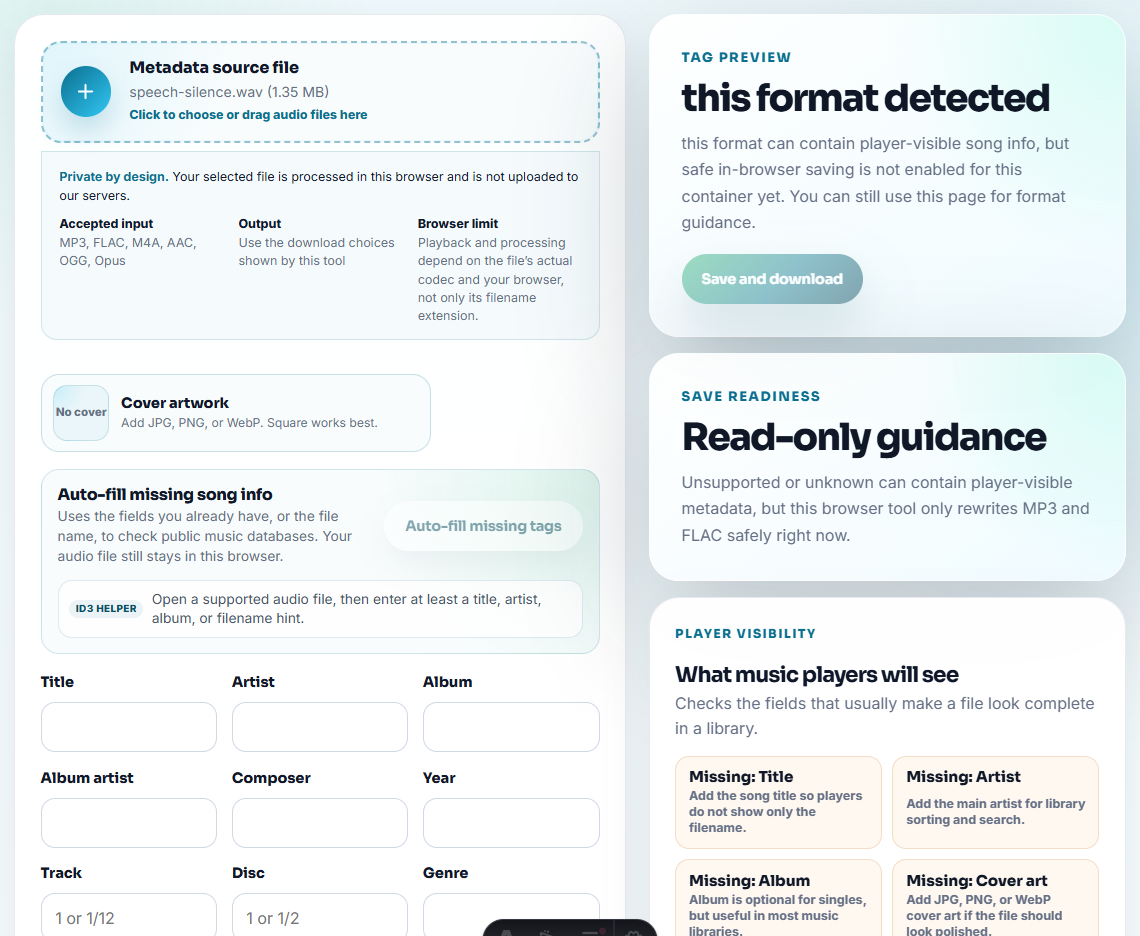
Use Audio Metadata Editor for version, project, or public-status notes.
Step 6: Compress Only the Public Copy
Use Audio Compressor after review. If you also need a downloadable version, keep it separate from the page embed copy so future edits do not overwrite the approved file.
Place Audio Where It Helps the Story
Case study audio should sit beside the claim it supports, not at the bottom of the page as decoration.
| Page section | Best audio role | Better caption |
|---|---|---|
| Problem | Short symptom or before clip. | ”Before cleanup: noisy spoken section used for review.” |
| Solution | Short process or check sample. | ”Checked copy after trimming and level review.” |
| Result | Fair after clip or customer-approved quote. | ”Final sample for this case; source retained separately.” |
| Proof sidebar | Waveform or compact excerpt. | ”Timing cue for the quoted result section.” |
This makes the audio a reason to trust the page, not just another media embed.
Match the Clip to the Case Study Claim
A case study clip should not be a decorative audio sample. It should support one claim in the story and make that claim easier to believe.
| Case study claim | Strong audio evidence | Risk to avoid |
|---|---|---|
| The workflow saved time. | A short process or result sample tied to the step being described. | A vague positive quote with no before context. |
| The output improved. | Fair before-and-after sections at comparable loudness. | Making the after clip louder and calling it quality improvement. |
| The customer solved a specific issue. | A reviewed excerpt that preserves the problem and resolution. | Publishing raw support audio or private account details. |
| The product is easy to explain internally. | A concise champion or stakeholder clip with approved use. | Turning private enablement audio into public testimonial proof. |
This keeps the case study from sounding generic while protecting trust and permission boundaries.
Quality Checks Before You Use Audio Clips in Case Studies Safely
- Do not publish raw customer audio without permission.
- Do not include private names, account details, or unrelated conversation.
- Do not make a before-and-after comparison unfair by changing sections.
- Do not use a vague filename like
case-audio.mp3. - Do not compress the only source file.
- Do not add audio just because the page feels empty.
When to Leave Audio Off the Case Study
Leave audio off the case study when permission is unclear, the clip needs too much explanation, the proof only works for a different claim, or the public page can tell the story better with screenshots, metrics, or plain customer wording.
When Browser Prep Is Enough for Case Study Audio
Browser prep is enough when the case study uses one approved clip and the surrounding claim is already reviewed. Use a formal workflow when the audio contains customer context, testimonial language, public proof, legal review, or multiple stakeholder approvals.
Use a larger review workflow when the audio needs legal approval, customer sign-off, accessibility review, transcript publication, localization, or paid campaign use.
Where to Go Next
- Audio Metadata Viewer
- Recording Quality Checker
- Audio Trimmer
- Audio Waveform Generator
- Compare Audio Fixes Without Fooling the Listener
- Prepare Press Kit Audio Without Private Material
- Make Portfolio Audio Samples Easy to Judge
- Give Sales Approved Audio Proof for Objections
- Make Website Audio Embeds Play Cleanly
Checks Worth Making First
How should audio be used on a case study page?
Use audio only when it supports the story: a short result clip, before-and-after example, testimonial excerpt, product sound, or support evidence.
Should I publish raw customer audio in a case study?
No. Use only audio you have permission to publish, remove private sections, and keep the original source separate from the public copy.
Which details should not be guessed?
Use a clip only if it supports the case study claim, has permission, avoids private details, and does not make the outcome sound stronger than it was.