
Know When Audio Should Be Rerecorded
 By HenrikUpdated Aug 7, 20265 min read
Decide whether audio is fixable or should be rerecorded by testing content, clipping, noise, levels, and purpose.

Some audio is worth fixing. Some audio is better rerecorded. The expensive mistake is spending an hour polishing a file that still cannot serve its purpose.
Some audio can be cleaned; some needs a new take. Use the checks here to separate fixable issues like dead air or low level from problems that cleanup cannot restore.
Decide What the File Must Prove
| Step | Free tool | What to confirm |
|---|---|---|
| 1 | Audio Metadata Viewer | Confirm duration, format, size, channels, and whether the file looks complete. |
| 2 | Recording Quality Checker | Check silence, clipping, low level, and obvious recording risks. |
| 3 | Audio Spectrogram Generator | Inspect hum, hiss, buzz, or strange frequency artifacts. |
| 4 | Audio Trimmer | Test repair on a short copied section instead of the whole file. |
| 5 | reduce hiss and hum in voice recordings | Try gentle cleanup on steady noise only. |
| 6 | Audio Normalizer | Test whether low level can be made comfortably audible. |
The decision should be based on the intended use, not on whether a tool can change the waveform.
Step 1: Define the Real Use
Ask what the audio needs to do:
- Private reference.
- Support example.
- Family archive.
- Course lesson.
- Client review.
- Website sample.
- Public release.
- Paid work.
A noisy file may be acceptable as a support example. The same file may be unacceptable as a course lesson or product demo.
Step 2: Check Whether the Content Exists
Use Audio Metadata Viewer and Recording Quality Checker.
Rerecord is likely when:
- The file is mostly silence.
- The useful section is missing.
- The ending is cut off.
- The wrong input was recorded.
- The duration is far shorter than expected.
No cleanup tool can restore content that was never captured.
Step 3: Check Clipping Before Boosting
If the file sounds harsh, distorted, or crunchy, check for clipping.
Do not normalize or boost first. If the voice or music is already clipped, making it louder usually makes the damage more obvious.
Rerecord is likely when clipping affects the main voice, music, or required proof section.
Step 4: Identify the Noise Type
Use Audio Spectrogram Generator when noise is the main problem.
Steady background hiss or hum may be worth a gentle test. Random handling noise, loud room interruptions, echo, and overlapping voices are harder to repair cleanly.
Use reduce hiss and hum in voice recordings only on a copied test section.
Step 5: Test a Short Section
Use Audio Trimmer to cut a short section that represents the problem.
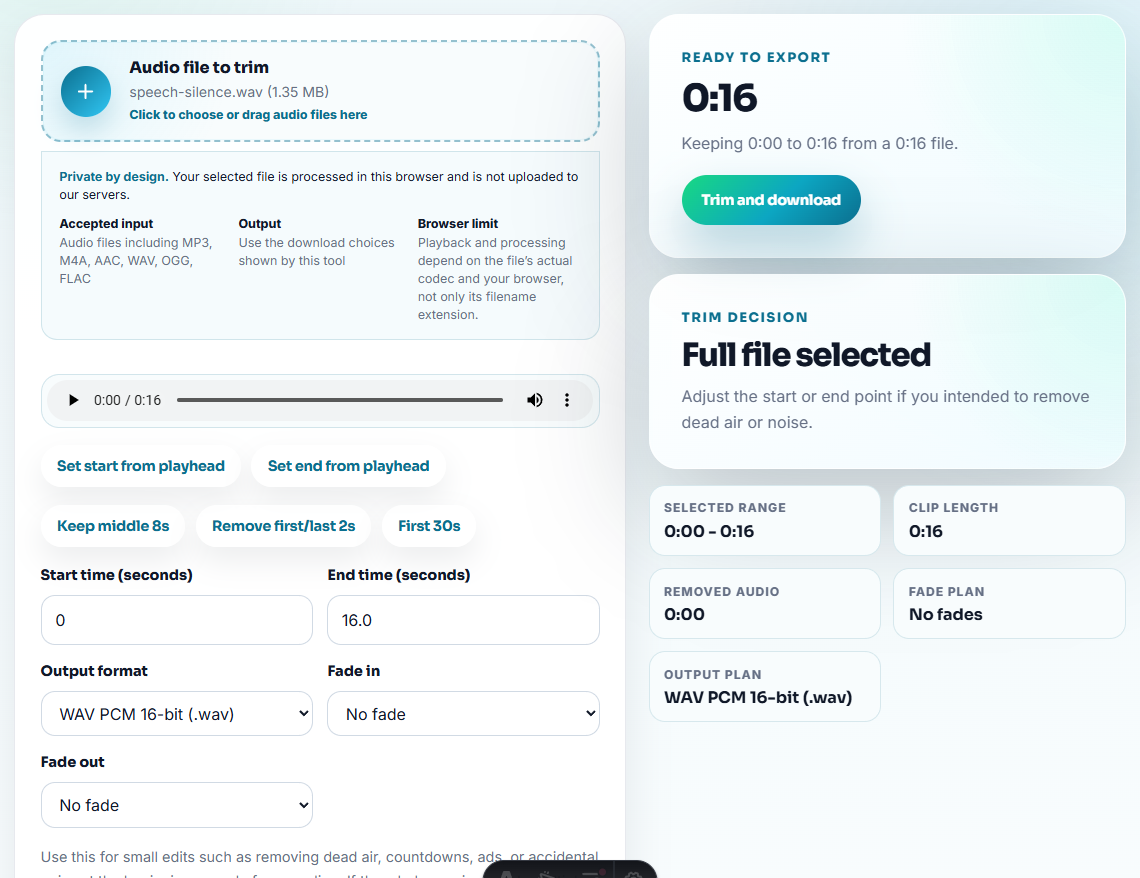
Try the smallest useful repair:
- Gentle noise reduction.
- Careful normalization.
- Removing dead start or ending.
- Making a short preview clip.
If the short test still fails, do not spend time processing the entire file.
Step 6: Make the Decision Visible
Use simple labels:
keep-source-but-needs-note.wav
usable-for-reference-only.mp3
rerecord-recommended-clipped.mp3
repair-test-not-good-enough.mp3
If you keep the file, explain why. If you rerecord, explain what went wrong so the next recording avoids the same problem.
Use a Fix-or-Rerecord Matrix
The decision should be based on the real use case, not just whether a tool can make the file louder or cleaner.
| Problem | Try repair if… | Rerecord if… | Note to keep |
|---|---|---|---|
| Quiet speech | Words are complete and noise is low | Boosting makes noise or distortion dominate | ”Usable after normalization” or “too noisy when raised.” |
| Clipping | It affects only a noncritical moment | Main voice, music, or proof section is clipped | ”Clipping affects required section.” |
| Background noise | Noise is steady and behind the voice | Noise covers words, varies, or includes interruptions | ”Noise type tested on short copy.” |
| Missing content | The missing part is not needed | Start, ending, answer, or proof is gone | ”Content not captured; rerecord needed.” |
This makes the decision explainable to a teammate, customer, or future reviewer.
Red Flags While You Know When Audio Should Be Rerecorded
- Do not boost clipped audio as the first fix.
- Do not spend time editing tags before deciding the audio is usable.
- Do not process the whole file before testing a short section.
- Do not remove noise so aggressively that speech sounds artificial.
- Do not call a file final when it is only usable as reference.
- Do not delete the bad recording until the replacement is safely captured.
When This Decision Can Be Made From Evidence
This page is strongest for a practical fix-or-rerecord decision on voice notes, lessons, support examples, meetings, family recordings, and review copies: situations where know When Audio Should Be Rerecorded depends on file inspection and careful copying rather than a full production system.
Use professional restoration or recording help when the audio is legally important, commercially released, irreplaceable, or requires studio-quality repair.
Useful Follow-Up Steps
- Recording Quality Checker
- Audio Spectrogram Generator
- reduce hiss and hum in voice recordings
- Audio Normalizer
- Choose the Right Audio Copy Before You Edit
- Write Audio Review Notes People Can Act On
- Make Quiet Audio Loud Enough Without Clipping
- Find What Is Causing Noise in an Audio File
Quick Checks Before You Finish
How do I know if audio should be rerecorded?
Rerecord when the useful content is missing, badly clipped, too noisy for the purpose, cut off, or unclear after a short repair test on a copy.
Can a browser workflow tell me if audio is fixable?
They can help you triage problems such as silence, clipping, noise, low level, and rough sections, but the final decision still needs listening judgment.
What should I test before deciding to rerecord?
Check file details, quality signals, noise type, a short trimmed sample, gentle cleanup, and whether the result is acceptable for the real use.