
How to Send Audio Samples After a Demo Request
 By HenrikUpdated Aug 7, 20266 min read
Create a safe demo audio reply with one proof clip, clear context, and no private or misleading source material.
A demo request reply is different from a general sales follow-up. The person has already asked to see or hear something specific, so the audio should answer that request directly.
That might mean a short product output sample, a before-and-after result, a feature proof clip, or a file that shows what the user can expect after setup.
Make the Review Copy Easy to Trust
| Review pass | Tool | What it catches |
|---|---|---|
| 1 | Audio Metadata Viewer | Check source details, file size, format, and labels. |
| 2 | Recording Quality Checker | Confirm the clip is audible, complete, and not clipped. |
| 3 | Audio Trimmer | Cut the section that answers the request. |
| 4 | Audio Normalizer | Make the review copy easier to hear without overstating quality. |
| 5 | Audio Waveform Generator | Add visual context when the reply needs timing or comparison cues. |
| 6 | Audio Compressor | Create a smaller reply copy after approval. |
| 7 | Audio Metadata Editor | Add product, feature, request, or review labels. |
The recipient should know why the file was sent and what question it answers.
Step 1: Match the Demo Request
Pick the request type:
- Show a product output sample.
- Demonstrate a cleanup result.
- Share a before-and-after comparison.
- Prove a file format or playback result.
- Show an example from a similar workflow.
- Provide a short clip for internal review.
If the prospect asked for one thing, do not bury the answer in five unrelated files.
Step 2: Inspect the Source Copy
Use Audio Metadata Viewer to confirm that the file is the right source and does not contain private labels, internal notes, or old version names.
Use Recording Quality Checker to catch silence, clipping, weak levels, or missing endings before the reply leaves your team.
Step 3: Trim to the Proof Moment
Use Audio Trimmer on a copy. The clip should start close to the useful sound and end before it becomes a general demo.
Good demo request clips:
- Answer the specific request.
- Avoid private source content.
- Play quickly.
- Sound clear enough to review.
- Match the written reply.
Step 4: Keep the Example Honest
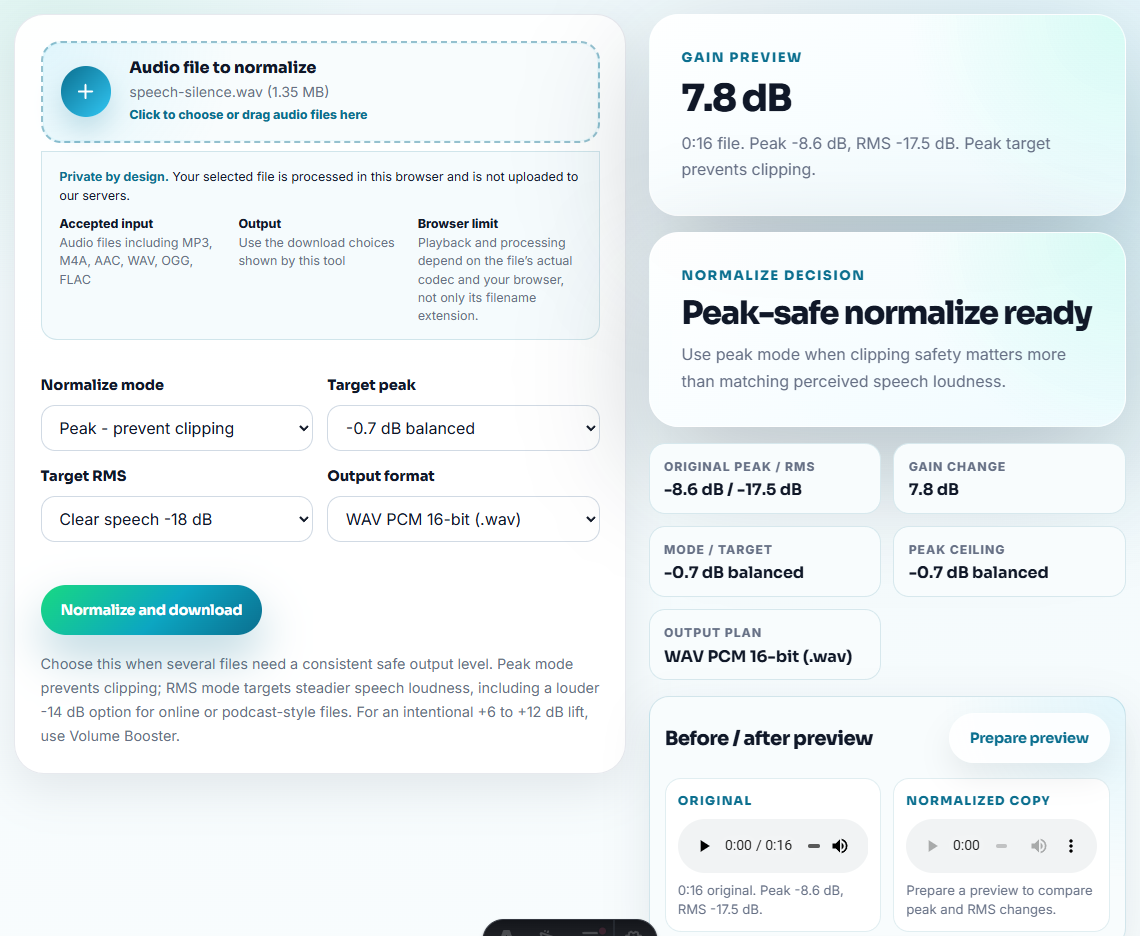
Use Audio Normalizer if the sample is too quiet. Do not make a result clip misleadingly louder than the source if the request is about quality improvement.
Use Audio Waveform Generator when the recipient needs to see timing, silence, peaks, or before-and-after alignment.
Step 5: Create the Reply Copy
Use Audio Compressor after review. If the prospect needs another format, use Online Audio Format Converter on a copy and keep the source separate.
Do not replace the approved source with the compressed or converted copy.
Step 6: Label the Request Context
Use filenames such as:
demo-request-product-output-sample.mp3
requested-before-after-cleanup-demo.mp3
feature-proof-clip-short-review.mp3
demo-reply-compatible-copy.mp3
Use Audio Metadata Editor when the file may be forwarded internally by the prospect.
Step 7: Add a Short Reply Note
Pair the clip with one sentence:
This short sample shows the cleaned output for the workflow you asked about; the original source is kept separate.That turns the audio into an answer instead of a loose attachment.
Make the Demo Reply Answer One Real Objection
A useful demo reply should reduce uncertainty the prospect already has. Do not send a polished generic sample when the request is really about a specific risk.
| Prospect concern | Better demo reply audio | Poor demo reply audio |
|---|---|---|
| ”Will the result sound clean enough?” | A short before/after or output sample with the same kind of source. | A best-case clip from an unrelated source. |
| ”Can I use the file after recording?” | A clip plus format, duration, and naming context. | A raw attachment with no explanation. |
| ”Will it capture a streaming music workflow?” | A short result sample and a note about track naming or review steps. | Several music clips with no link to the requested workflow. |
| ”Can my team review this quickly?” | A compressed proof copy and one sentence about what to listen for. | A large full-length recording. |
This section is intentionally practical: the audio should answer the buyer’s worry, not simply prove that a tool can trim, normalize, or compress a file.
Choose One Reply Package
Demo request replies become confusing when the team sends every possible sample. Pick one package that matches the request.
| Request type | Reply package | Include |
|---|---|---|
| ”Can I hear the result?” | One output sample. | Short clip, source type, and what to listen for. |
| ”Can you show before and after?” | Matched comparison pair. | Fair loudness note and claim boundary. |
| ”Will this work for my workflow?” | Use-case sample. | Scenario, format, and next setup step. |
| ”Can my team review it?” | Lightweight review copy. | Neutral filename, practical size, and forwarding note. |
| ”Is this a support fix or a sales demo?” | Written answer first, audio second only if useful. | Separate troubleshooting from buying pressure. |
This keeps the demo reply focused and reduces the chance of sending a sample that answers the wrong question.
Check the Demo Sample Before Replying
- Do not send unrelated demo clips just because they are available.
- Do not include private customer audio without permission.
- Do not exaggerate quality by making only the result louder.
- Do not expose internal filenames or version notes.
- Do not send a large raw file when one proof clip answers the request.
- Do not rely on the clip without explaining what it demonstrates.
When Browser Prep Is Enough for Demo Replies
Use browser prep for demo-request replies when the prospect needs a small, relevant sample before deciding on a call. Keep the clip tied to the exact question, avoid sending unrelated examples, and use reviewed assets for public or high-value sales material.
Use a larger workflow when the demo needs customer approval, legal review, formal product claims, custom recording, localization, or a live walkthrough.
Where to Go After This Check
- Audio Metadata Viewer
- Recording Quality Checker
- Audio Trimmer
- Audio Compressor
- Answer One Buyer Question With Safe Audio Proof
- Use Demo Audio to Prove One Product Outcome
Common Questions
What should a demo requester understand from the clip?
Choose one proof point, trim a short clip, check playback, label the use case, remove private source details, and pair the file with a short note.
Should I send several demo clips in one reply?
Only when each clip answers a different question. Otherwise, one focused sample is easier to review.
What should I check for demo request audio?
Match the clip to the demo request, keep it short enough to review, and explain what outcome the listener should verify.